

magnifeaq
New Participant
Jul 27, 2025 10:58 AM UTC
Solved

Figma make code layer glitching

hi there!


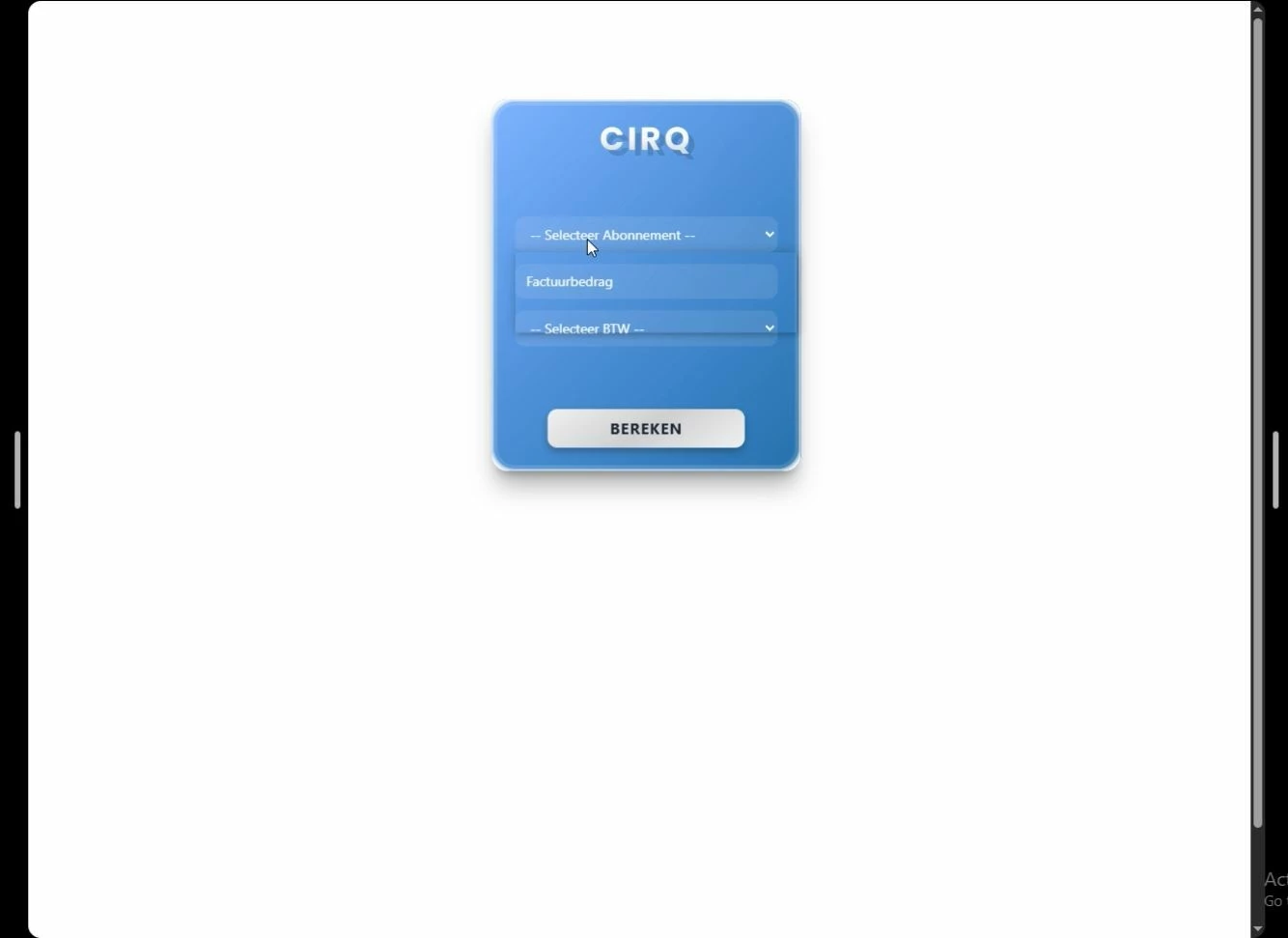
I made some code layers and everything was working beautiful!

after figma sites and make came out of beta, all the code layers started to glitch!

Help! i tried to make a new code layer with the code and also glitching , what can i do?


Thank you!


This topic has been closed for replies.
Tom Reem
Tom ReemSolution
Figmate
Aug 4, 2025 12:07 AM UTC

Hi ​@magnifeaq — thank you again very much for confirming those details and for taking the time to dig in while we investigated further. I checked in with our team, and it looks like the issue affecting code layers has now been resolved by engineering. ✅

Appreciate your patience throughout this — and if anything else comes up, we’re always here to help! 💯

4 replies

Tom Reem
Figmate
Figmate
Jul 28, 2025 1:59 AM UTC

Hi ​@magnifeaq — welcome to Figma Forum, I’m glad we got in touch!

Sorry to hear you’re running into this behavior in Figma Make — I know how frustrating that can be. To help narrow things down, could you check a few things first?

  • Are you using the Figma Desktop App or a web browser? If it’s the Desktop App, is it updated to version 125.6.5 or later?
  • If you’re using a browser, which one? Does refreshing the tab or trying a different browser help?

If everything above checks out and you’re open to it, our Technical Quality team can take a closer look at the specific file you’re working in. You can get started by filling out this form and including:

  1. a link to the file where this is happening
  2. edit access granted to support-share@figma.com for the impacted file
  3. a quick screen recording showing the steps leading up to the behavior (if possible).

Sharing the file with support won’t impact your billing and will help us reproduce and investigate more effectively. Thanks so much. 🙏🏻

magnifeaq
magnifeaqAuthor
New Participant
Jul 28, 2025 10:22 AM UTC

Hi Tom , 


Thank you so much for your answer.


• I use the Desktop app and tried all browsers. also delete cash for desktop and browser but problem stays the same

• i updated the desktop app too


I will contact figma trough the form right now!


Thank you for your fast answer

Greets!

Tom Reem
Figmate
Tom ReemSolution
Figmate
Aug 4, 2025 12:07 AM UTC

Hi ​@magnifeaq — thank you again very much for confirming those details and for taking the time to dig in while we investigated further. I checked in with our team, and it looks like the issue affecting code layers has now been resolved by engineering. ✅

Appreciate your patience throughout this — and if anything else comes up, we’re always here to help! 💯

magnifeaq
magnifeaqAuthor
New Participant
Aug 4, 2025 3:51 PM UTC

yess! everything got fixed thank you very much!
