Figma links fail to open from Electron apps on macOS when the Figma desktop app is installed (error -600)
Hi Figma Support team,
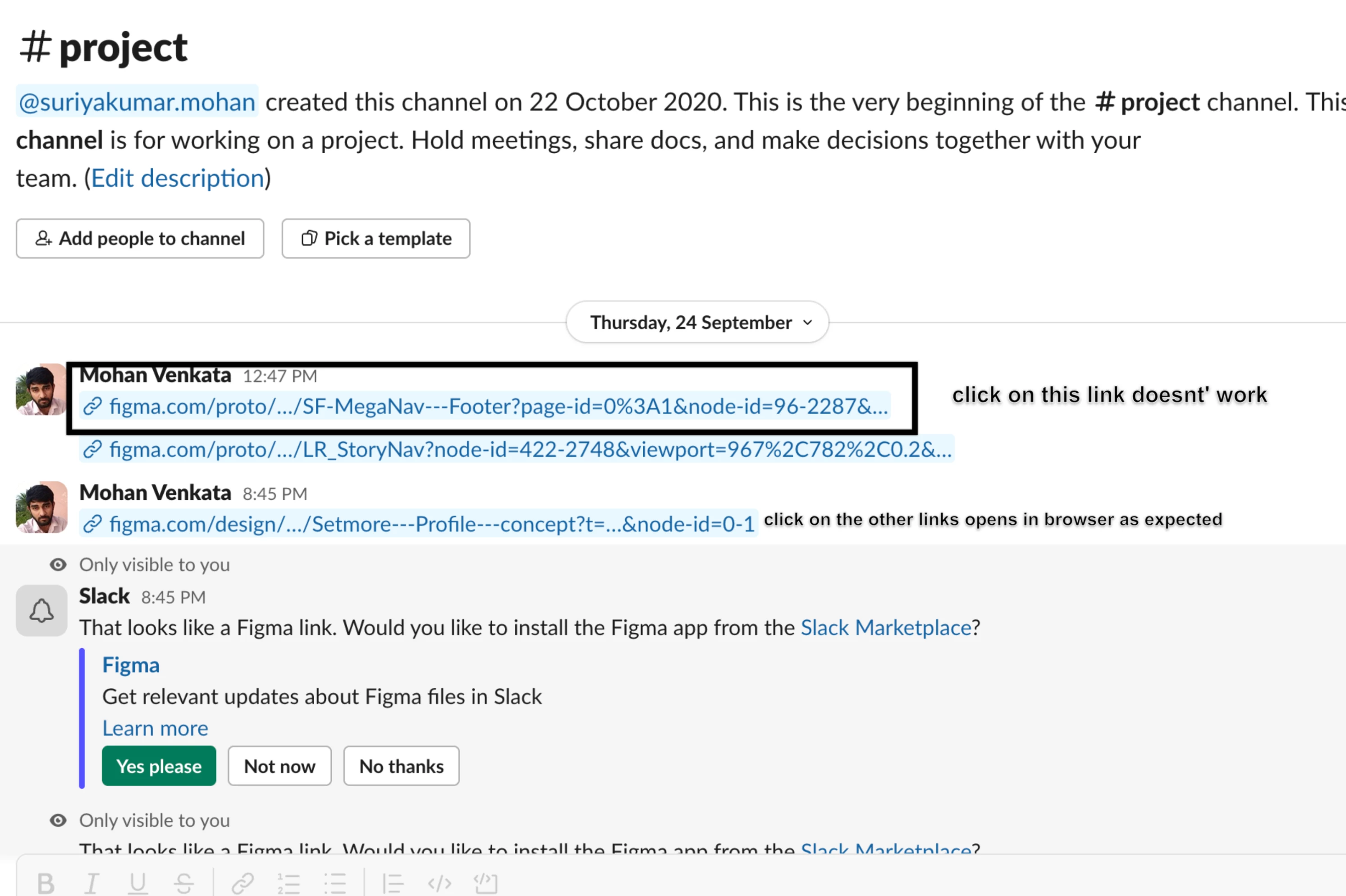
We've found a problem on macOS with the Figma desktop app installed. Clicking a figma.com link inside another Electron app does nothing. This happens to only certain urls of figma not all the urls, and this happens in our own app (Setmore) and also in Slack, so it isn't limited to one app. We think it involves how the Figma desktop app handles links that macOS passes to it.
Environment
macOS: 27.0 (26A428) , M2
Figma desktop app: latest 126.9.10
Apps tested: Setmore desktop app (Electron) and Slack desktop app (Electron)
Steps to reproduce
Install the Figma desktop app on macOS.
Share a Figma prototype link in an Electron app (Setmore or Slack), for example: https://www.figma.com/proto/<file-key>/...?node-id=...&page-id=...&desktop-link-click-timestamp=...&desktop-ul-exp-bucket=...
Click the link.
example link that failed for us :
https://www.figma.com/proto/b3jKH9qbvcDUlvuatYlJGz/SF-MegaNav---Footer?page-id=0%3A1&node-id=96-2287&viewport=-863%2C968%2C0.19&t=wyTJVdKMUbpyT9Nw-9&scaling=min-zoom&content-scaling=fixed&starting-point-node-id=96%3A2287&show-proto-sidebar=1&desktop-link-click-timestamp=1787146848266&desktop-ul-exp-bucket=po
Expected: The link opens in the Figma desktop app or the browser.
Actual:
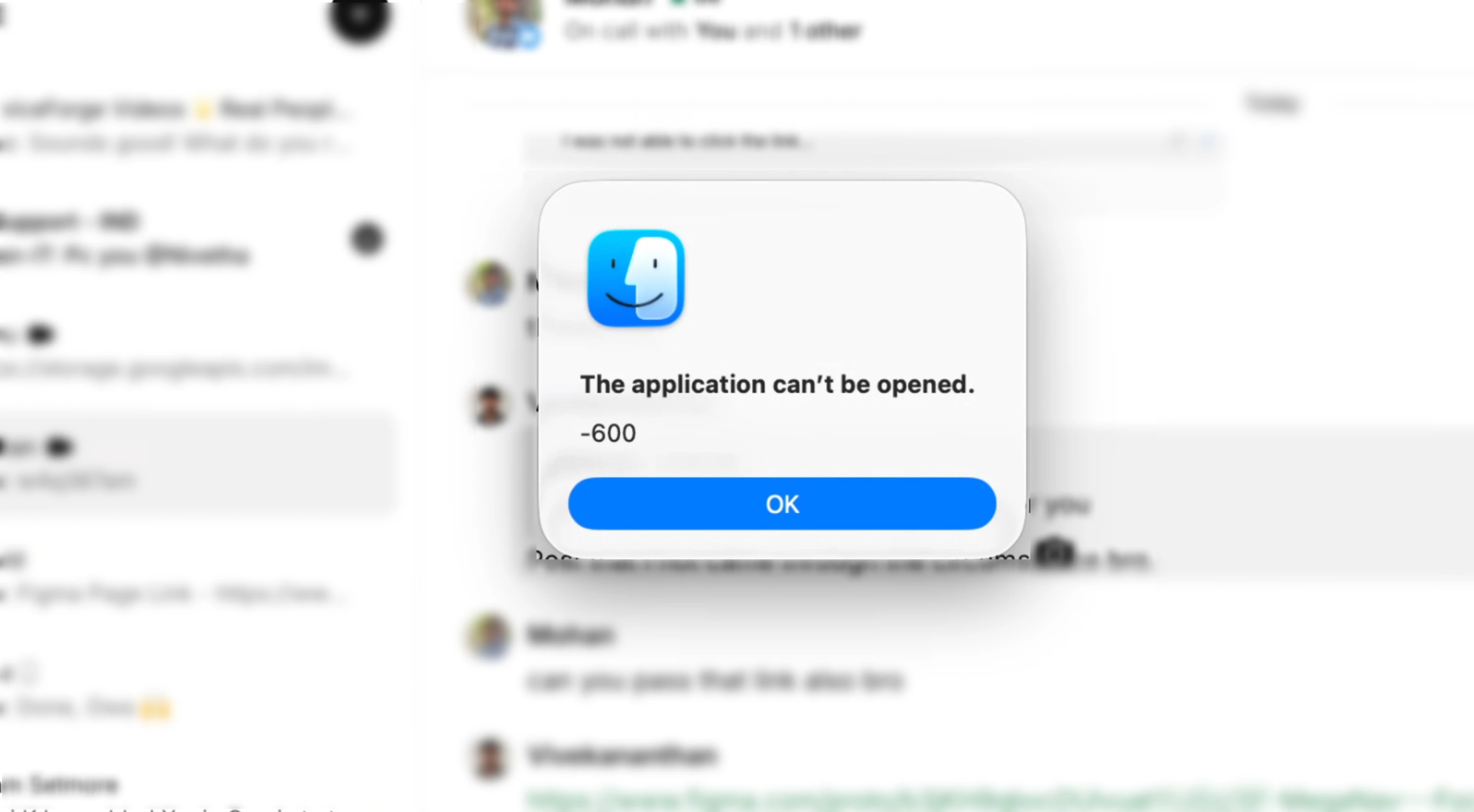
On the first click, macOS shows: "The application can't be opened. -600"
Later clicks fail silently. Nothing opens and no error appears.
What we've checked
Our app handles the click correctly. The click is registered, our code calls window.open(url, '_blank'), and the Electron main process logs the request. It then goes to macOS, which fails to launch the handling app with error -600.
Slack fails the same way on the same machine, and it shares no code with our app.
On machines without the Figma desktop app, the same links open normally in the browser.
The failing links contain desktop-link-click-timestamp and desktop-ul-exp-bucket parameters, which seem to be added when a link is copied from the Figma desktop app. Other Figma links clicked on the same machine opened fine.
Workaround: Copying the link and pasting it into a browser works.
I've attached a screen recording showing the link failing in both Setmore and Slack, plus a screenshot of the -600 error. I can share logs or join a call if that would help.
Thanks,
Mohan
Anywhere.co