

Question

Figma glitch/bug - chopping and slash in prototype view

  • May 26, 2026
  • 6 replies
  • 53 views

Ruby Brewster

Hello there,

My creative director keeps getting this prototype viewing issue, where the text box comes up with a big slash through it, and cuts off before the end of it (see how it stops at ‘u’)
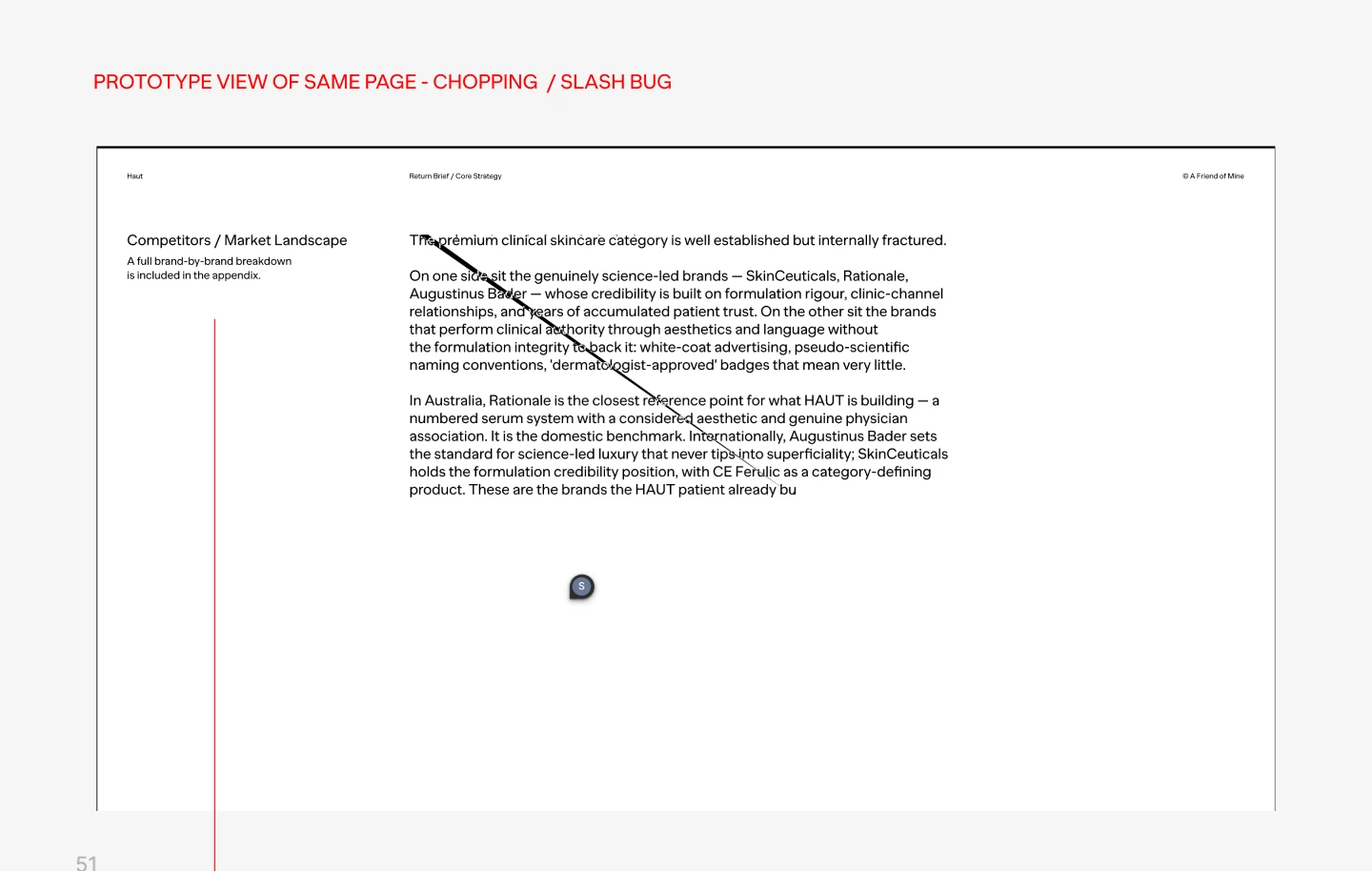


I’ve tried a few things by troubleshooting on google, including:

1. Making the text-ordinates whole values (no decimal points)

  1. Removing any auto layout from this slide
  2. Setting line height of text to ‘auto’

And none of those things worked. It’s becoming quite an issue as she needs to present using figma to clients, and I cannot see this on my end - it only happens on here computer. please help!

6 replies

  • Figmate
  • May 26, 2026

Hi ​@Ruby Brewster ,


I understand that your creative director is experiencing an issue in prototype view where a slash appears through the text box and the text gets cut off.


Since the issue only appears on her machine, it's possible that her local environment is contributing to the problem. Could you ask her to try the following quick fixes and see if any of them help?

  • Close any Figma tabs that aren't being used.
  • Browser: Force-quit the browser and reopen Figma in a new window.
  • Desktop App: Force-quit the Figma Desktop app and restart it.

If the issue still persists, it would also help to know:

  • Does this issue occur in the desktop app, browser, or both?
  • Could your director try connecting from a different network, such as a mobile hotspot, to see if the issue persists?

If none of the above resolves it, I'd recommend submitting a bug report so our team can take a closer look.

To do so: Go to the Support Hub → Type "Report a bug" → Click "Start a chat"

Please include the following in the form:

  • A direct URL to the file - Share view access to the file with support-share@figma.com (our official Support account — you won't be billed for this access)
  • Any screenshots or video recordings of the issue

This will help our team visualize and investigate the issue more effectively.


Thanks!


peninasharon

I’m experiencing this, too. This is a prototype I created, and that was working fine a few weeks ago. Our project is at a standstill while we try to resolve the issue.


Jaycee Lewis
Figmate

Hi, ​@peninasharon 👋 Thanks for adding that you're seeing the same thing.

The single most useful thing you can share is a short screen recording of the issue happening as you navigate the prototype (rather than a still screenshot) — seeing it in motion tells us whether the text is failing to render or being clipped during a transition, which a static image can't.

A couple of quick questions:

  • Are you viewing the prototype in the desktop app or the browser, and on which OS? Because it shows for some viewers but not can point to something on the viewing machine rather than the file itself
  • Does the affected design use any custom or non-system fonts? One thing worth checking: if a font isn't available on the viewer's end, Figma can substitute or fail to render it, which can show up as cut-off or oddly marked text

Once we can see the recording we'll be in much better shape to narrow it down. Thanks! — Jaycee


peninasharon

Huh, I just wrote a reply that isn’t showing up. ​@Jaycee Lewis do you see it? Or do I have to rewrite it? 😭


peninasharon

@Jaycee Lewis … rewriting my reply:

  1. Can’t share much that’s visual due to NDA, but I just created a quick, blurred out screenshot with the weird bits viewable.
  2. The issue is only in browser view.
  3. I both created and am attempting to view the prototype, so the font is what I selected from Figma’s offerings: Chivo Light.


  1.  


Jaycee Lewis
Figmate

Hi, ​@peninasharon 👋 That screenshot and the detail that it's browser-only with a Figma-library font (Chivo Light) helps a lot.

I tried reproducing it on my end across the desktop app, Chrome, and Safari and couldn't trigger it. I wonder if it’s something on the viewing environment.

GIF of my test using Chrome

My setup (I tried to match what you did)

The next step is a support ticket. To file it, head to — Support Hub > type "Report a bug" > "Start a chat"
 

Please include:

  • A direct URL to the example file
  • Edit access granted to support-share@figma.com so our team can attempt to reproduce (this is our official Support account — it won't affect your billing)
  • A full-size screen recording of the issue as you navigate the prototype — seeing it in motion tells us whether the text fails to render or gets clipped
  • Please share using your Figma account email, or the access grant won't link correctlyTwo quick things that'd speed up diagnosis if you can grab them:
  • Your exact browser + version and OS
  • If browser, does the slash still appear with hardware acceleration turned off in your browser settings?

If you add the ticket ID here or sent it to me via DM, I am happy to follow along.

Thanks! — Jaycee