Question

figma education not working at all.

  • July 16, 2026
  • 1 reply
  • 8 views

dinofos

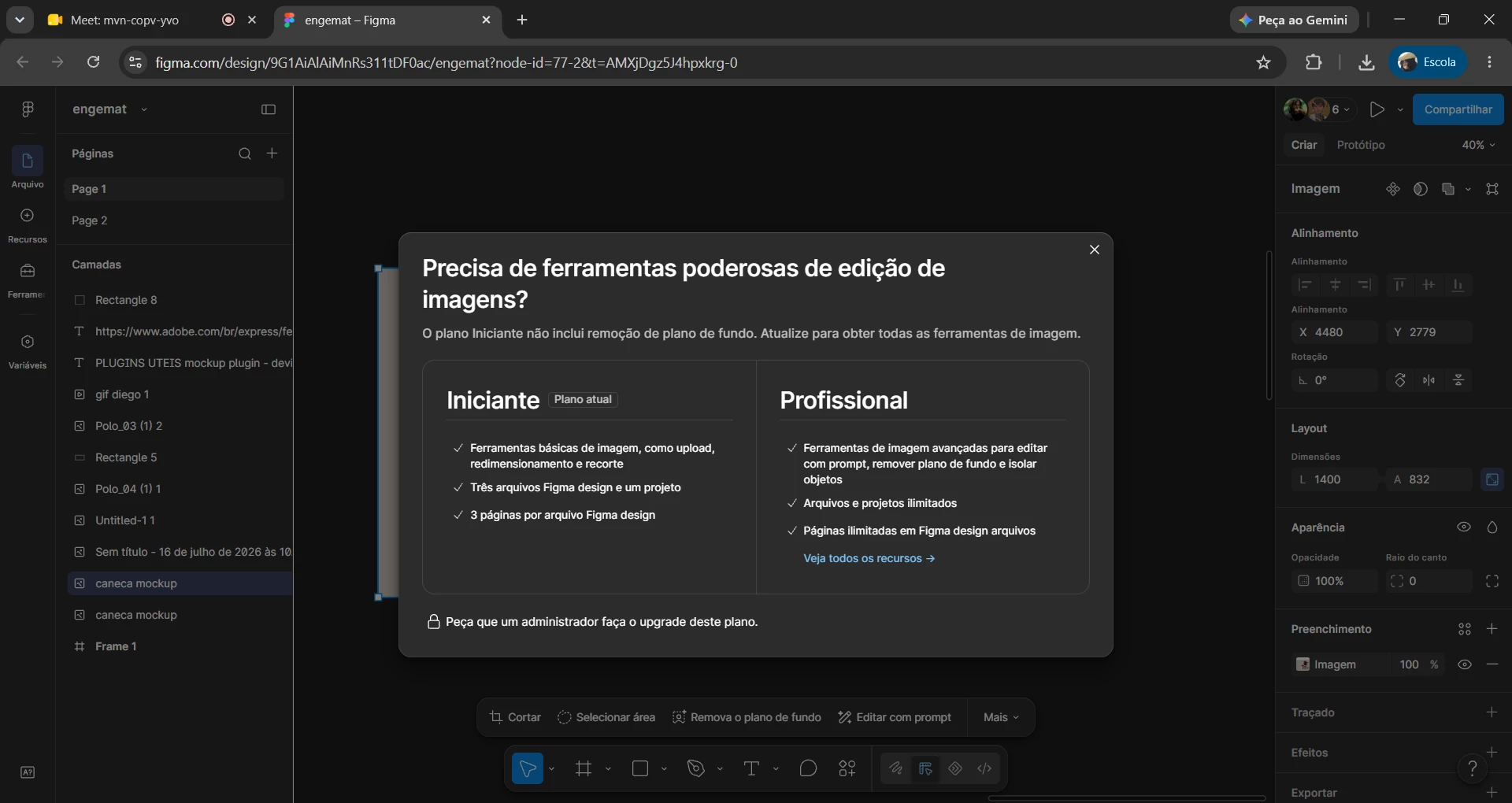
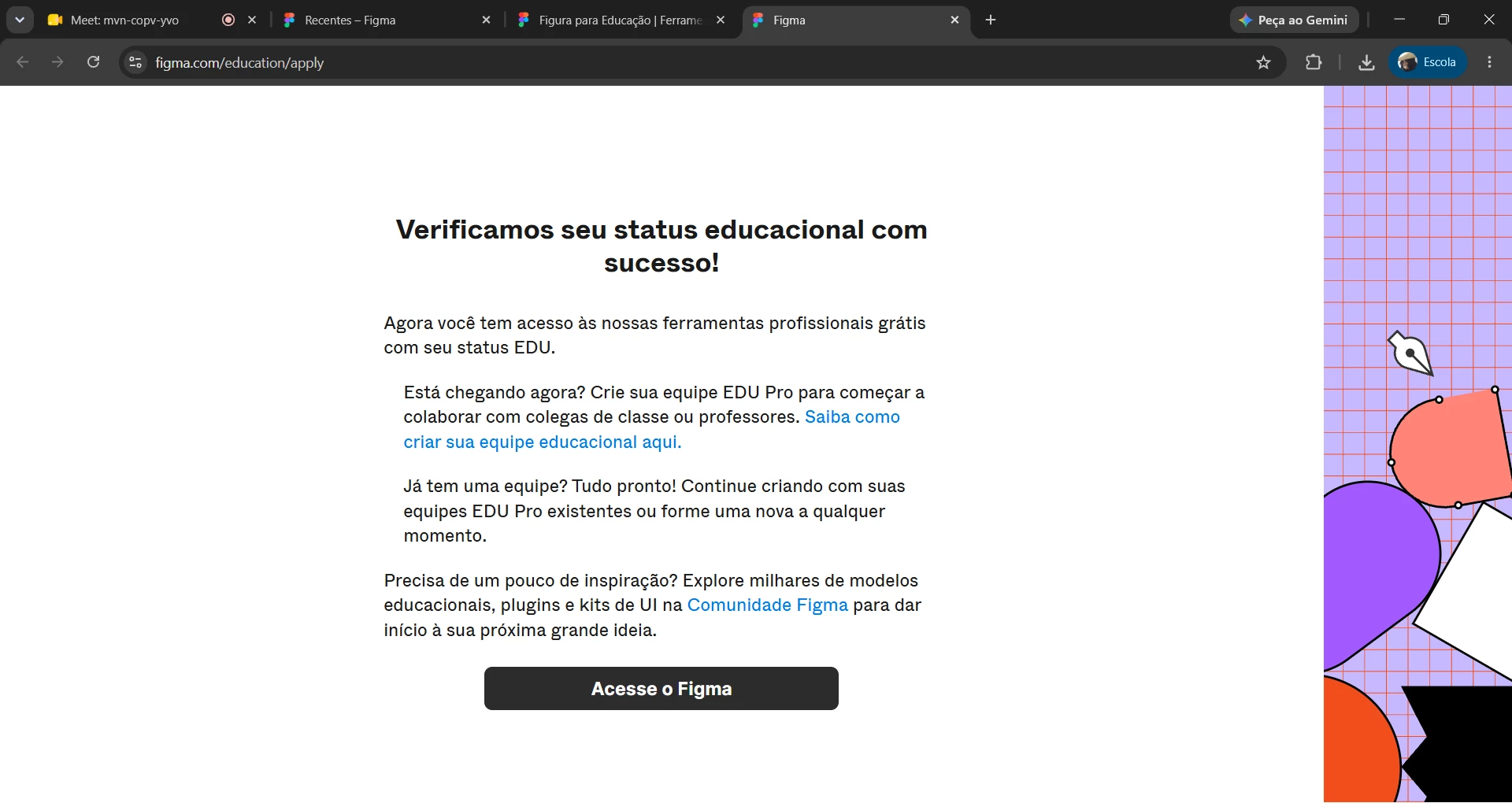
Hi, Figma team! I recently requested access to Figma Education for university coursework, but I’m still having issues with the plan. When I log in to the site, it says my access has been verified and approved, yet when I actually use Figma, it shows I’m on the Free plan—even though Figma Education promises otherwise. What can I do to get it working? Features like background removal and vectorization are important for my classes... I look forward to your support!

Images are in Portuguese, hope it is ok.
 

Site Screenshot / App Screenshot


1 reply

Gayani_S
Figmate
  • Community Support
  • July 16, 2026

Hey ​@dinofos, thanks for reaching out!

Your screenshot confirms your education status itself was successfully verified. Verifying your education status is one step. Upgrading your team to the Education plan is a separate one, and it looks like that second step hasn't happened yet.

Here's what to check:

  1. Look at who owns the team you're working in. Your second screenshot shows that team is still on the Starter plan, with a prompt asking an admin to upgrade. So either it hasn't been upgraded yet, or you're not the owner.
  2. If you own the team: open the file browser at figma.com, click the Free badge next to the team name in the left sidebar, then select the Education plan option to complete the upgrade.
  3. If you don't own it: ask whoever manages that team to complete the upgrade above, or create your own team for your coursework via Create free team in the file browser, then move your files into it.
  4. Double check you're logged into the same account/email you used to verify. Verification only applies to the account you were logged into at the time.

One thing to flag: background removal and vectorize are AI image tools that, in our experience, have had more limited availability on Education teams compared to paid Professional teams, even after a team is properly upgraded. So if you complete the steps above and still don't see those specific tools, that's a separate thing worth confirming for your account rather than something the team upgrade alone will fix. Let me know if that happens and I'll help get it looked into.

More detail on setting up your team is in our Figma for Education guide.


Hope this helps!Â