

ligem714
New Member
August 12, 2025
Solved

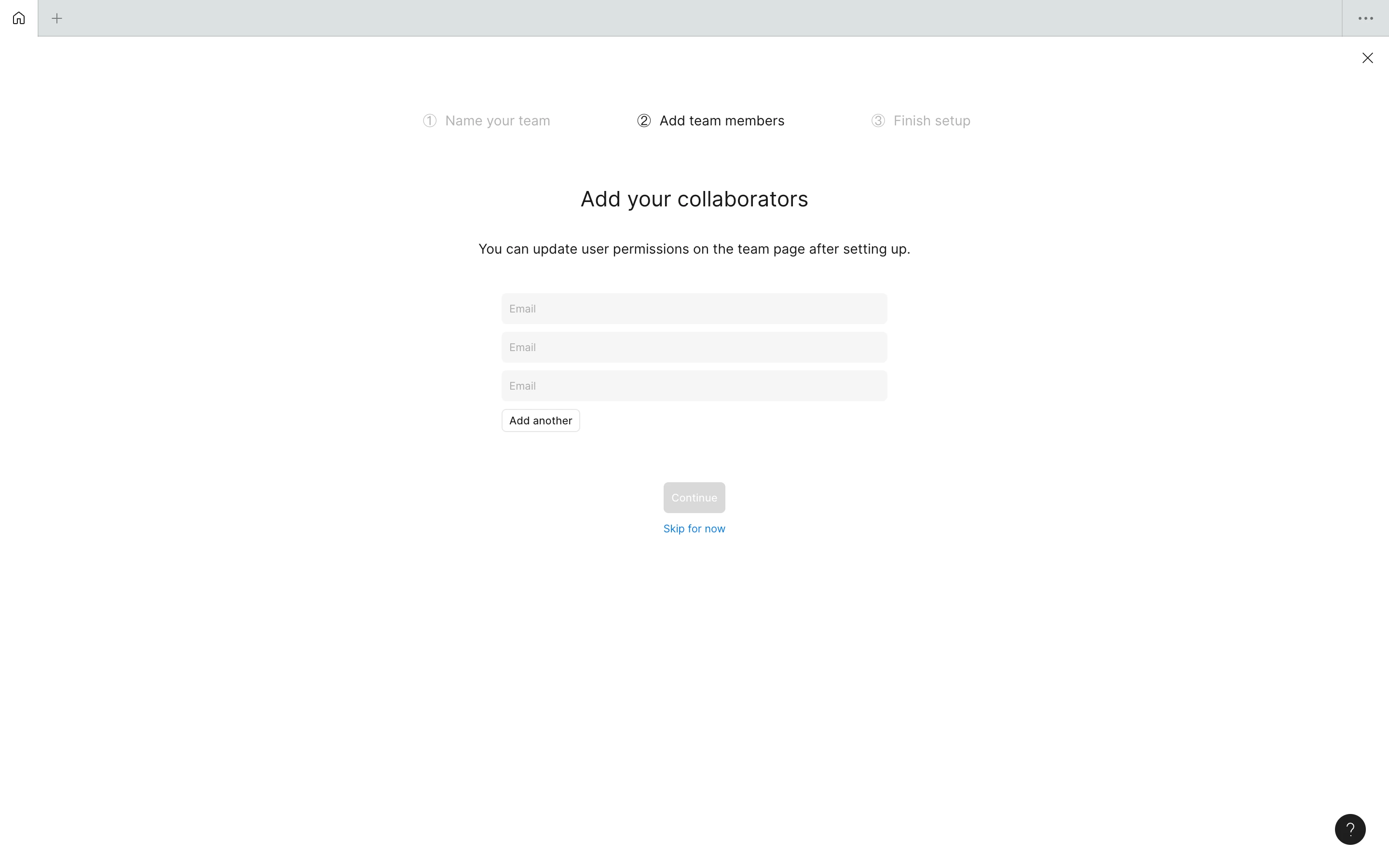
Figma desktop homepage gets stuck on "add team members"

  • August 12, 2025
  • 1 reply
  • 76 views

Hi, I accidentally clicked to create a new team and then got stuck on the “Add team members” page. Neither “Skip for now” nor the close button in the upper right works to leave this page. I’ve tried logging out, restarting the app, and even reinstalling it, but every time I open Figma, I’m still stuck on this page and can’t close it to go back to the homepage. The web version works fine. How can I resolve this?


    This topic has been closed for replies.
    Best answer by ligem714

    OK, I cleared the cache in Figma Desktop, and now everything works fine. Leaving this thread for someone who might encounter the same issue.

    1 reply

    ligem714
    ligem714AuthorSolution
    New Member
    August 12, 2025

    OK, I cleared the cache in Figma Desktop, and now everything works fine. Leaving this thread for someone who might encounter the same issue.