

Jaeyun
New Member
February 8, 2025
Question

Figma desktop app image loading issue
  • February 8, 2025
  • 2 replies
  • 464 views

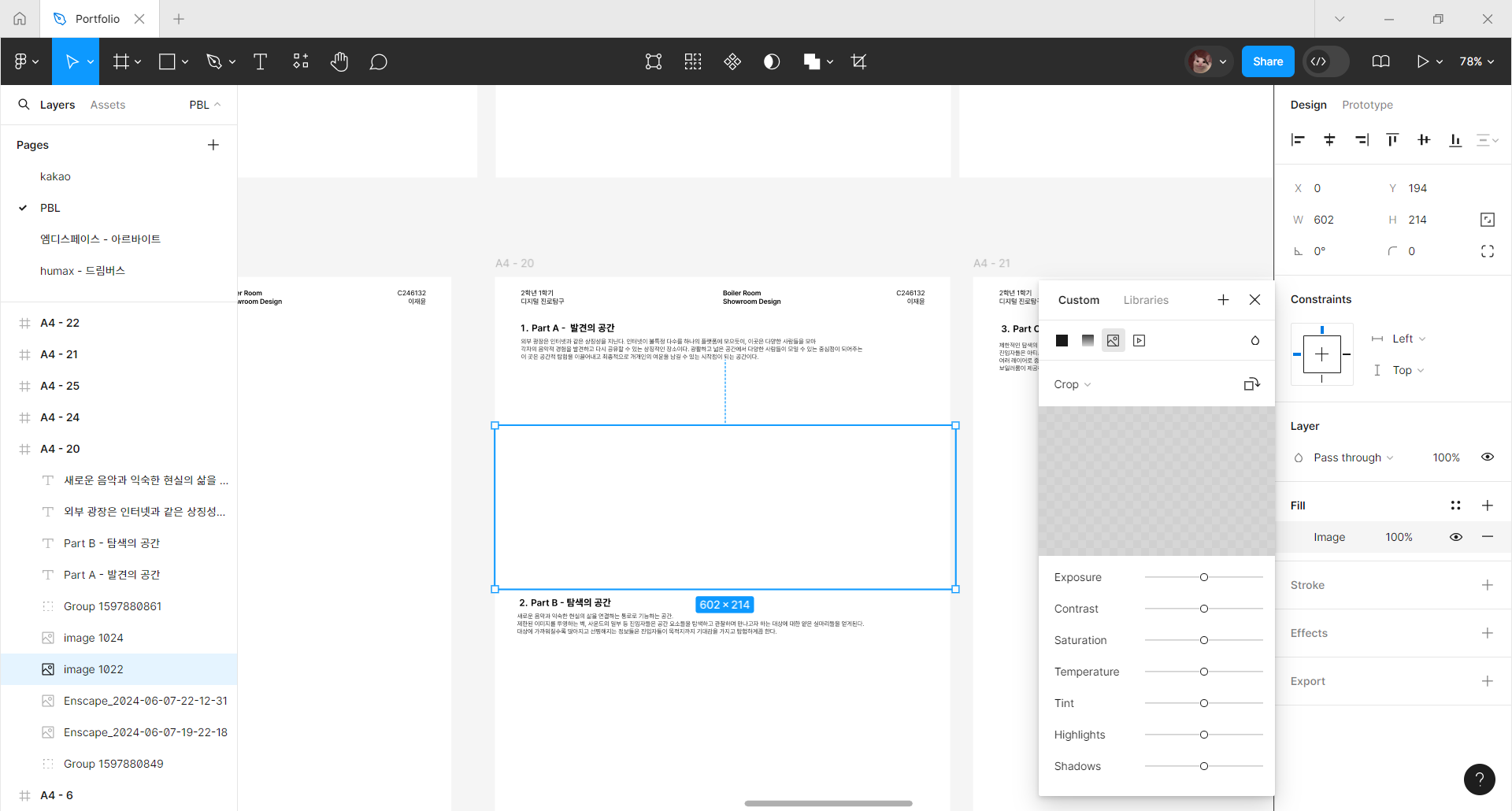
I’m currently using figam desktop app for all my works,

30 mins ago every images were showing up just fine and I could work with them,

but suddenly now all the images are gone.


I tried double clicking to check if the image is still there, but nothing shows up.

I tried re starting my computer, try web browser, do the reload tab thing, re installing desktop app but nothing seems to fix my  problem. what should I do to load my images??

    This topic has been closed for replies.

    2 replies

    StanleyJames
    New Participant
    February 17, 2025

    Hey! That’s frustrating when everything was working earlier. Since you’ve restarted and reinstalled, check your internet connection—an unstable one can prevent images from loading. Clearing the cache in Figma settings might help. If the browser works, try opening it in incognito mode to avoid extension conflicts. Also, make sure your Figma is updated, as updates often fix bugs. Sometimes, like the patience in Surah Kahf, troubleshooting requires persistence. If nothing works, contact Figma support. You can also take a break and read Surah Kahf online at https://surahkahf.com/.

    y_toku
    Figmate
    Community Support
    February 20, 2025

    Hi ​@Jaeyun,


    Thanks for reaching out and sharing the details. It seems you did everything you could do on your end as the article shows. If the issue persists, could you submit a bug report detailing the steps that led to this issue? You can do so by following the link: https://help.figma.com/hc/en-us/articles/360041468234-Submit-a-bug-report


    Thanks for your patience.

    Toku