

Figma Desktop App can't force sRGB and shows wrong colors (SOLVED)
Hi, my original question was going to be:
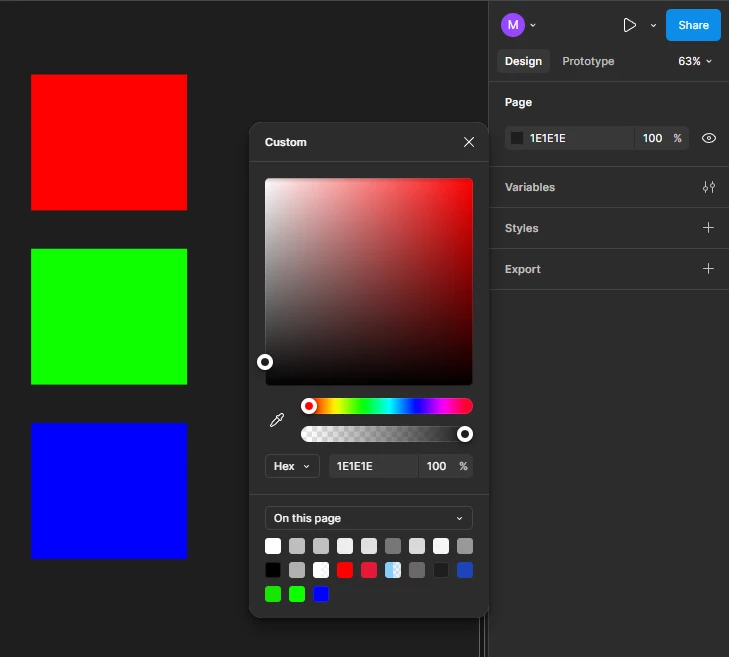
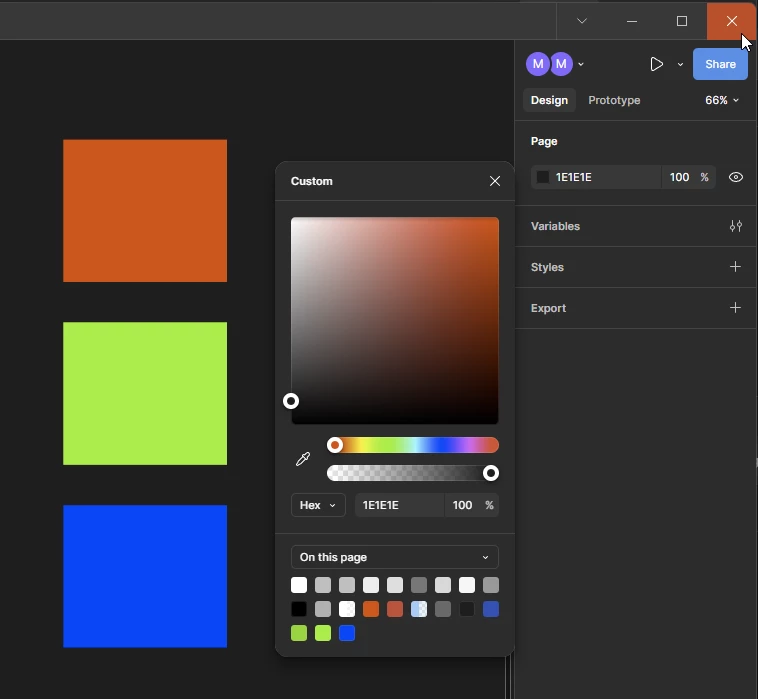
I've been struggling with forcing the Figma Desktop App to work in sRGB. I mean the entire app, not just the project preferences. Attached is what I mean. Image 1 is web-based Figma (Chrome -- Enabled Force sRGB and Forced Colors Flags) and Image 2 is Desktop App (Win 11.. Notice that even my Close X button is not real red -- all other apps don't do this) I've seen similar issue with other Electron based apps like VSCode and was able to fix it by appending --force-color-profile srgb in the shortcut Target to the exe. Tried it for Figma to no avail: "C:\Users[USER]\AppData\Local\Figma\app-125.11.6\Figma.exe" --force-color-profile srgb I have not enabled HDR on my monitor although it support it. No other color management or profiles added via Windows. Any Idea how to fix the issue and force sRGB?
So after more tinkering I found a solution:
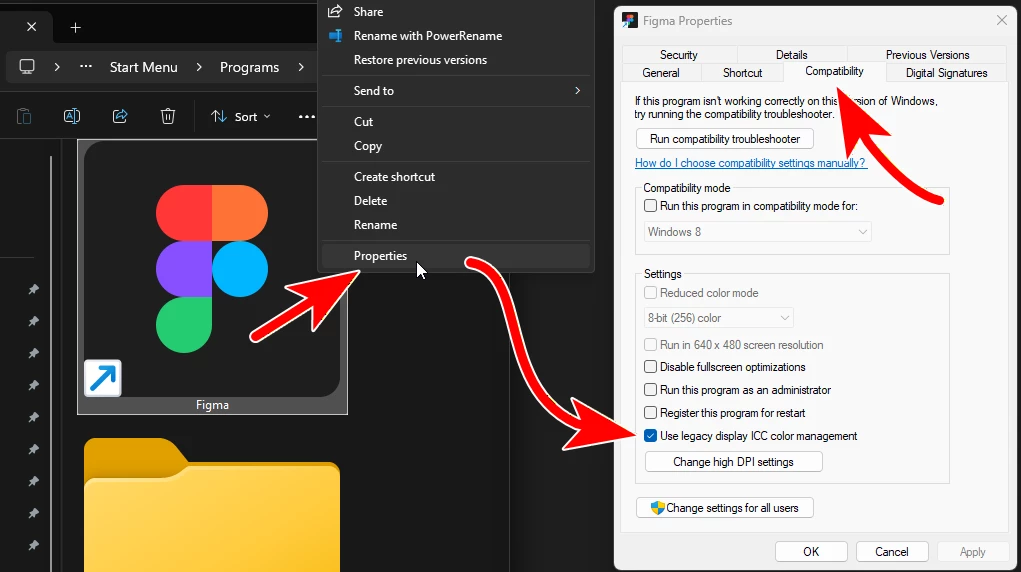
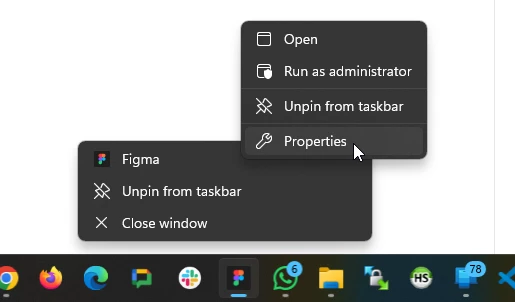
- Right-click on the shortcut (desktop/taskbar/start menu folder -- whichever you use)
- Compatibility tab → ✅ Use Legacy Display ICC Color Management
- OK
Wish I could respond the folks here but it’s closed:
You’re welcome 😉