
Sayful_Islam_Shakib1
New Participant
October 7, 2026
Question

Figma Beta Desktop App opens a new window instead of reopening the closed tab.

Figma Beta Desktop App opens a new window instead of reopening the closed tab. I use the shortcut is Ctrl + Shift + T

Google Drive LINK
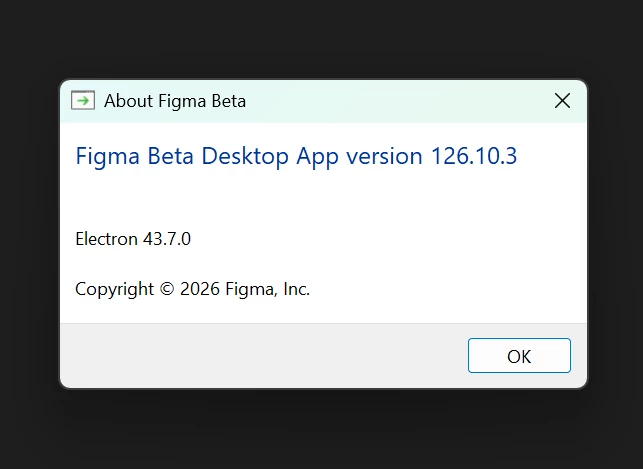
Figma Beta App Version 126.10.3


Thank you

3 replies

Gayani_S
Figmate
Community Support
October 7, 2026

Hey ​@Sayful_Islam_Shakib1, thanks for sharing the screen recording!
I want to make sure I understand what you're seeing, in the recording, the closed tab comes back in the first window, and then several more windows open on top of it. Could you tell me roughly how many times you pressed the shortcut, whether you'd closed any other windows earlier, whether you have both the regular Figma desktop app and Figma Beta open at the same time (and which Figma icons show in your taskbar), and which operating system and version you're using?

In the meantime, these steps should help us work out where the extra windows are coming from:

  1. Check your app is up to date. The Guide to the Figma desktop app explains that the app shows a message prompting you to update when a newer version is available. If you haven't seen one, or you're not sure, download and reinstall the latest Figma Beta from that guide, then let me know your version number afterwards. If your computer is managed by your company, you may need to ask your administrator to update the app.
  2. Fully quit Figma Beta and reopen it so you begin with a single window. Open a file, close its tab, then use the shortcut once and let me know what happens.
  3. Compare with the regular desktop app. You can install the Beta and the regular Figma desktop app side by side, so try the same steps in the regular app and tell me whether it behaves differently.
  4. Try reopening from the tab menu instead. Close a file tab, then click the tab menu in the top-right corner of the app and pick that tab from the recently closed list. This helps us tell whether the extra windows only appear with the shortcut or with any way of reopening a tab. Let me know whether the tab opens in the same window or a new one.


Let me know how you get on. If it keeps happening, I'm happy to connect you with our customer support team to take a closer look.

Sayful_Islam_Shakib1
New Participant
October 7, 2026

 I actually pressed Ctrl + Shift + T four times. Normally, when I close other files, Figma Desktop works fine and doesn’t have any issues. However, this issue occurs in the Figma Beta app.
 

Figma Beta App


Windows 11 Doc


Gayani_S
Figmate
Community Support
October 15, 2026

Hey @Sayful_Islam_Shakib1, I am really sorry for the wait! I totally missed this, apologies for that! 

Thanks for confirming the regular Figma desktop app works as expected. The shortcut may be reopening a whole window instead of just one tab. 

Have you had a chance to try the other steps from my earlier reply?

  • Updating or reinstalling Figma Beta, and the version number afterwards
  • Fully quitting and reopening Figma Beta, closing just one file’s tab (not the window), then pressing the shortcut once
  • Reopening that tab from the tab menu instead of the shortcut

Let me know what you see, especially whether the tab comes back in the same window or a new one opens. The Guide to the Figma desktop app covers managing tabs from the tab menu.
 

If a single closed tab still opens extra windows, I’d recommend to reach out to our customer support team through the Support hub and file a bug report.
