

Question

Figma autolayout grid bug

  • May 23, 2026
  • 3 replies
  • 50 views

Cristian_Banu

Hi,

Everything works fine using grid, but when I close Figma and reopen it, it’s messed iup. The issue gets fixed if I simply duplicate the frame using autolayout grid, the new frame will look perfect, while the old identical one will be broken. The one on the left is broken, the one on the right is correct, it’s simply the duplicate (Alt drag) of the other one, no changes made to it whatsoever.
Thanks
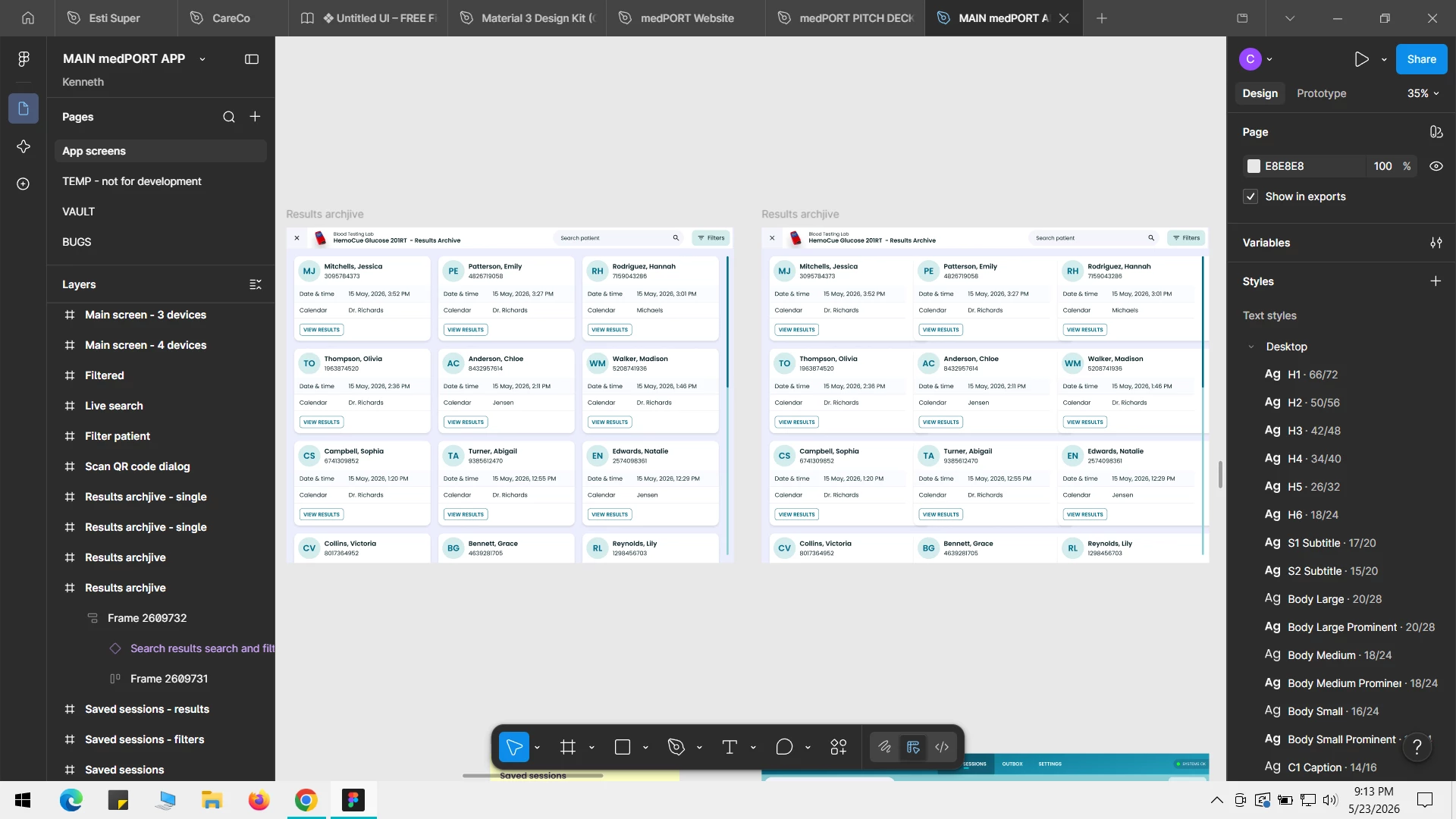
 

3 replies

Cristian_Banu
  • Author
  • Active Member
  • May 23, 2026

One workaround seems to be changing the AUTO in the numebnr of rows to a specific number, like in the image below


Cristian_Banu
  • Author
  • Active Member
  • May 23, 2026

Actually there seems to be an issue with autolayout, here’s the same problem in a frame which uses Autolayout Horizontal insetad or Gid.


adamsmasher
Figmate
  • Figmate
  • May 24, 2026

Hi, ​@Cristian_Banu! Seems like you’ve really done a lot of experimenting to figure out why this is happening.


What properties do you have set for the problematic layers within your auto-layout frame? I did a quick test but I couldn’t replicate what you saw after closing/reopening the file:

  1. Created a frame
  2. Added a rectangle with some basic styling.
  3. Duplicated the rectangle a bunch.
  4. Enabled auto-layout on the frame and set it to 3 x auto.
  5. Close the file and reopened it (no change for me).
Layer properties of a rectangle (same for all of them)
Auto-layout properties for the parent frame.


Is this substantially different than what you have set, ​@Cristian_Banu? Also, it’s worth noting that I was using the desktop app for the screenshots, though I also didn’t see an issue when I later opened the file in a browser. I also did not test duplicating the frame yet since I wasn’t able to replicate the issue with the original. I’m curious… are these new frames and layers you made very recently, or have they existed in your file for a while?