

Question

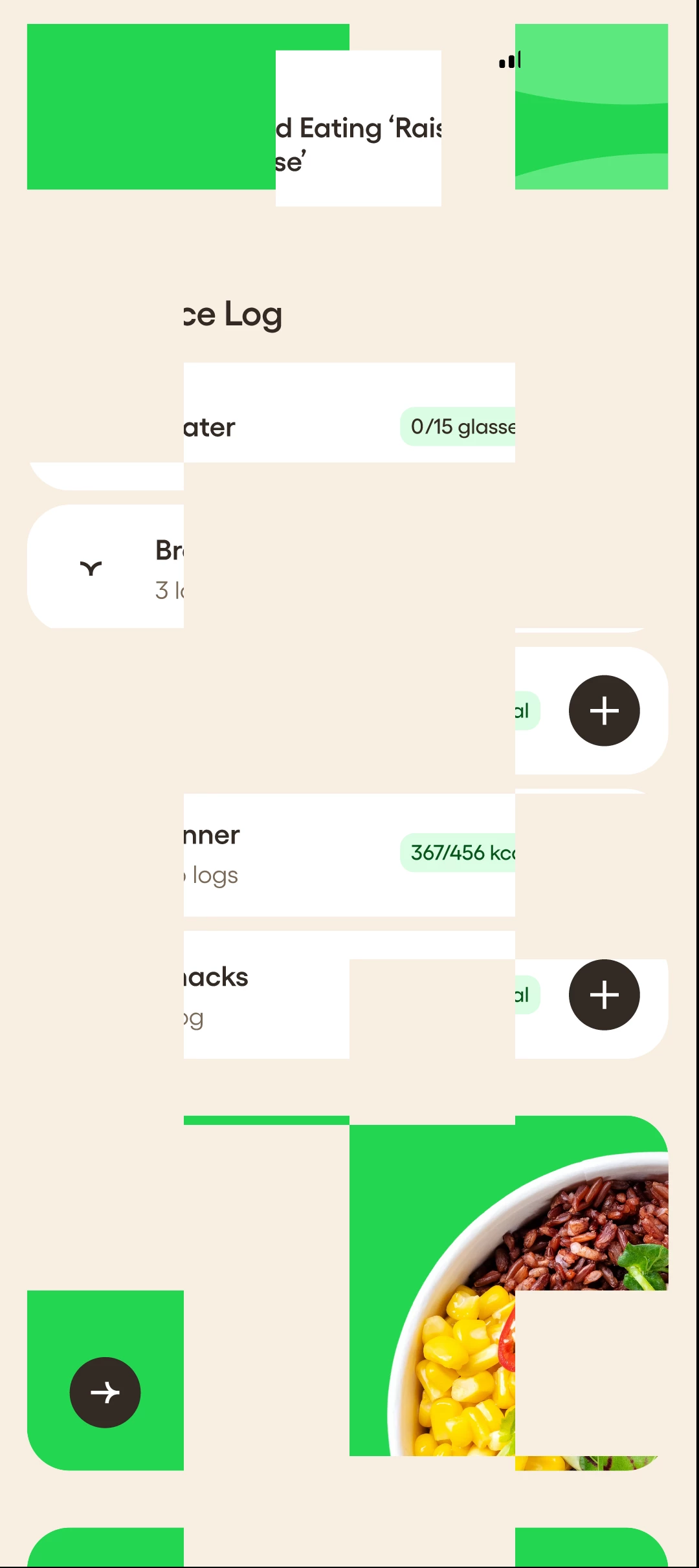
Figma app for Android displaying garbled checkerboard artifacts

  • June 17, 2026
  • 1 reply
  • 18 views

Dmitrij_Paskevic

Has been happening for a while now. Some designs just break the preview into checkerboard chunks and randomise them. Thought it was due to the Glass effect but nope. Some pages work absolutely fine, but most just garbled. App is pretty much unusable now.


1 reply

Celine_
Figmate
  • Community Support
  • June 17, 2026

Hey ​@Dmitrij_Paskevic , thanks for sharing that screenshot! I was able to see your ticket and can confirm it's been assigned to our Technical Quality team, so the right people are already on it. Someone will be following up with you directly soon. 🙏

While you wait, here are a few things worth trying in the meantime. (This type of visual glitch is often related to how Figma interacts with your device's graphics settings):

- Update your GPU drivers: outdated graphics drivers are a common cause of rendering artifacts. It's worth checking if there's an update available for your device. More information on system requirements here.
- Enable hardware acceleration: if you're on a browser, make sure hardware acceleration is turned on in your browser settings. Some users have seen improvement after enabling this.

When the support team follows up, it would help to share your OS, device model, GPU details , if it happens on browser, desktop app or both, directly in your support case if possible, that'll speed up the investigation, thank you!

Update: The technical quality team is waiting for you response so they can investigate it further. Please check your inbox when you can, thank you!