
Question

Figma AI not available on my professional plan?

  • January 12, 2026
  • 3 replies
  • 19 views

Nicholas Coma

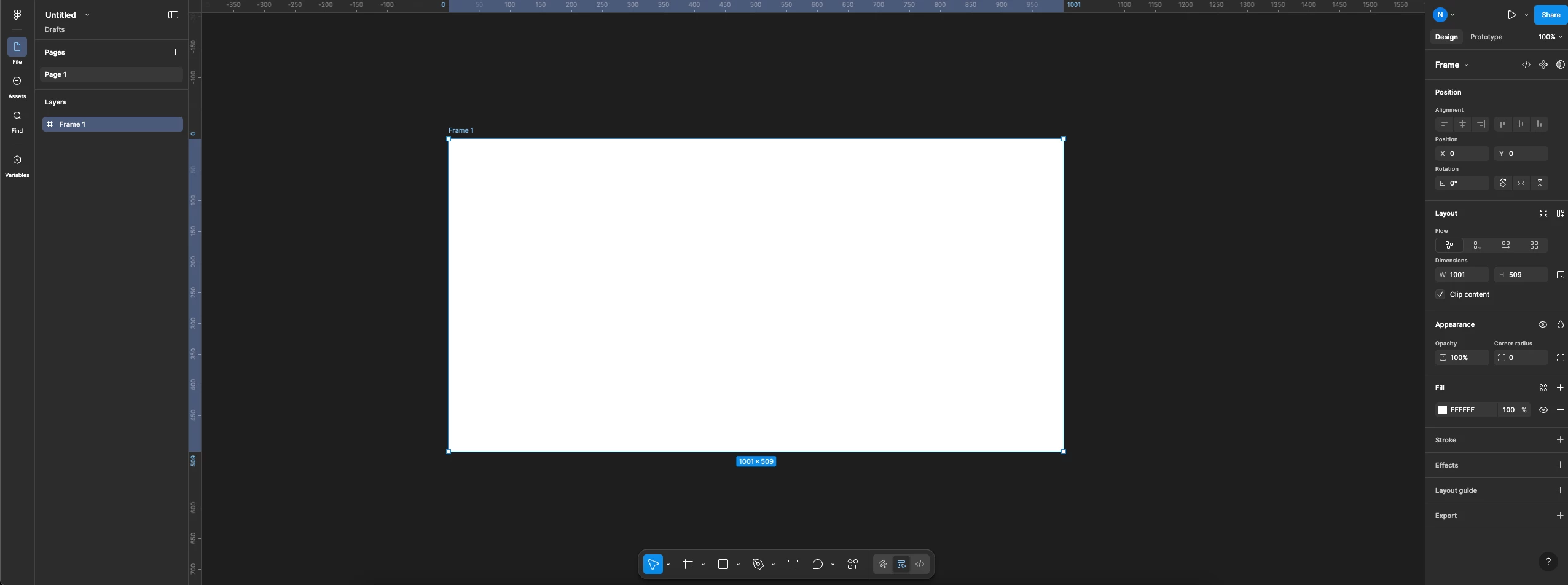
I pay for Figma on my personal account and its currently not showing up in the toolbar to use.

I’ve looked everywhere and I still can’t find a way to enable it for my personal work.


3 replies

Marcelo Fortunato

in the same problem!


Celine_
Figmate
  • Community Support
  • January 13, 2026

Hey there, Celine from Figma here, happy to help!
@Nicholas Coma , I can see you have already access to the Figma AI features in your Figma Design file as you have the Actions icon in your screenshot. Please click on the Action icon in the Figma Design toolbar (at the bottom of the editor), this give you access directly to the Figma AI tools.


For more information on the Figma AI Tools in Figma Design, you can also check our guide here. Hope this helps!


Amelian58
  • New Member
  • January 13, 2026

Figma AI is already available on the Professional plan, but it does not appear as a separate button.

In Figma Design, click the Actions icon in the bottom toolbar. That is where the AI tools live. If you can see Actions, your plan already has access.

If it still does not show, make sure you are in a Design file, not FigJam or Make, and that your app is up to date.
