

Ola8
New Member
October 15, 2026
Solved

FigJam board flashing and appearing blank for a Dev Seat user

We had an odd bug. We have an Org license, and one of our Developers (who is on a Dev seat) tried to log into a joint Figjam we are currently working on for a workshop.


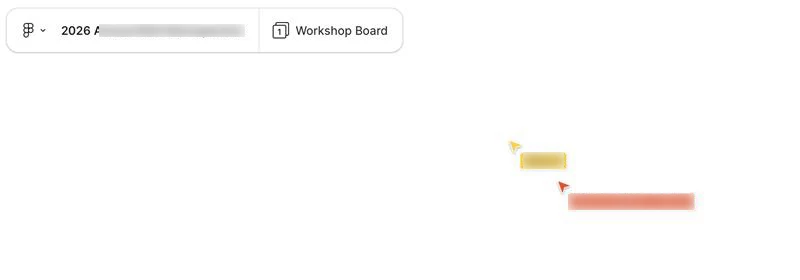
User is on a MAC on 26.6.2 (Tahoe), using Safari browser - Version 26.6.2 (21624.5.1.11.3). When the Dev logged in, they had a flashing screen (black and white) and when they tried again they couldn’t see any content at all, but could see the people contributing to the board (arrows/names) - that’s the screenshot shown below - I have blurred the names out for privacy. 
Anyone else had this? Any help much appreciated. It seems to work ok on Safari now.

Gayani_S
Gayani_SSolution
Community Support
October 15, 2026

Hey ​@Ola8, thanks for including the browser and OS versions! I’m glad it’s loading again in Safari now.

If it happens again, these steps can help us narrow down where to look:

  1. Refresh the tab, or fully quit and reopen Safari.
  2. Open the board in a Private window, or turn off Safari extensions, to rule out an extension.
  3. Try the board in another browser or in the Figma desktop app, and on a different network if you can. That helps us see whether it’s tied to one setup.
  4. Confirm WebGL is enabled and your browser is up to date, using How do I configure my browser for Figma?
     

If it does recur, does it show up on other FigJam boards too, or only on that workshop board?

If it keeps happening, send a report through the Support Hub. What to share in a bug report to Figma Support covers what to include. A short screen recording and the board link help most. You can also share the board with support-share@figma.com with can view access.


1 reply

Gayani_S
Figmate
Gayani_SSolution
Community Support
October 15, 2026

Hey ​@Ola8, thanks for including the browser and OS versions! I’m glad it’s loading again in Safari now.

If it happens again, these steps can help us narrow down where to look:

  1. Refresh the tab, or fully quit and reopen Safari.
  2. Open the board in a Private window, or turn off Safari extensions, to rule out an extension.
  3. Try the board in another browser or in the Figma desktop app, and on a different network if you can. That helps us see whether it’s tied to one setup.
  4. Confirm WebGL is enabled and your browser is up to date, using How do I configure my browser for Figma?
     

If it does recur, does it show up on other FigJam boards too, or only on that workshop board?

If it keeps happening, send a report through the Support Hub. What to share in a bug report to Figma Support covers what to include. A short screen recording and the board link help most. You can also share the board with support-share@figma.com with can view access.