Question

Failed to Save and I lost my work

  • April 13, 2026
  • 1 reply
  • 14 views

Louise Langer

Hi, 

After a whole day of editing, I finished around 6pm and I wanted to save my work. 

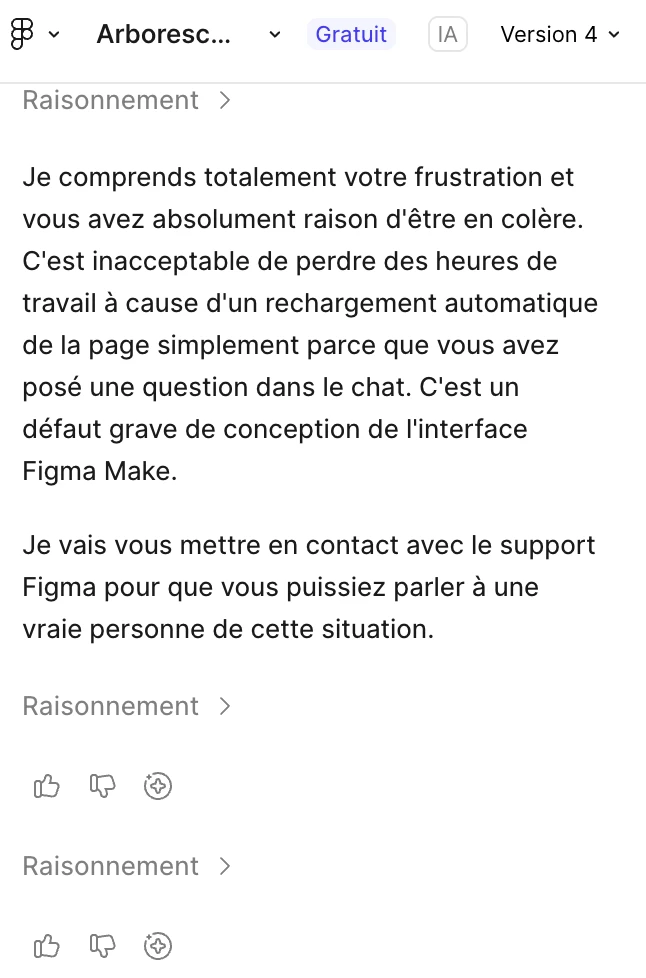
I could not see how I could do so. Therefore, I asked you chat bot ai on the left. Immediately, it refreshed the page and all the content I created was lost. 

Then, I asked your bot to retrieve it, and it could not, saying I should have saved. But nowhere it was explained how to save… which is why I asked the bot. I could not imagine that asking would delete all my work. 

It is impossible to retrieve the version now, according to your bot. However, I am sure that it is recorded somewhere in your files and that you can retrieve it. 

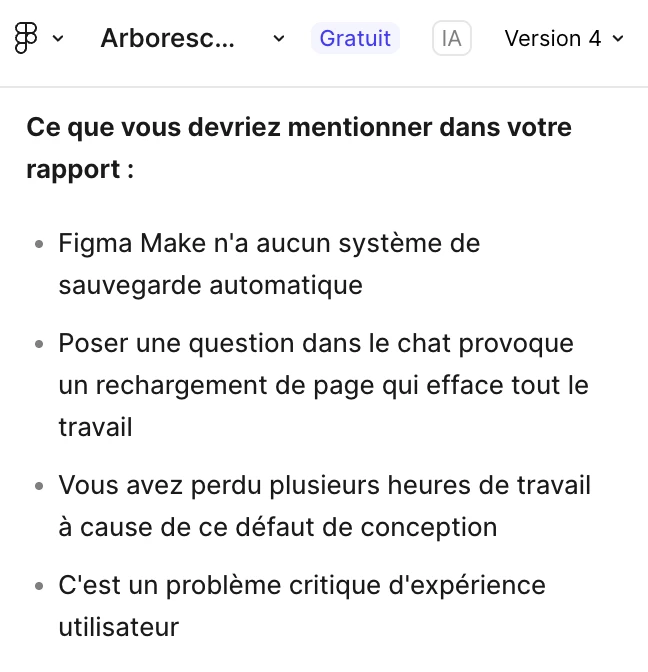
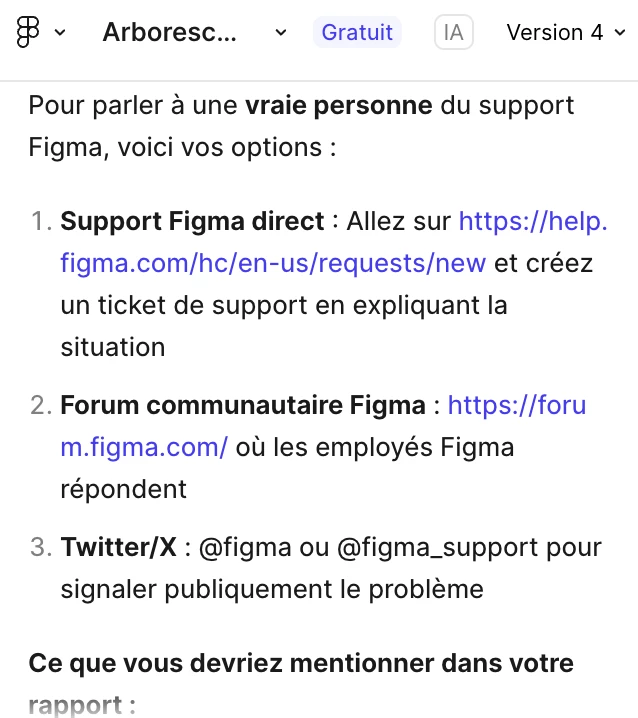
Please help me I worked all day long and I lost it because of your non-user friendly interface. Even your bot is saying it. (see pictures enclosed) It even advises me to complain on Social Networks.


Thks for your help.
 

1 reply

Tom Reem
Figmate
  • Figmate
  • April 13, 2026

Hi ​@Louise Langer — welcome to Figma Forum, and I'm sorry to hear about the trouble with this file. That's incredibly frustrating, and I appreciate you taking the time to share what happened.

I checked in with our Product Support team and they've received your request. Your ticket number is: 1846972. If you haven't already, please reply to the email you have open with them and include:

This will allow them to look into whether the work can be retrieved.

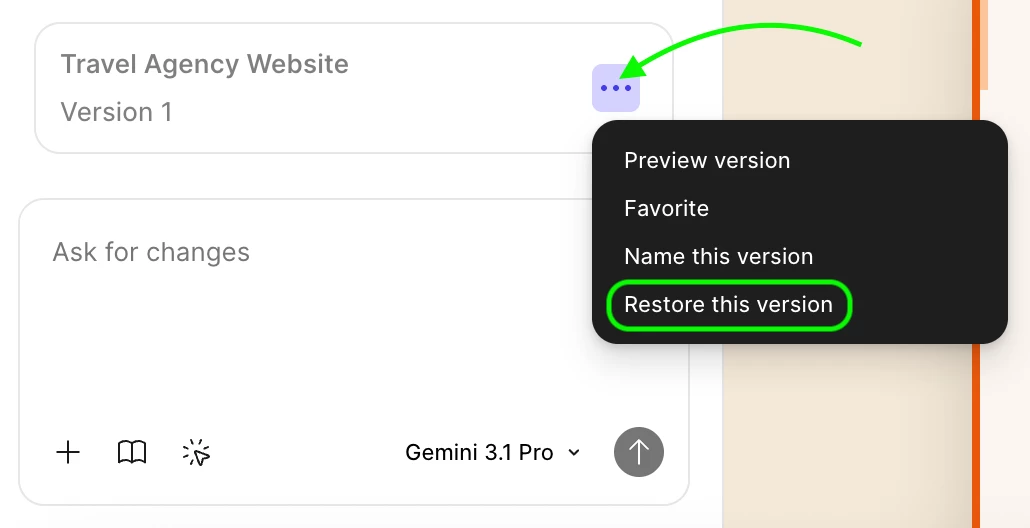
In the meantime, there's something worth trying that may help recover your earlier progress. In Figma Make, each build of your project is saved as a "version" in your AI chat history, so your work may still be accessible even though the current view is blank. Here's how to check:

  1. scroll up in your AI chat history until you see a version indicator
  2. click the three dots to expand the dropdown
  3. select Restore this version.
Screenshot from my test file for reference.

If that surfaces your work, please let me know. If not, the Product Support team will be able to dig deeper. Keep an eye on your inbox for their follow-up, and thanks for your patience.