Kailablandon
New Member
June 23, 2026
Solved

design not loading

  • June 23, 2026
  • 1 reply
  • 59 views

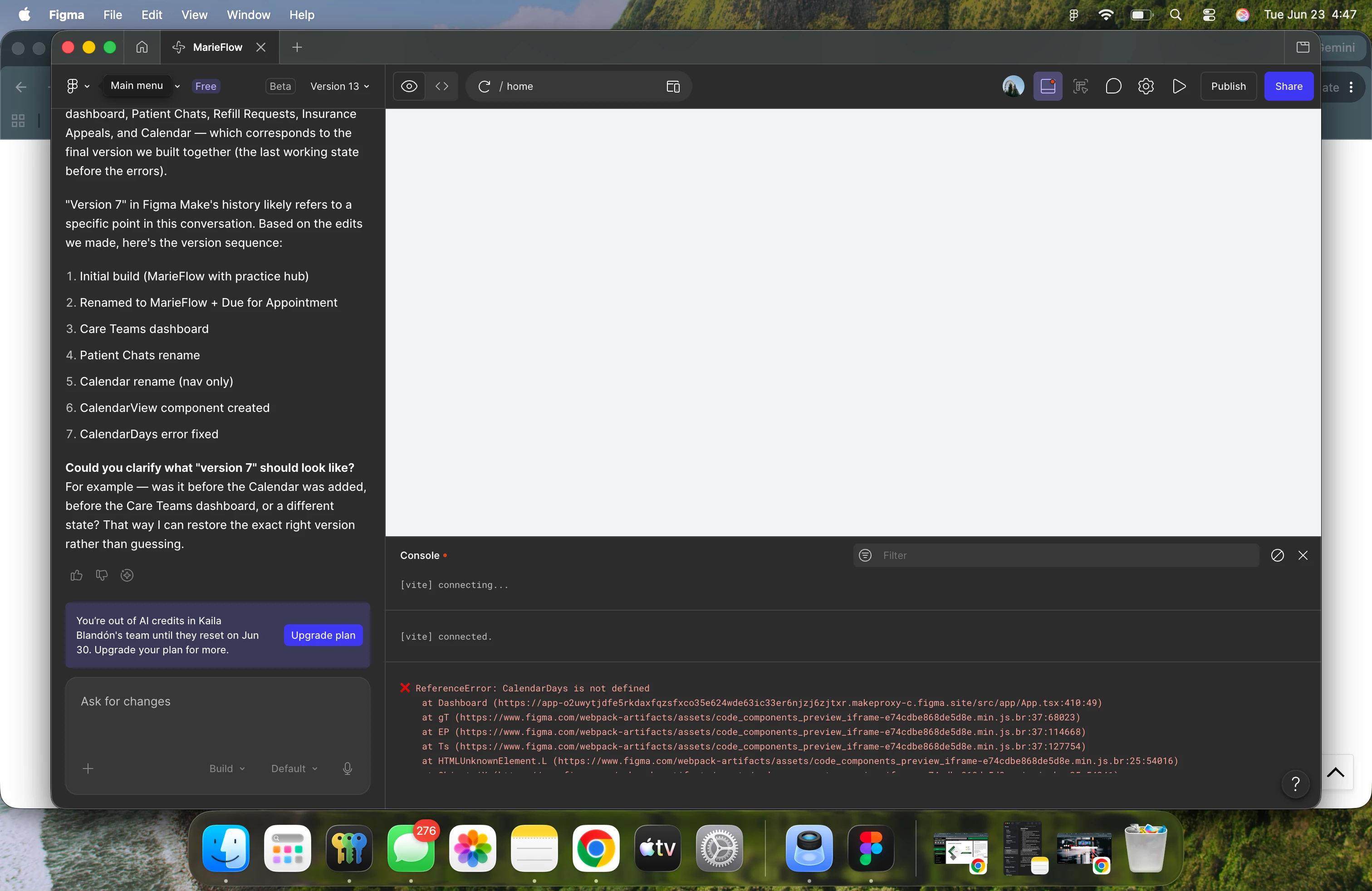
how do i fix this?

    Best answer by Tom Reem

    Hey ​@Kailablandon — welcome to Figma Forum, and thanks for the screenshot.

    I tested this in the same setup (Figma Desktop App on Mac) and wasn't able to reproduce the blank preview. Let's see if we can narrow it down.

    Could you confirm the following:

    1. App version. Are you running the latest Figma Desktop App (126.6.9 or later)?
    2. OS. Is your macOS up to date?
    3. Browser test. Does the same file load correctly in the browser version of Figma?

    If those all check out, try this: Create a new Make file and run a simple prompt. If the new file works as expected, the issue is likely specific to the original file. If the blank preview happens there too, it may be network-related — and this guide can help verify your settings are properly configured to work with Figma: Adjust your network settings.

    Let me know what you find and we'll go from there. 🙏🏻

    1 reply

    Tom Reem
    Figmate
    Tom ReemAnswer
    Figmate
    June 23, 2026

    Hey ​@Kailablandon — welcome to Figma Forum, and thanks for the screenshot.

    I tested this in the same setup (Figma Desktop App on Mac) and wasn't able to reproduce the blank preview. Let's see if we can narrow it down.

    Could you confirm the following:

    1. App version. Are you running the latest Figma Desktop App (126.6.9 or later)?
    2. OS. Is your macOS up to date?
    3. Browser test. Does the same file load correctly in the browser version of Figma?

    If those all check out, try this: Create a new Make file and run a simple prompt. If the new file works as expected, the issue is likely specific to the original file. If the blank preview happens there too, it may be network-related — and this guide can help verify your settings are properly configured to work with Figma: Adjust your network settings.

    Let me know what you find and we'll go from there. 🙏🏻