

CRITICAL - Slot Back-Propagation: after a variant change above a slot, inherited slot content is shared between instances and the main component (editor and prototype) — reproducible steps
I can reproduce two forms of what looks like the bug in "Critical bug with Figma Slots — nested instances and parent components" (https://forum.figma.com/report-a-problem-6/critical-bug-with-figma-slots-nested-instances-and-parent-components-59120) (cases 2207519, 2256545). In both, everything behaves correctly until an instance that has a slot below it changes variant. After that, slot content inherited from a component definition stops being separate per instance.
Editor (ticket #2213849, open)
Structure: broken-field → provider instance → content-row swapped into the provider → slot → editable text.
1. On a fresh broken-field instance, set the nested provider's Active to Disabled.
2. Change the text. The edit lands in the component definition and shows in every other instance.
3. Resize in the sidebar, select another instance, then undo. I get a rendering glitch, a "This file has unsaved changes" popup, and a sizing state undo can't restore.
Changing the text before the variant change is fine. So is a copy-pasted instance.
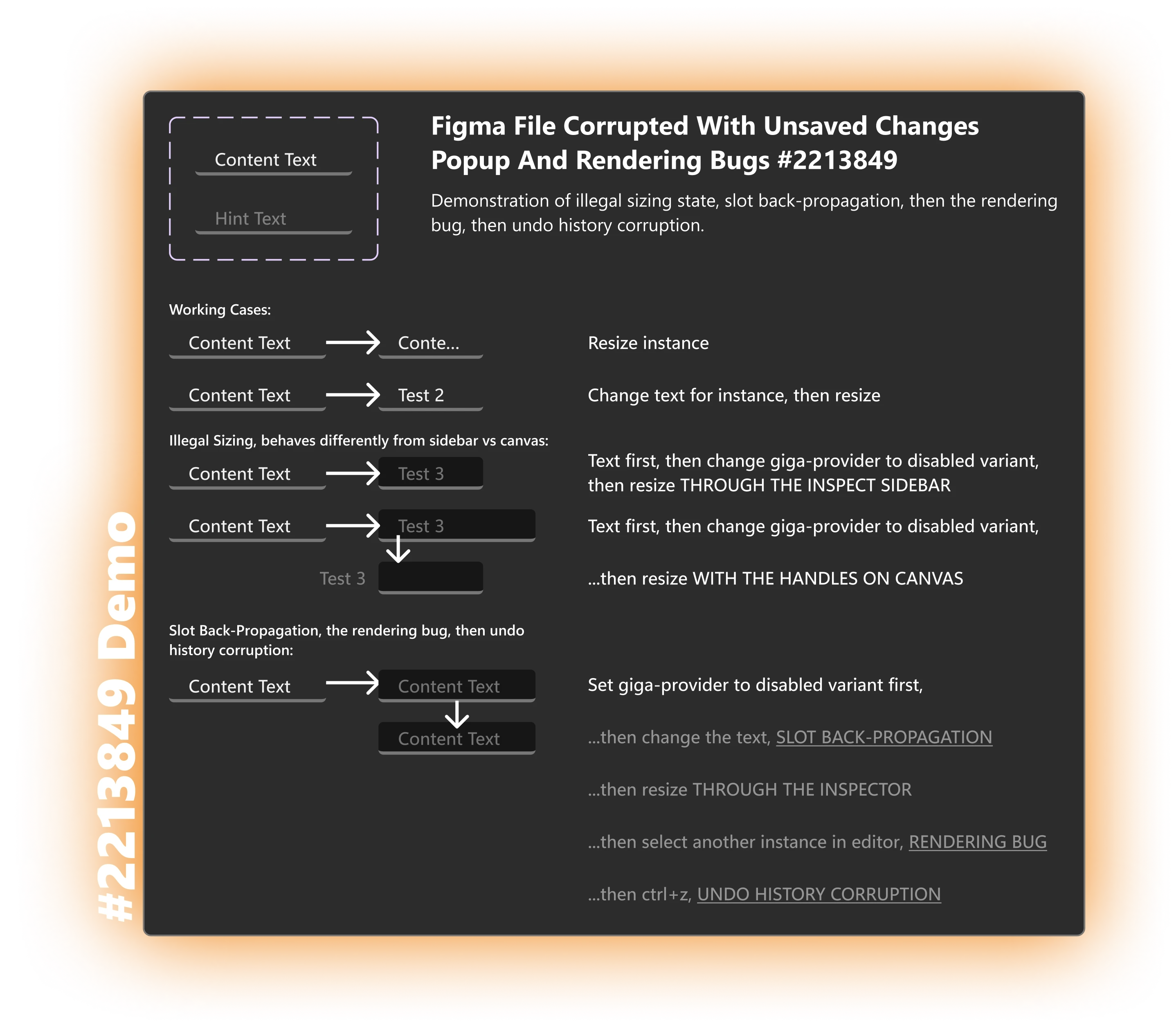
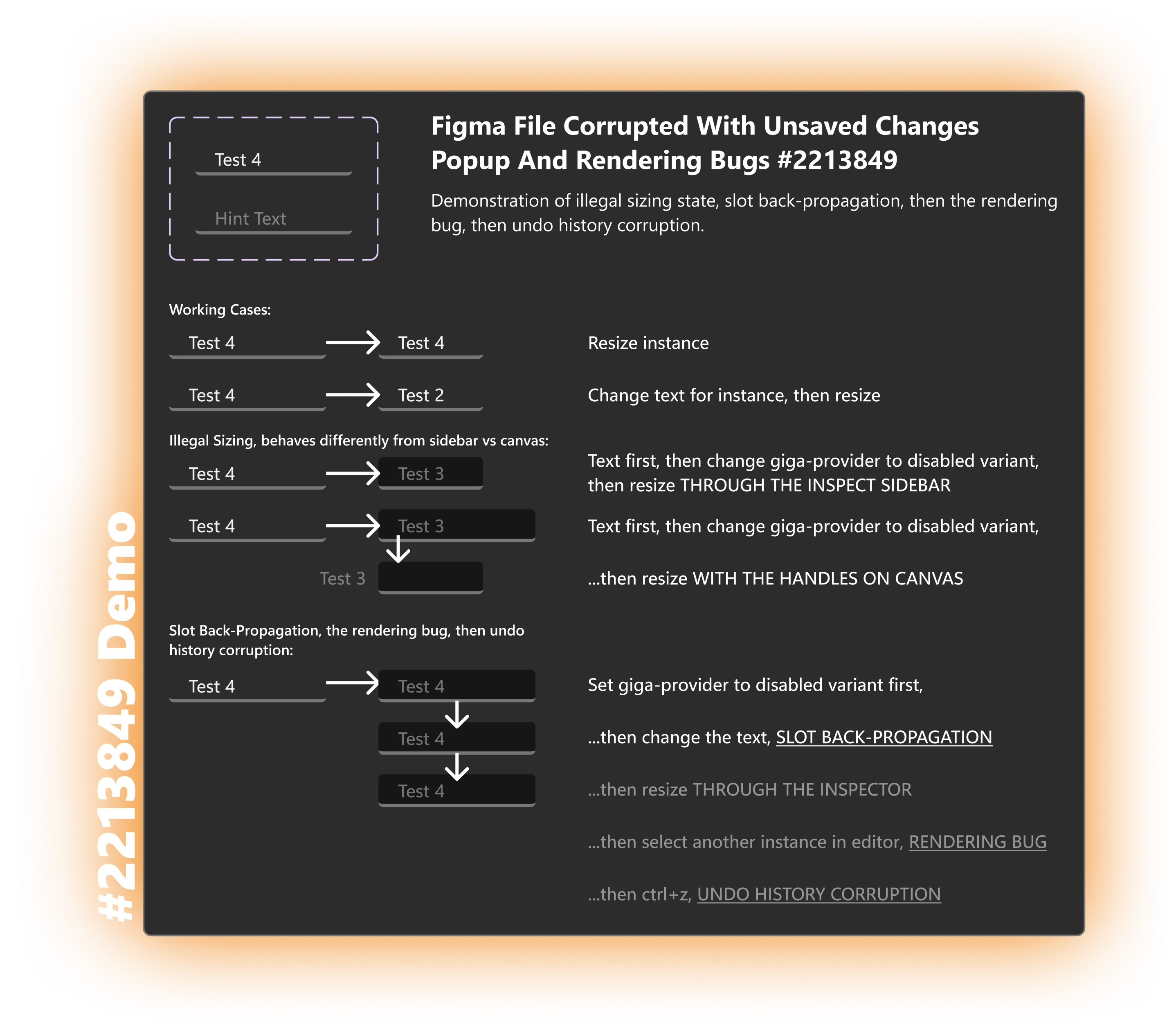
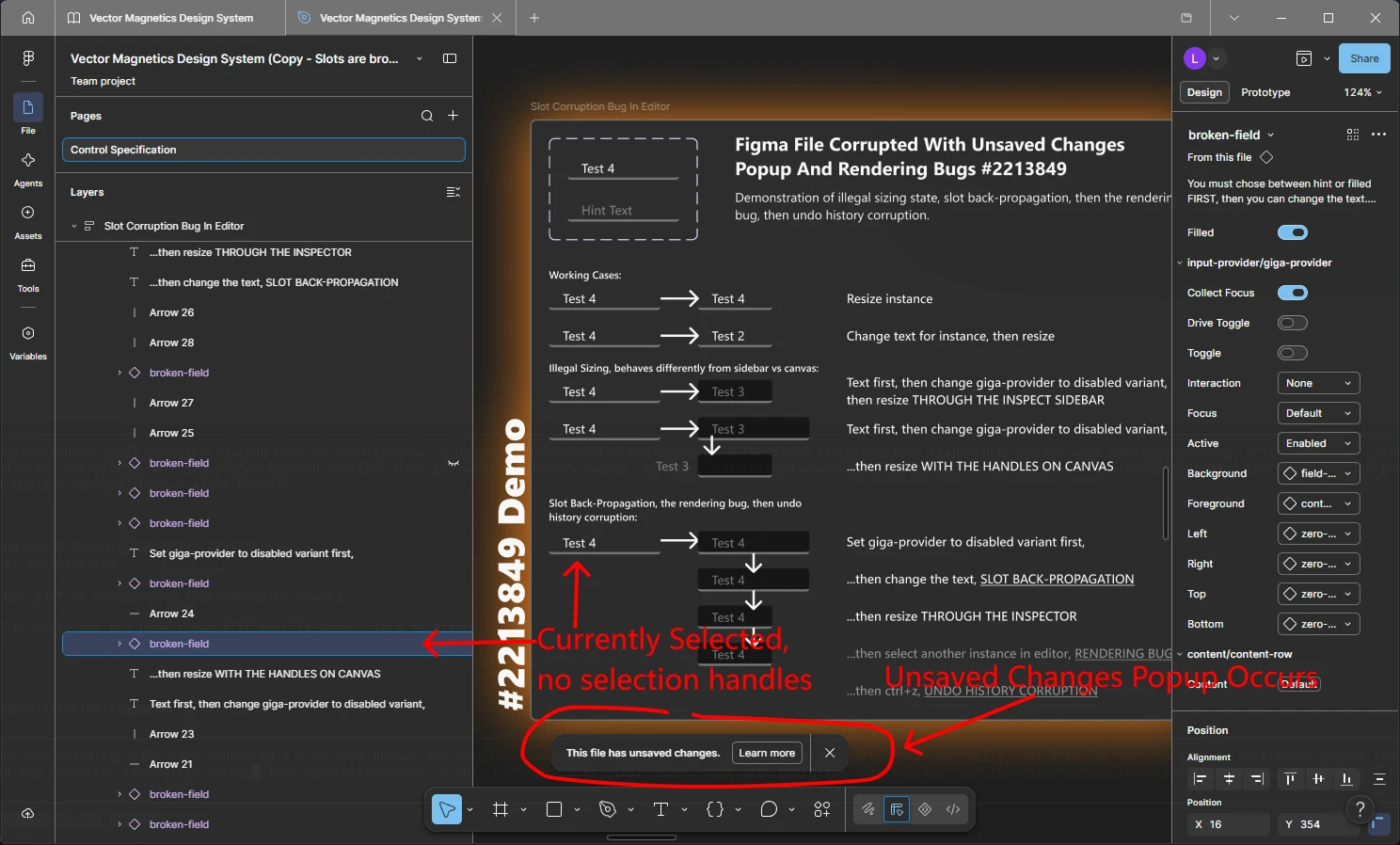
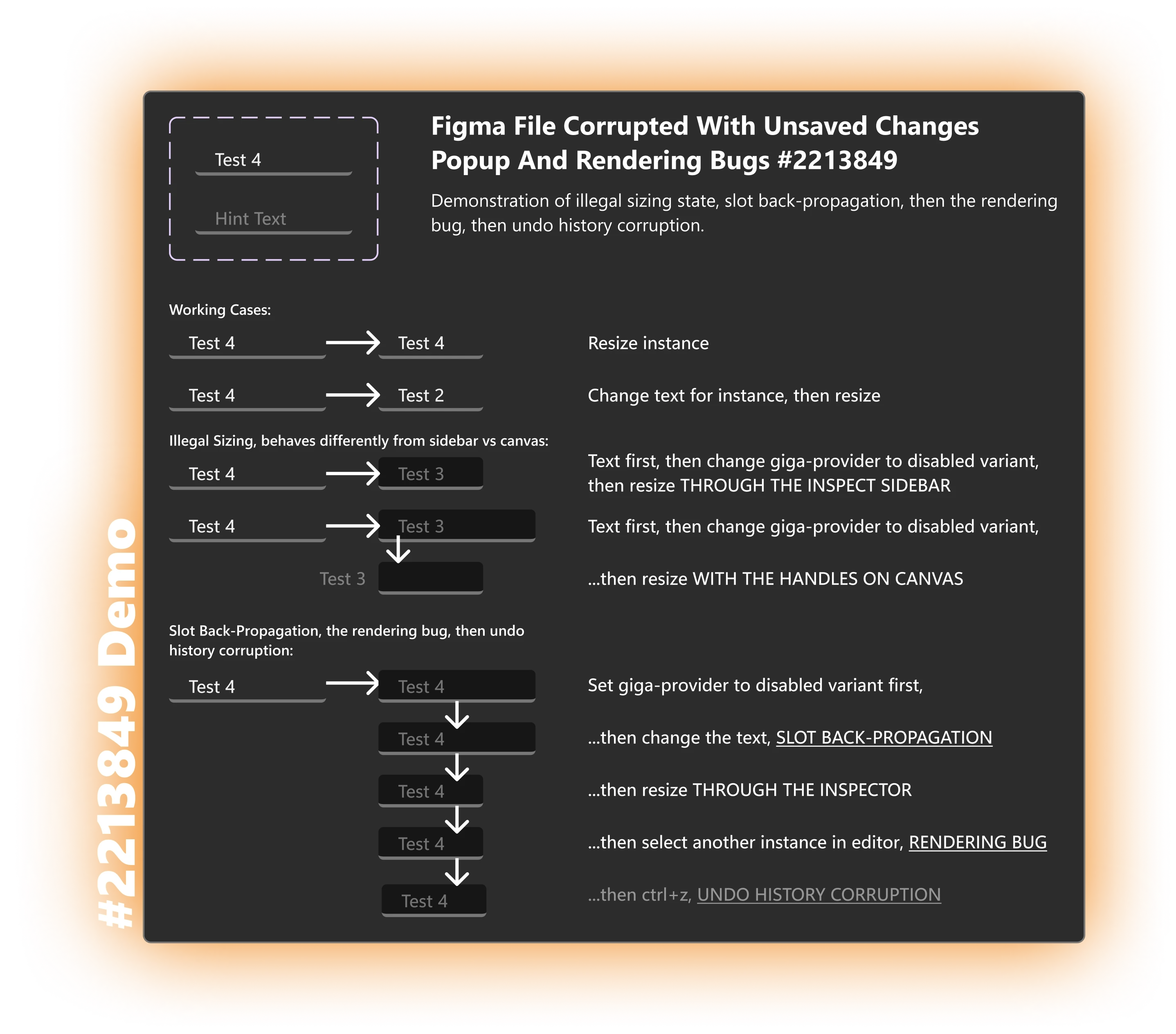
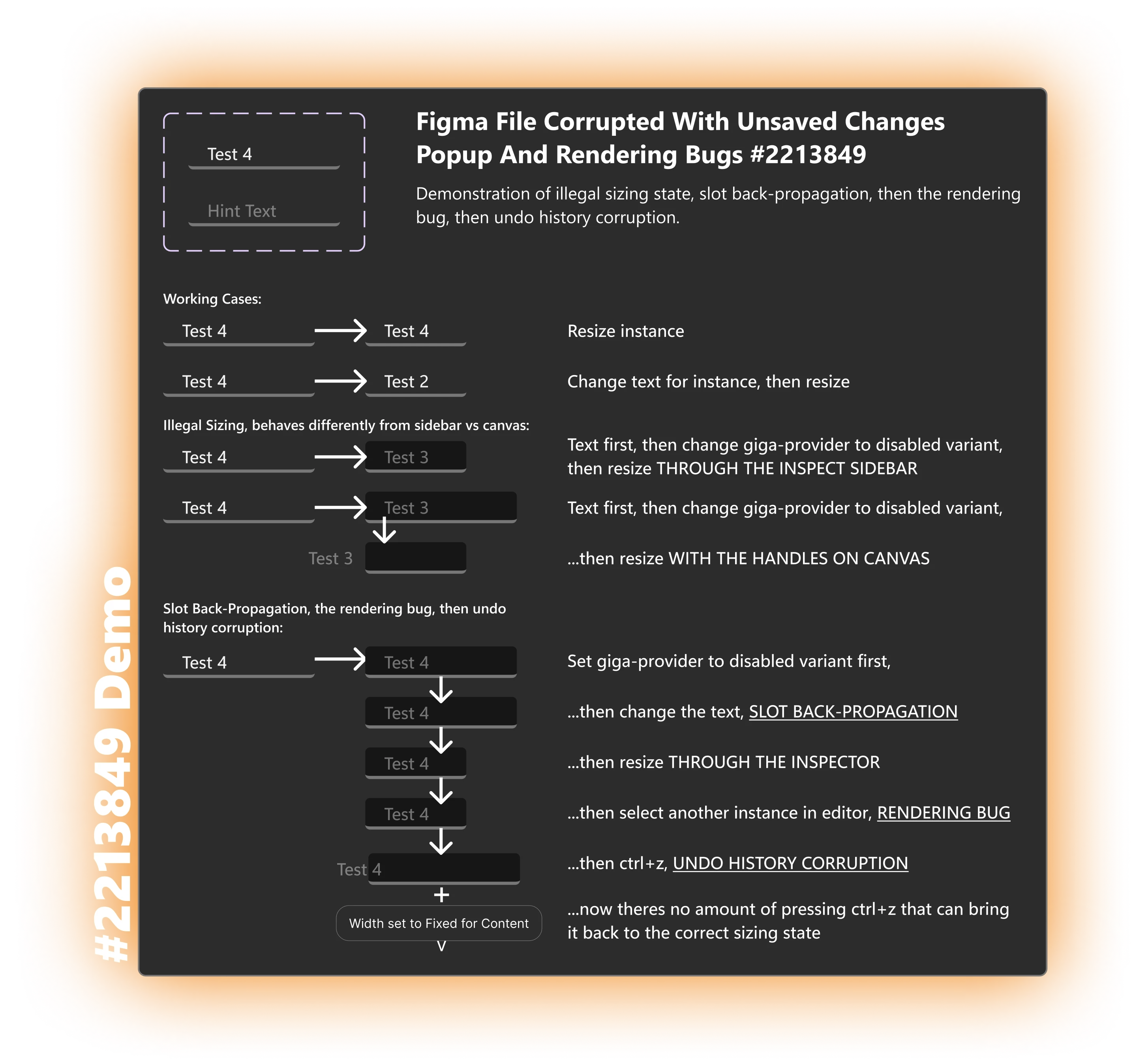
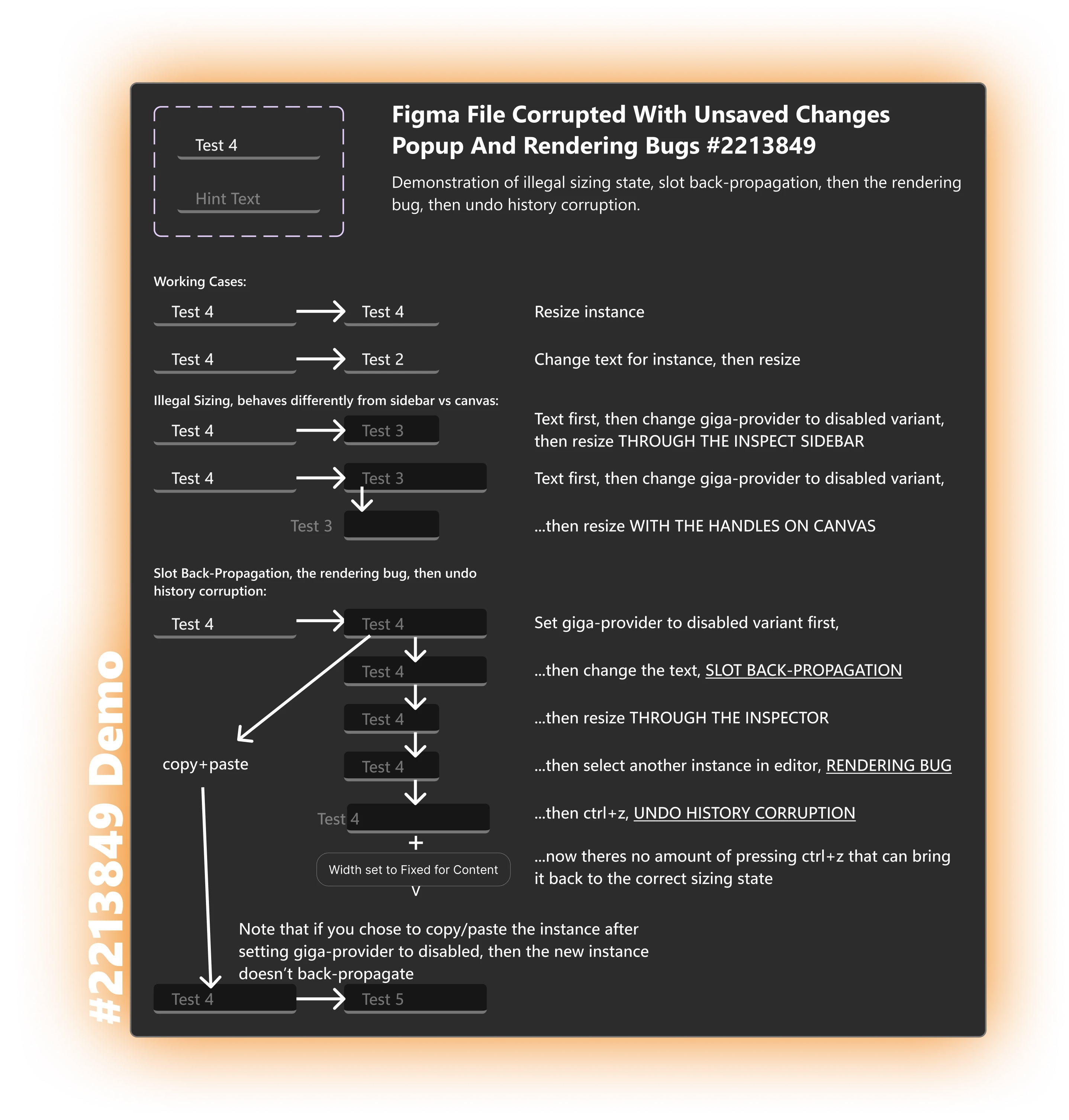
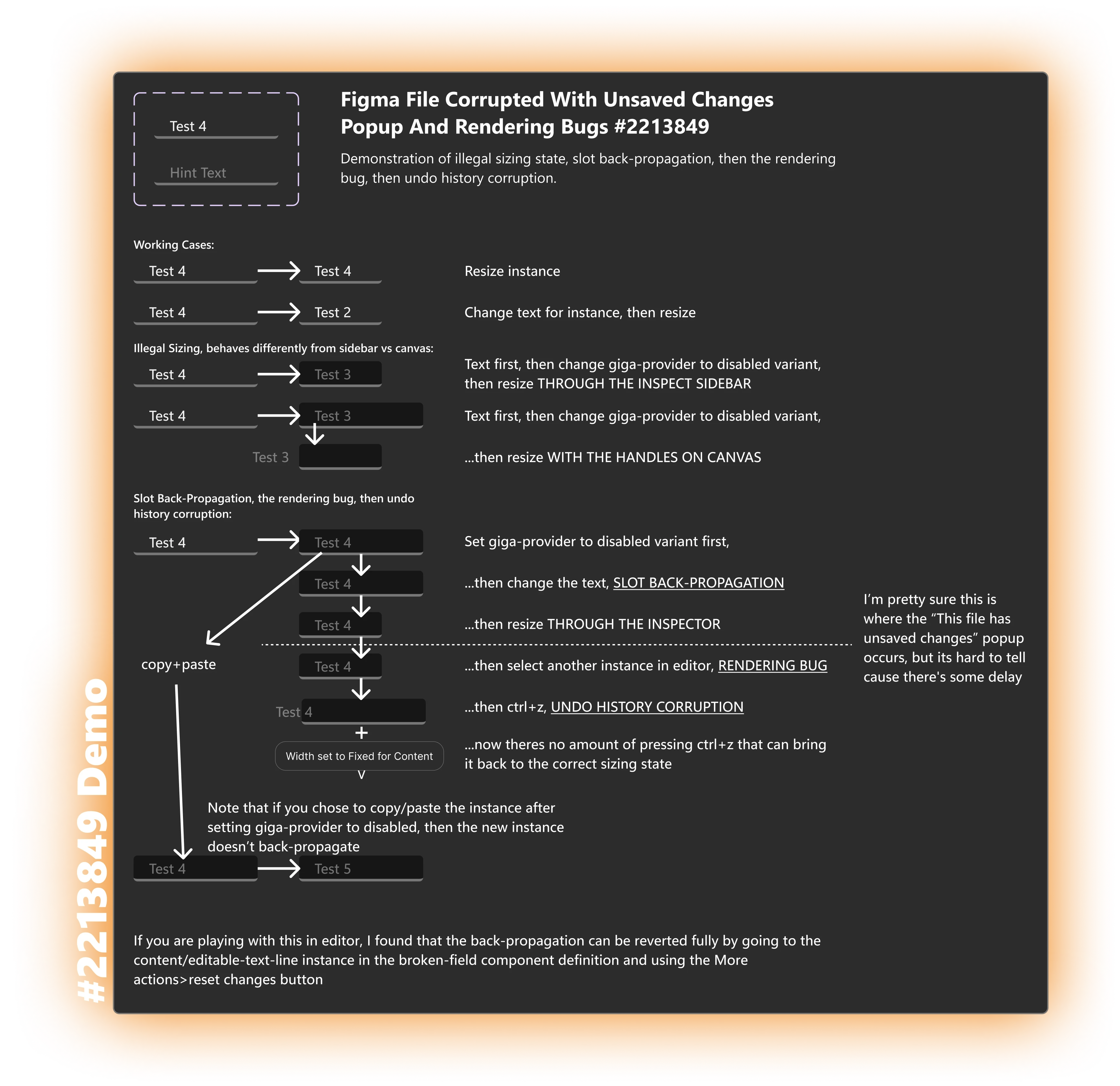
*note: undo history corruption may have been slightly overdramatic, what I really mean is that no amount of undoing actually undoes the sizing breaking like that.
Prototype (ticket #2259763)
Structure: toggle-switcher-slot → slot → provider instance (changes variant on hover) → flush-row swapped into the provider → slot → button.
1. In Present, hover each Button. Each reacts alone.
2. Hover each provider area. Each reacts alone.
3. Hover each Button again. Now every instance built from the same component shows the hover state together. Instances with the parts placed directly in the slots on the canvas are unaffected.
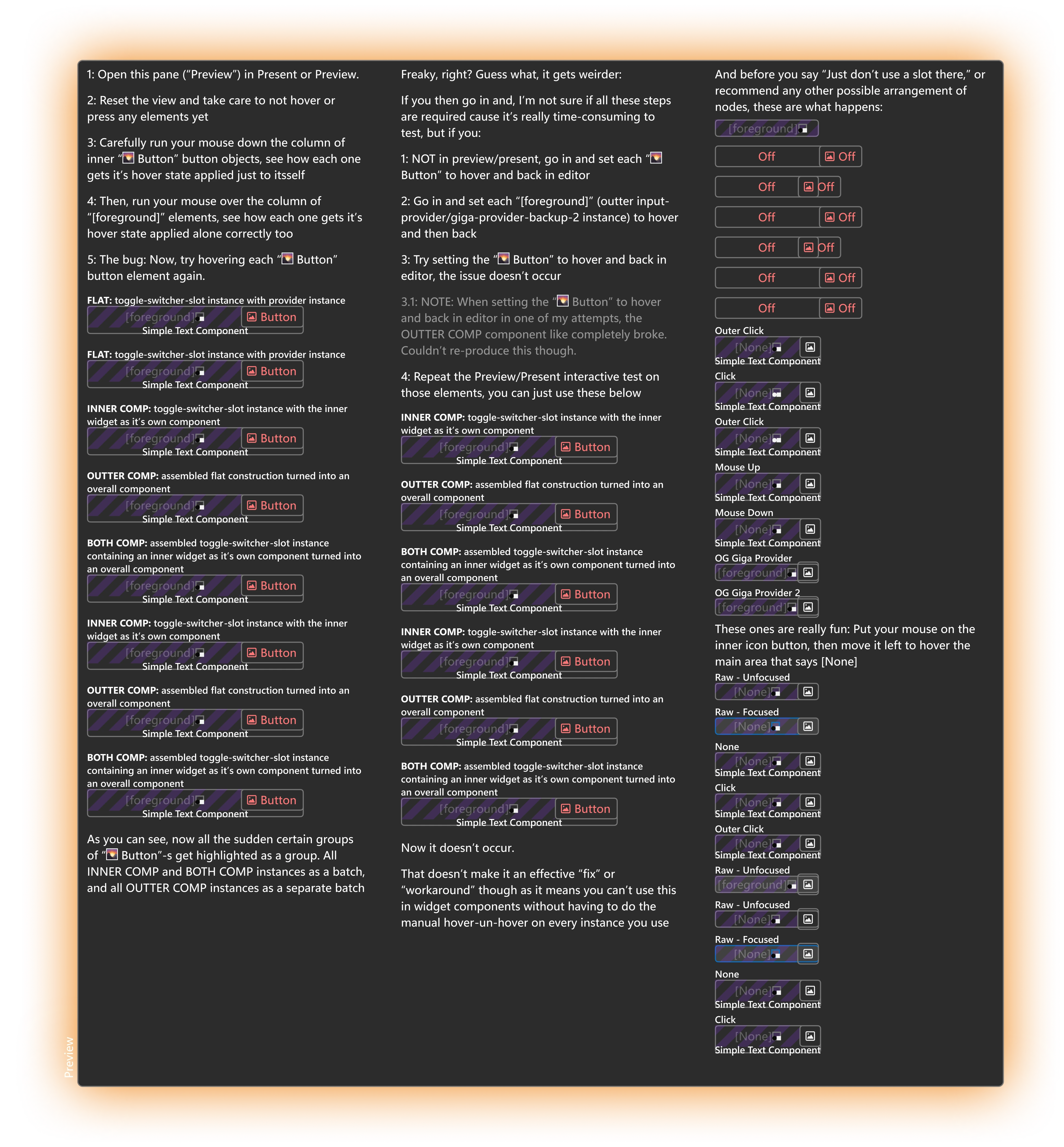
See the attached video to see this ^ in action.
What the Plugin API shows in both cases: on affected instances the slot content is the definition's own layer (its ID ends in the definition's layer ID). On unaffected instances it is the instance's own copy with a new ID.
"Just don't use a slot" isn't an option here. The button is built on the same provider as the widget that contains it, and Figma doesn't allow a component to contain an instance of itself without a slot in between.
Could someone from Figma link these cases? Thread 59120 was marked solved because the author rebuilt his components, not because the bug was fixed. Three of my earlier tickets (#2210373, #2213080, #2241798) were also set to Solved on Nov 12 with no reply, even though they were for what looks to me like completely different bugs, seems like they might have been assumed to be related or something.
The file itself is proprietary, so I can’t post it publicly. It is shared with support-share@figma.com and through tickets #2259763 and #2213849 though, the file is named “Vector Magnetics Design System (Copy - Slots are broken)”.