Muhammad Bendary
New Member
October 17, 2026
Solved

Copy design button is missing in Figma Make

I'm using Figma Make on a paid plan, and the Copy design option has completely disappeared from my project.

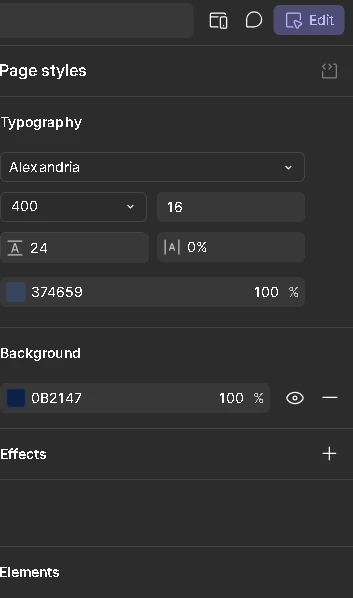
I'm currently in Edit mode, where I can see the Page styles and Elements panels, but I can't find the Copy design option anywhere in the interface.

 

Celine_
Celine_Solution
Community Support
October 19, 2026

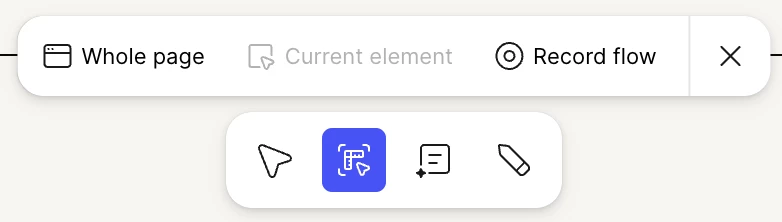
Hey ​@Muhammad Bendary , thanks for reaching out to the Figma Forum! It looks like our engineering team is rolling out upgrades to the Make toolbar. Your Copy design feature has been moved to a popup above your preview.
 
To access, click on Edit:
 

Then at the bottom of your preview, you'll see the following toolbar:
 

Hope this clarifies!

1 reply

Celine_
Figmate
Celine_Solution
Community Support
October 19, 2026

Hey ​@Muhammad Bendary , thanks for reaching out to the Figma Forum! It looks like our engineering team is rolling out upgrades to the Make toolbar. Your Copy design feature has been moved to a popup above your preview.
 
To access, click on Edit:
 

Then at the bottom of your preview, you'll see the following toolbar:
 

Hope this clarifies!