

Question

Components turns empty when adding to a file

  • February 20, 2026
  • 4 replies
  • 89 views

Emilie R.


After I updated a component in my component library file, all the instances in all other files has turned into an empty frame without any content. It seems if I create a new file, it works fine. But for all my other existing files, there is now just an empty purple box. There are no layers in it. The main component is fine, with content and layers. The only thing I changed on it was auto layout-issues.

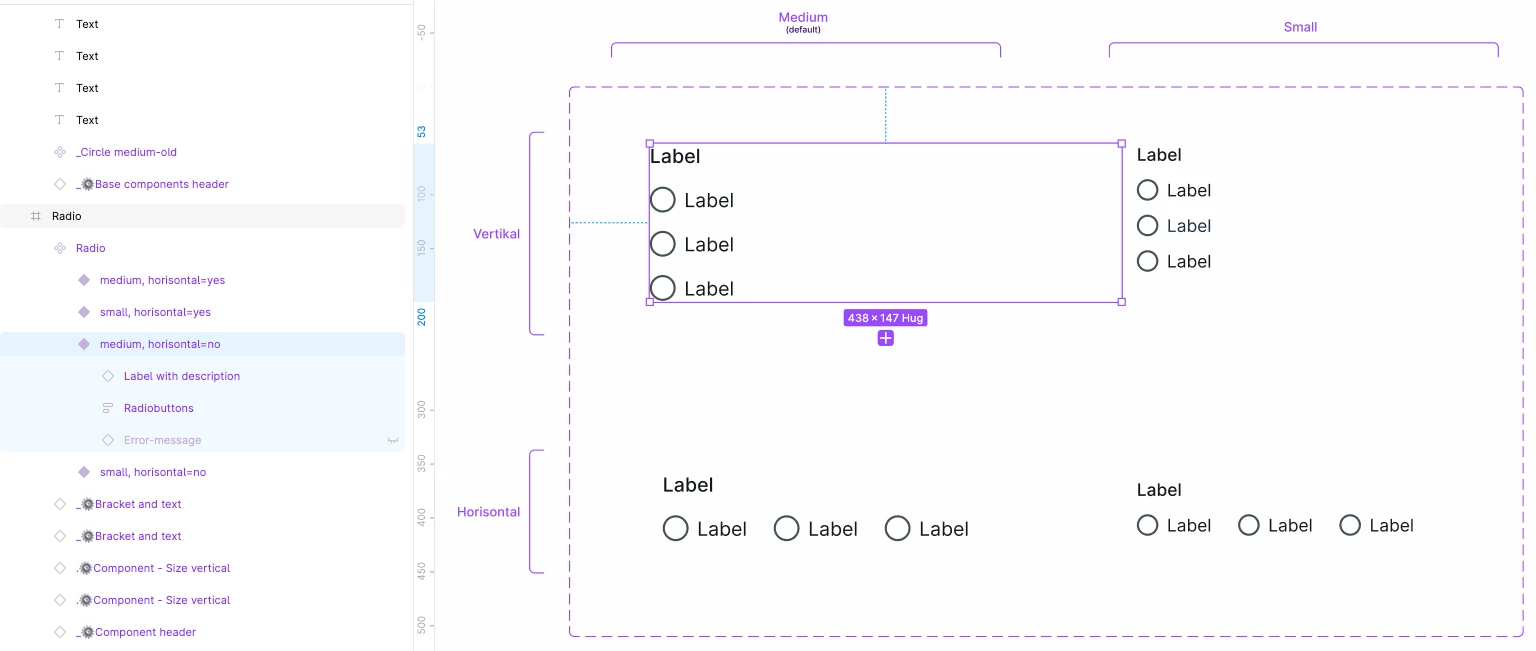


How do I avoid having to create new instances in all my files, or create new files for all my files? 

4 replies

Benoit R
  • New Member
  • March 23, 2026

Hey there, facing the same issue, here. Have you found a solution?


Rebecca Sasso

I am facing the same issue… havent found any solutions. 


Rita Deyneko
  • New Member
  • July 17, 2026

I have the same


adamsmasher
Figmate
  • Figmate
  • July 17, 2026

Hi all! Thank you for reporting this and your replies - I’m sure this is confusing experience given how inconsistent it is. 


Has anyone tried the Regenerate all instances (slow) option found in the Actions menu of the bottom toolbar? I’m not sure why the component instances are not updating to reflect the library change, but that should trigger it to regenerate which can fix what you are all seeing. If that doesn’t fix a component instance, you can also re-add the component - I can understand that this might not be practical if you have many instances over many files. Let me know if you’re unable to resolve using the action and I’ll help get you in touch with our Technical Quality team.