

Components and locked layers randomly shift position when copying frames between pages in the same file
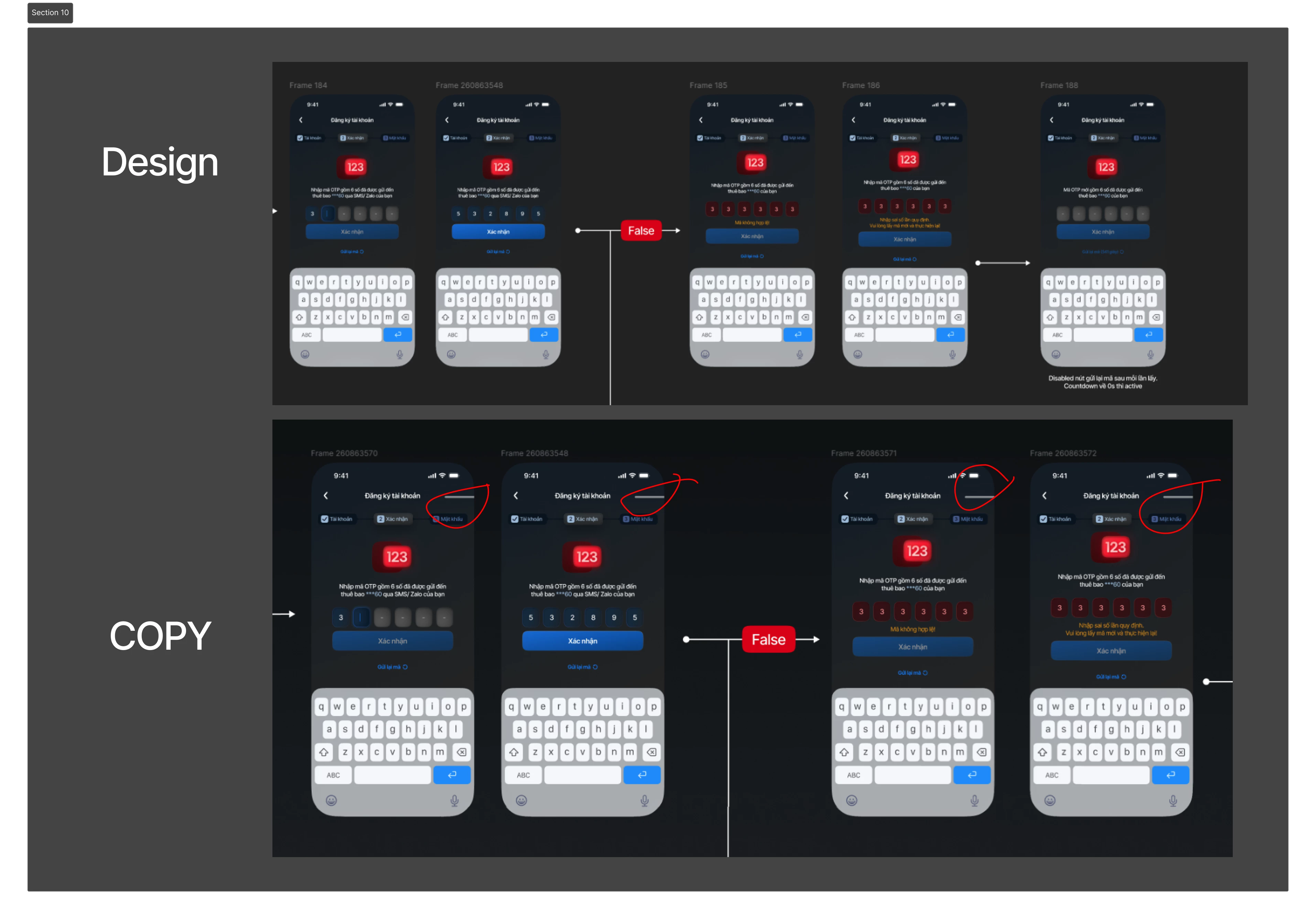
I’m experiencing an issue where some layers or component instances randomly change position after copying and pasting an entire screen/frame from one page to another within the same Figma file.
For example, I have a mobile screen on the [design] mobile page that contains a Home Indicator component from Apple’s UI Kit. The indicator is correctly positioned at the bottom of the screen. After copying the entire screen and pasting it into the [dev] mobile page, the Home Indicator unexpectedly jumps to a completely different position near the top of the screen.
This happens more frequently with locked layers or component instances, but I have also seen the same issue occur with layers that are not locked.
The parent frame keeps the same size and overall structure, but some nested elements are repositioned during the copy/paste operation.
Steps to reproduce:
- Create or use a frame containing nested components or locked layers.
- Copy the entire frame.
- Switch to another page in the same Figma file.
- Paste the frame.
- Some nested components or layers may randomly shift to a different position.
Expected behavior:
The pasted frame should preserve the exact layout and positions of all child layers and component instances.
Actual behavior:
Some nested layers or components unexpectedly change position after pasting, sometimes moving hundreds of pixels away from their original location.
The issue appears to be inconsistent and does not happen every time, which makes it difficult to predict and causes concerns when transferring completed designs between design and development pages.