Question
Component color not inheriting library components on one single file
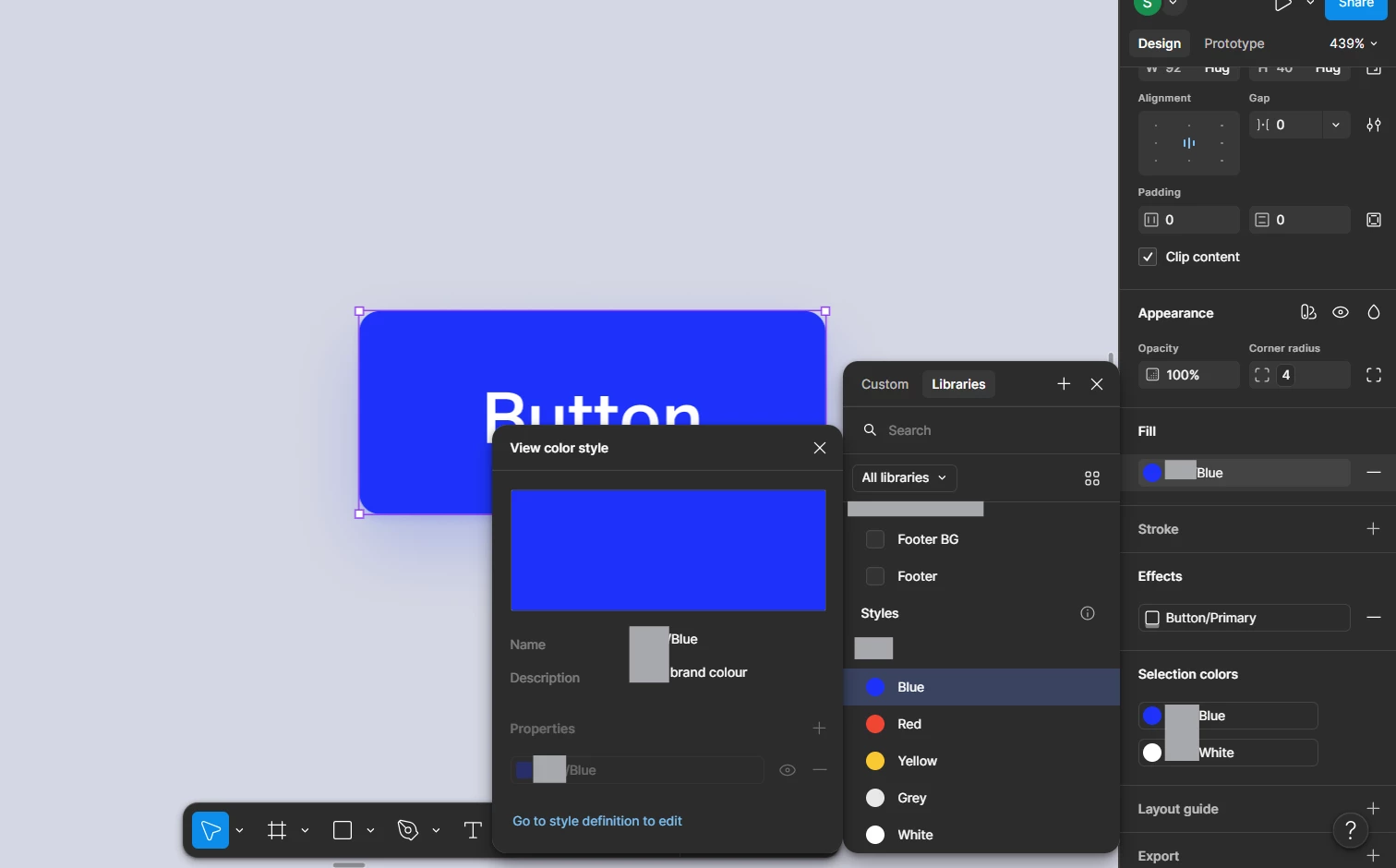
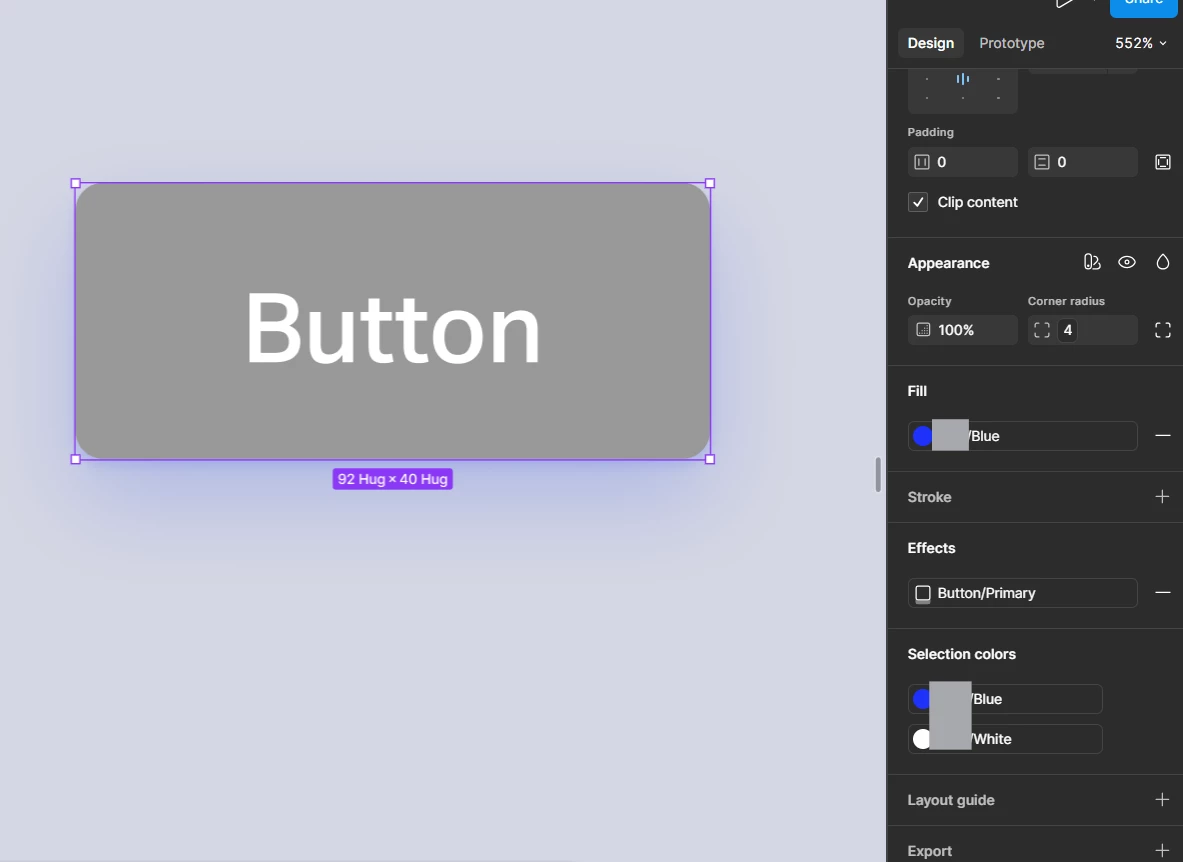
I have a design file shared with other team members. What’s happening is that we’ve added our Design System library into the file. However, all components that share one specific color style Primary Blue (it’s a variable within the Design System and a color style contains that variable) turn grey #999999. What’s weird about it is:
- All other colors appear as they should
- All other files do not display this error. It’s only happening on this one file
- On the Design panel, the Fill section shows the blue, and only when I detach it shows that the color is actually #999999. On dev mode, it displays the correct token. but the incorrect color
- All components share this same error, which makes me believe it’s a variable/color style/color issue
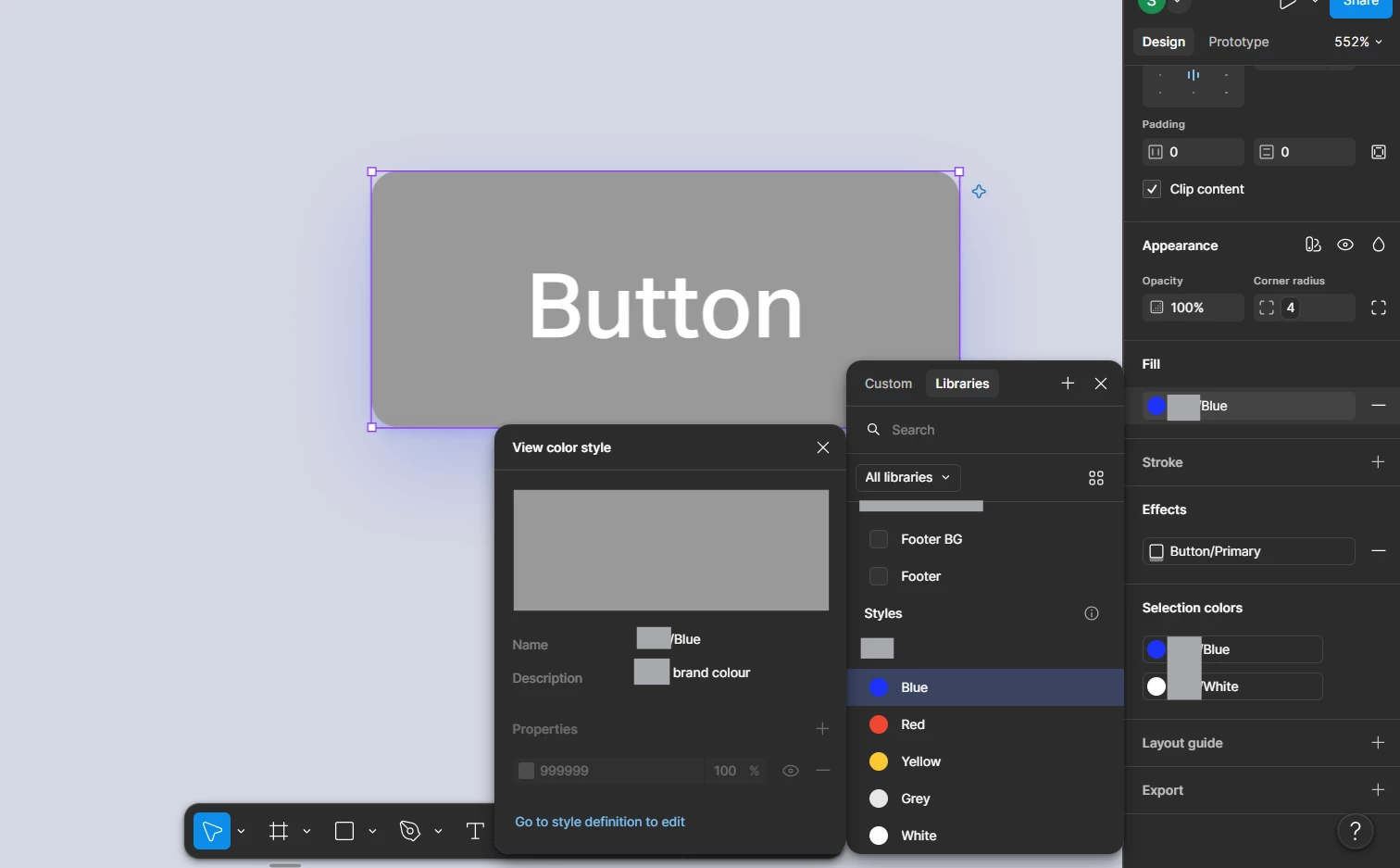
- When I click on the color style settings, it shows the #999999 grey, even though the color styles appear blue, and when I click “Go to style definition to edit” it leads me to the Design System where everything works properly
- Both modes on this variable are affected
I’ve opened a Support conversation, and tried doing the following:
- Check color profile, which in both was set to sRGB
- Both files (library and current) are working with hex values, so they’re using the same color model
- Removed and added library again
- Made changes to the library and published it back into the file
- Duplicated the file (error still persists, it followed the duplicate)
- Reset all changes on components
- Regenerated all instances
- Restarted Figma
- Restarted file
None of it worked. Can someone help me? I don’t understand what’s happening and none of the trouble-shooting worked.
I’m blurring the company name because it appears on the variable names for privacy reasons.
While the same file, for other colors:
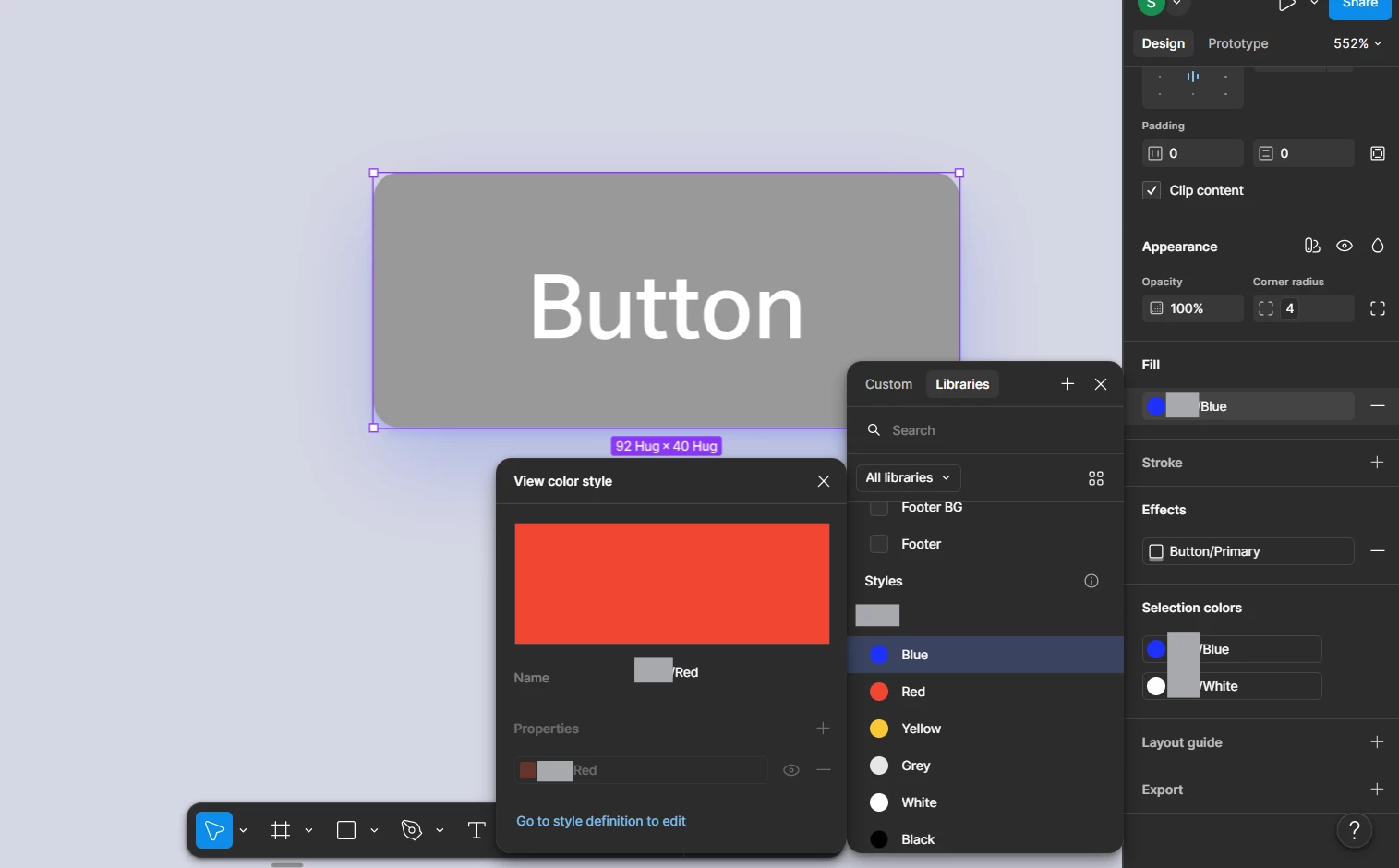
Other files, the blue color I’m mentioning: