

Code Layer fails to render on Figma Sites canvas but works in Full Preview
I’m experiencing an issue with Code Layers in Figma Sites.
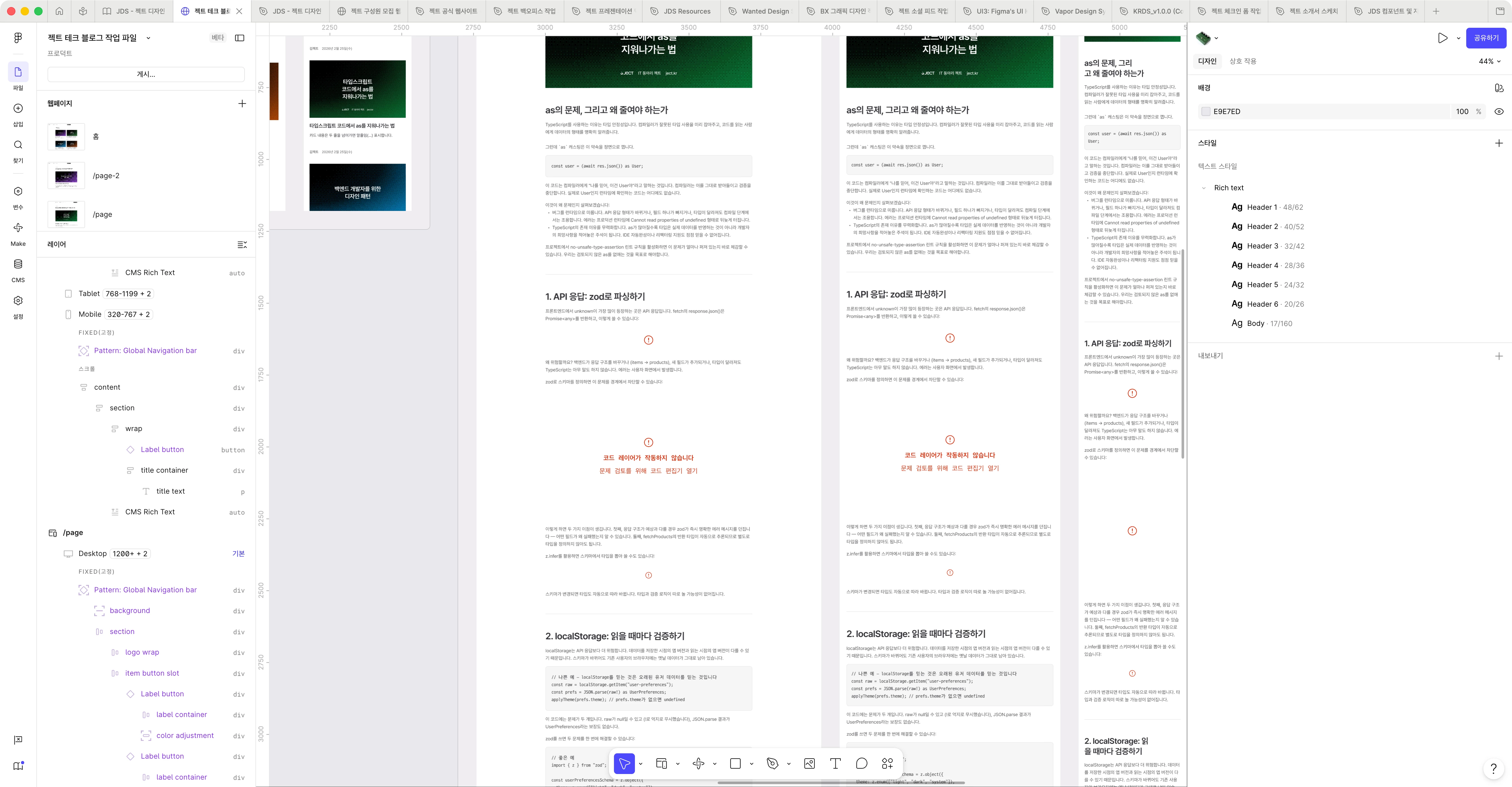
A Code Layer fails to render on the canvas and shows the error message:
“Code Layer is not working.”
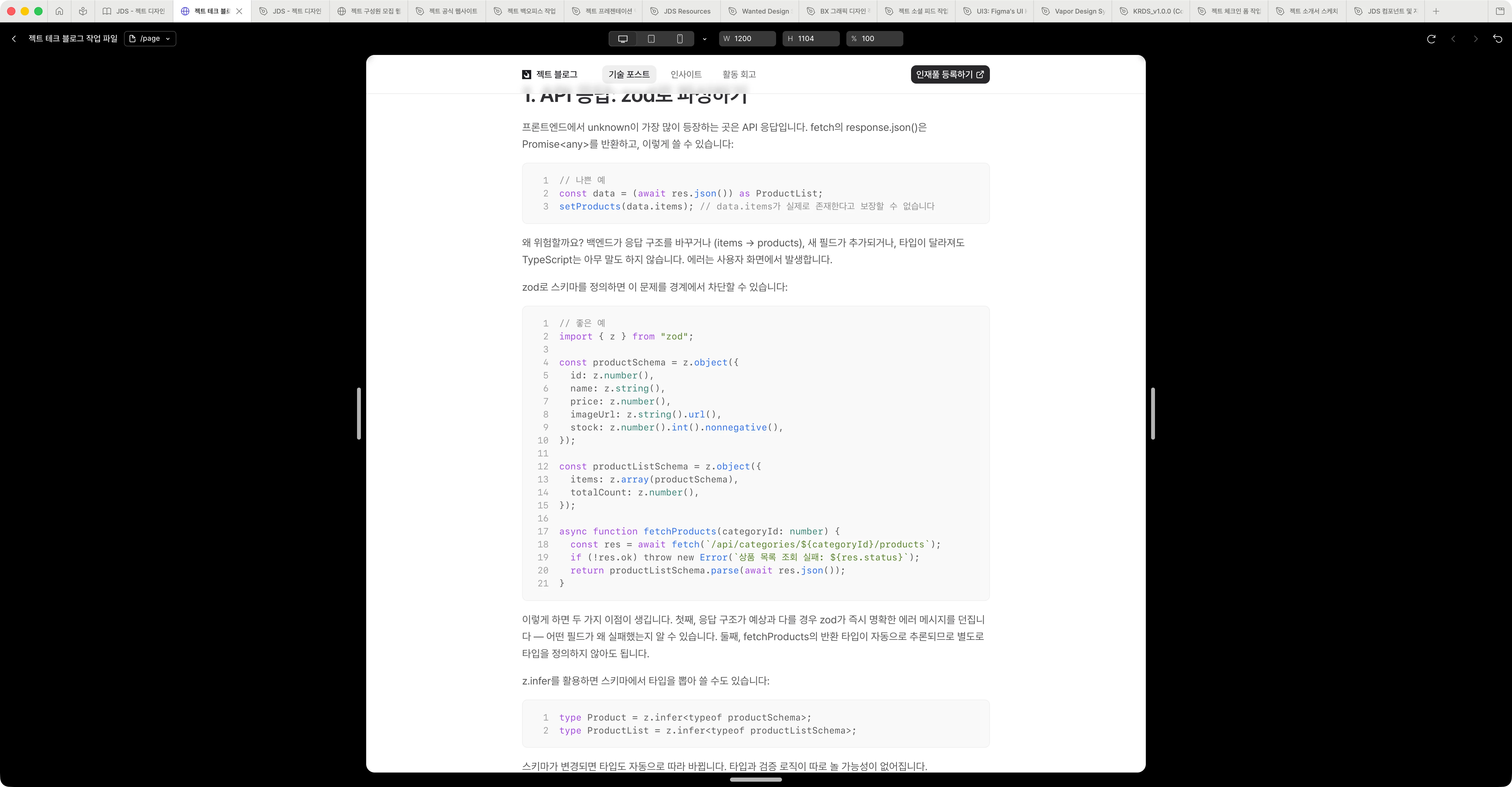
However, the exact same Code Layer renders correctly in Full Preview.
I first noticed this with a custom React Code Layer, so I simplified the code step by step to rule out implementation issues. The problem still occurs even with a newly created Code Layer containing only:
export default function Test() {
  return <div>Code Layer Test</div>;
}
Reproduction steps:
- Create a new Code Layer in Figma Sites.
- Replace its code with the minimal example above.
- Return to the canvas.
- The Code Layer displays an error instead of its content.
- Open Full Preview.
- The same Code Layer renders correctly.
I also tested this with a completely new Code Layer, so the issue does not appear to be related to a specific component implementation.
Expected behavior:
The Code Layer should render on the Figma Sites canvas as well as in Full Preview.
Actual behavior:
The Code Layer fails on the canvas, while Full Preview works normally.
This makes it difficult to work with Code Layers while editing a page because their actual content cannot be seen on the canvas.
Please let me know if there are any known limitations, workarounds, or additional debugging information I can provide.
