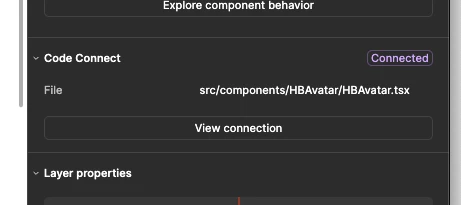
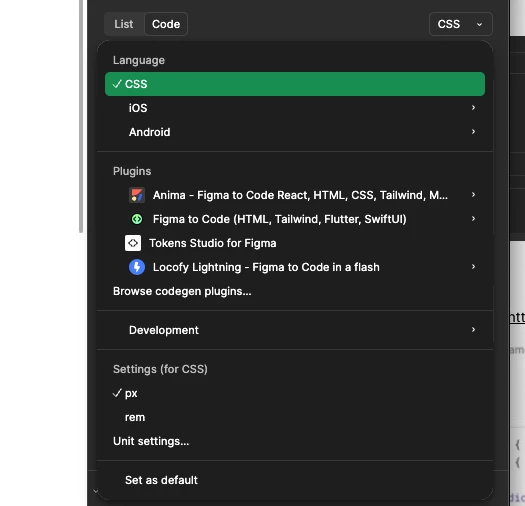
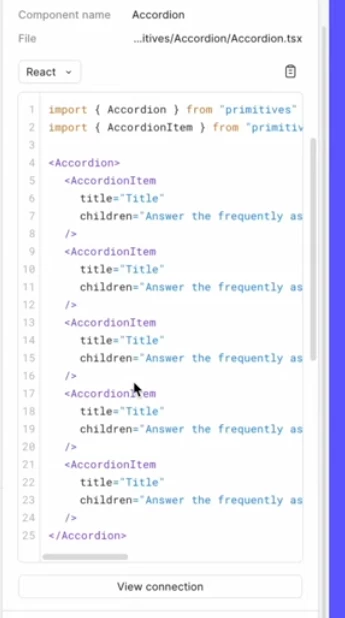
In our team’s Figma component library, I successfully connected Figma Code Connect with a Github repository. I successfully connected an individual component, but in Dev Mode, when I click on it, i expect to see a React code snippet, but all I see is a “View connection” button. I am using the Code Connect UI (not the CLI). See screenshots below.
Hey folks. I took a crack at this and getting an example set up. If this isn’t what you’re after, let me know.
The short answer: what you're seeing (the "View connection" button only, without an inline React snippet) is the expected output of Code Connect UI. The rendered snippet with the framework dropdown from that YouTube video is produced by Code Connect CLI — they're two different (but complementary) setups. To get the snippet, you’ll want to publish a .figma.tsx template file from your repo via the CLI.
Here’s what I did in locally and in Figma Design:
Had Claude help create a tiny local repo (just @figma/code-connect, React, and a basic figma.config.json with "parser": "react")
Created a Button component and converted it to a component set
Added properties with exact names and casing: Variant (Primary/Secondary/Danger), Size (Small/Medium/Large), Label (text), and Disabled (boolean)
Right-clicked the component set to Copy link to selection
Confirmed I have a Dev seat on an Organization plan, and generated a PAT with Code Connect: Write and File content: Read
Pasted the component URL into my Button.figma.tsx and mapped props with figma.string, figma.enum, and figma.boolean
Ran npx figma connect publish --dry-run first — caught an include glob issue (my config only matched *.figma.tsx, so the CLI couldn't resolve the Button.tsx import; fixed by broadening to src/**/*.{tsx,figma.tsx})
Ran npx figma connect publish for real
Back in Figma Design > toggled Dev Mode> dragged a Button instance onto the canvas >clicked it
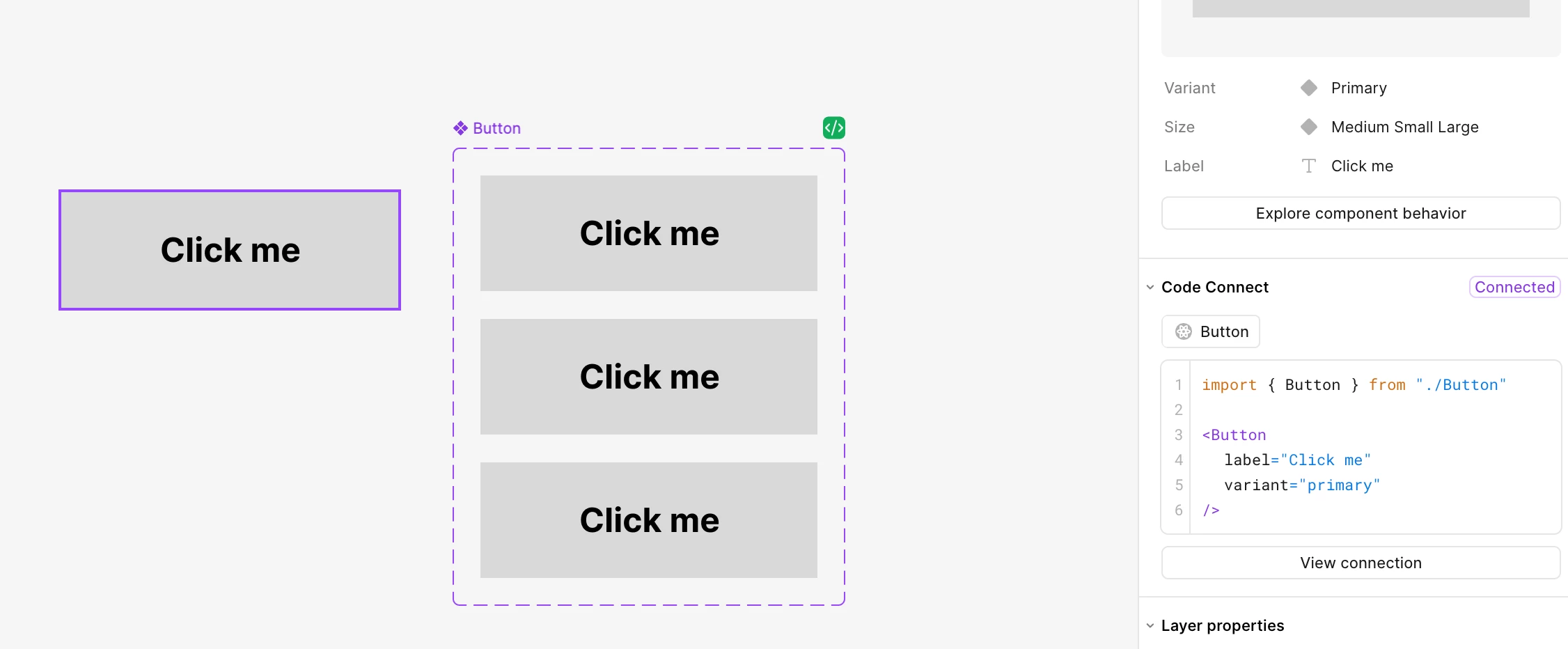
The Code Connect panel showed "Connected" and rendered the <Button label="Click me" variant="primary" /> snippet ✅
A few things that tripped me up:
Property names are case-sensitive — figma.string('Label') has to match the Figma property exactly — 'label' won't map
Copy the link from the main component (or component set), not from an instance
The instance must be on the canvas — clicking the main component itself won't show it
The include glob needs to cover the source component, not just the .figma.tsx file, or you'll get "Import could not be resolved" warnings and broken import paths in the rendered snippet
Props that match the code default may be hidden in the rendered output. Don't worry if size doesn't appear while you're on the default variant; try changing the instance's variant and watch the snippet update in real-time
Just a quick reminder: Code Connect requires a Dev seat or Full seat on an Organization plan or Enterprise plan, and you’ll need to be in Dev Mode to see the Code panel.
Hey folks. I took a crack at this and getting an example set up. If this isn’t what you’re after, let me know.
The short answer: what you're seeing (the "View connection" button only, without an inline React snippet) is the expected output of Code Connect UI. The rendered snippet with the framework dropdown from that YouTube video is produced by Code Connect CLI — they're two different (but complementary) setups. To get the snippet, you’ll want to publish a .figma.tsx template file from your repo via the CLI.
Here’s what I did in locally and in Figma Design:
Had Claude help create a tiny local repo (just @figma/code-connect, React, and a basic figma.config.json with "parser": "react")
Created a Button component and converted it to a component set
Added properties with exact names and casing: Variant (Primary/Secondary/Danger), Size (Small/Medium/Large), Label (text), and Disabled (boolean)
Right-clicked the component set to Copy link to selection
Confirmed I have a Dev seat on an Organization plan, and generated a PAT with Code Connect: Write and File content: Read
Pasted the component URL into my Button.figma.tsx and mapped props with figma.string, figma.enum, and figma.boolean
Ran npx figma connect publish --dry-run first — caught an include glob issue (my config only matched *.figma.tsx, so the CLI couldn't resolve the Button.tsx import; fixed by broadening to src/**/*.{tsx,figma.tsx})
Ran npx figma connect publish for real
Back in Figma Design > toggled Dev Mode> dragged a Button instance onto the canvas >clicked it
The Code Connect panel showed "Connected" and rendered the <Button label="Click me" variant="primary" /> snippet ✅
A few things that tripped me up:
Property names are case-sensitive — figma.string('Label') has to match the Figma property exactly — 'label' won't map
Copy the link from the main component (or component set), not from an instance
The instance must be on the canvas — clicking the main component itself won't show it
The include glob needs to cover the source component, not just the .figma.tsx file, or you'll get "Import could not be resolved" warnings and broken import paths in the rendered snippet
Props that match the code default may be hidden in the rendered output. Don't worry if size doesn't appear while you're on the default variant; try changing the instance's variant and watch the snippet update in real-time
Just a quick reminder: Code Connect requires a Dev seat or Full seat on an Organization plan or Enterprise plan, and you’ll need to be in Dev Mode to see the Code panel.