

Question
Check designs feature is not calculating contrast correctly
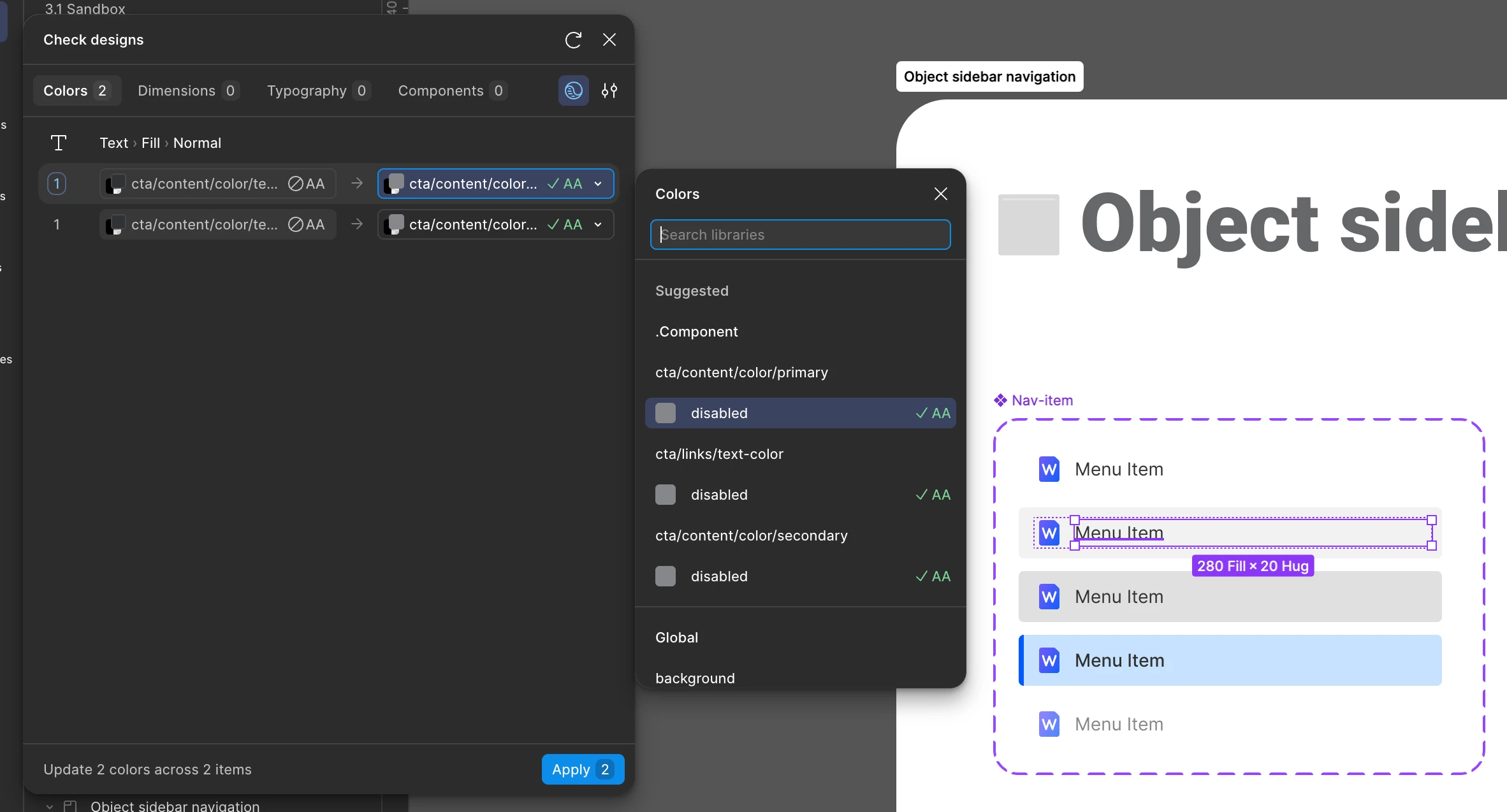
I noticed that the check designs feature is not correctly calculating the contrast when the background is a transparent colour. My example shows how check designs is flagging this text that sits on a transparent black background and is suggesting a colour that is actually not compliant if I ended up applying it.
When I check directly the text layer, I see that it is actually completely compliant:
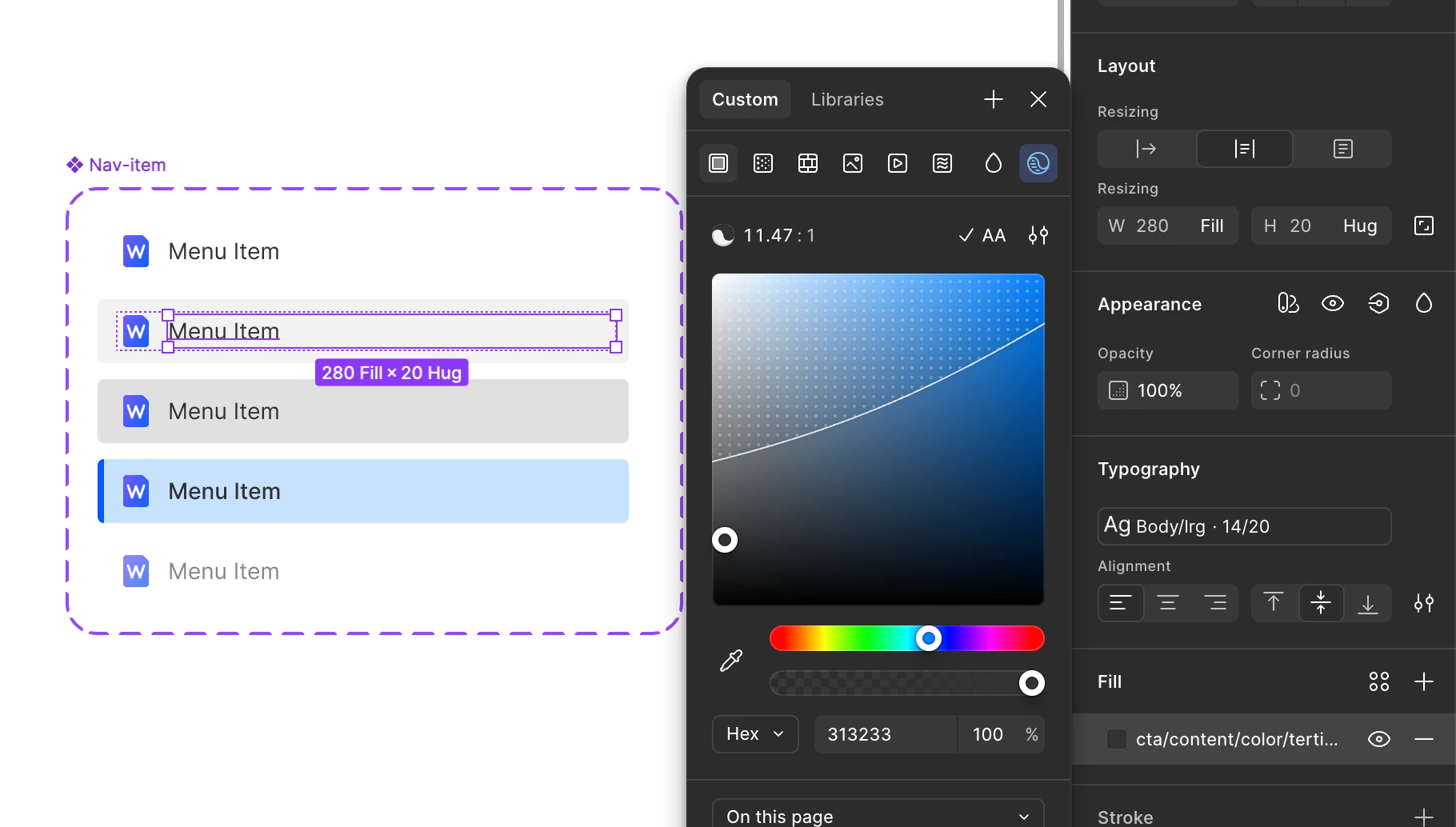
So it seems like the check designs feature is calculating a transparent colour as if it was opaque.