Solved
Check Designs feature doesn't work for my team
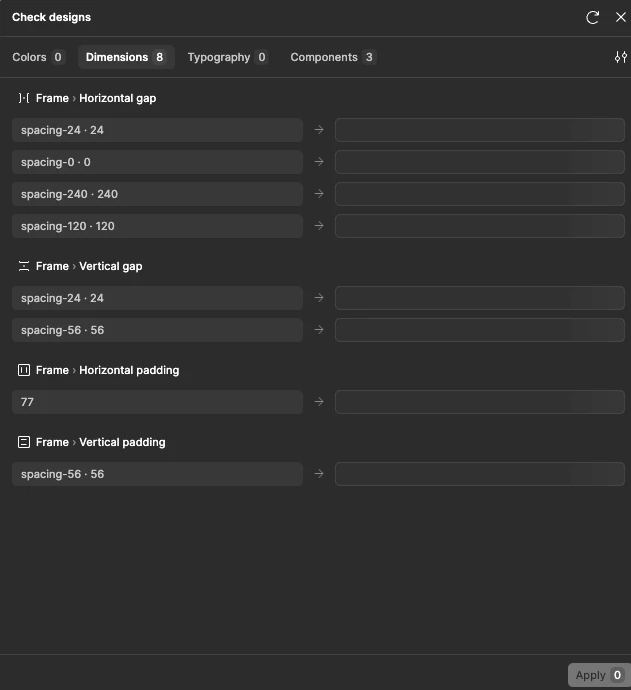
My team is having an issue where, in large design files, the Check Designs feature does not work. Whenever we try to use it, the right column stays empty and we can’t apply any changes with it. Now I’m aware that there’s a 25k layer limit for how much you can select, but the items we’re selecting don’t have anywhere near that amount of layers. Our design system as a whole might, but definitely not the items/frames we’re trying to apply changes to. It seemed to work when we first got the feature, but it hasn’t worked in months.
Is there something we can do to fix this? Is there something specific that causes this bug? It’s incredibly frustrating to not be able to use this feature.