Uday_kumar
New Member
Oct 29, 2026 2:29 PM UTC
Solved

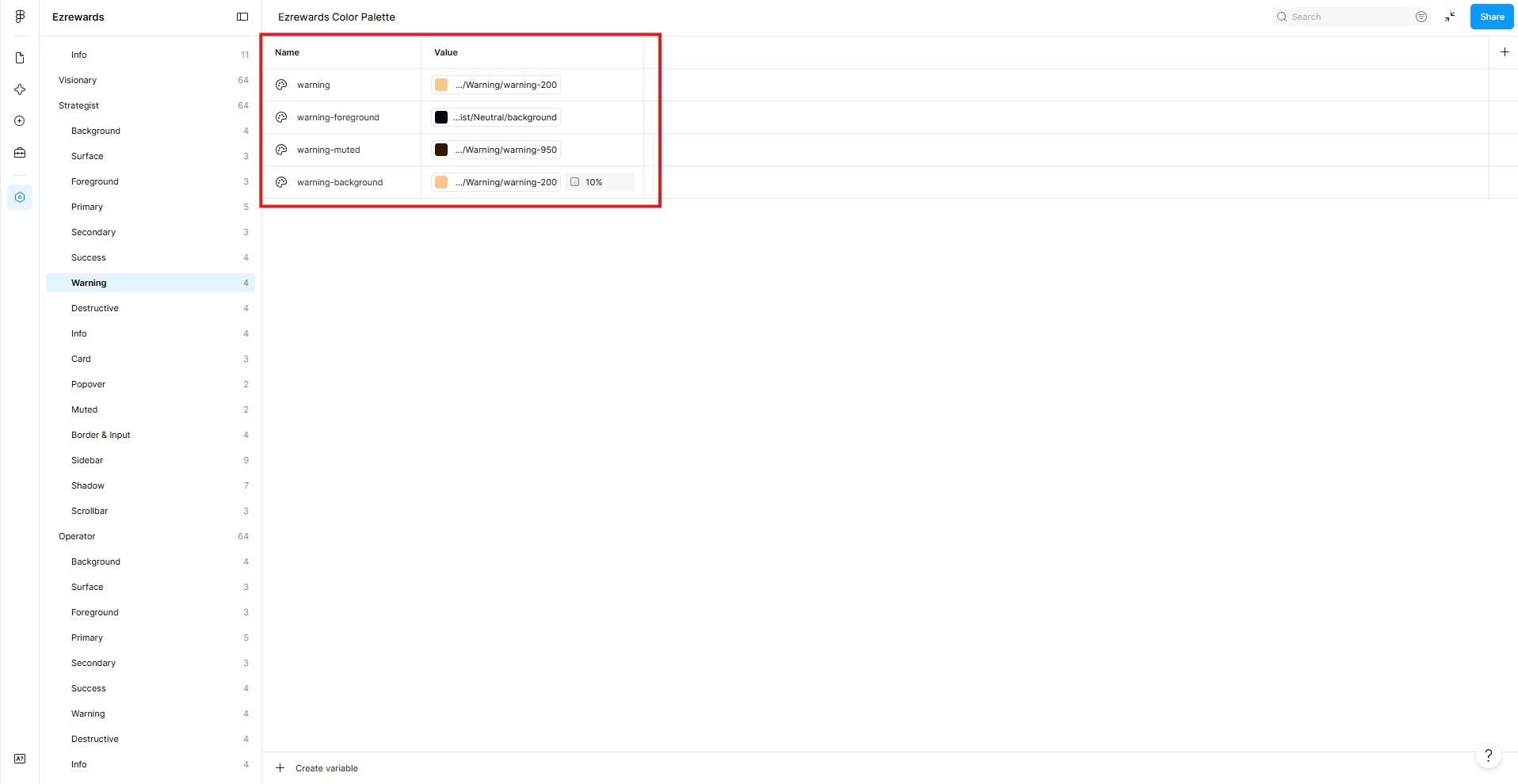
Certain color variables are not shown for texts while it is clearly present in my variables collection.

Hello Figma team,

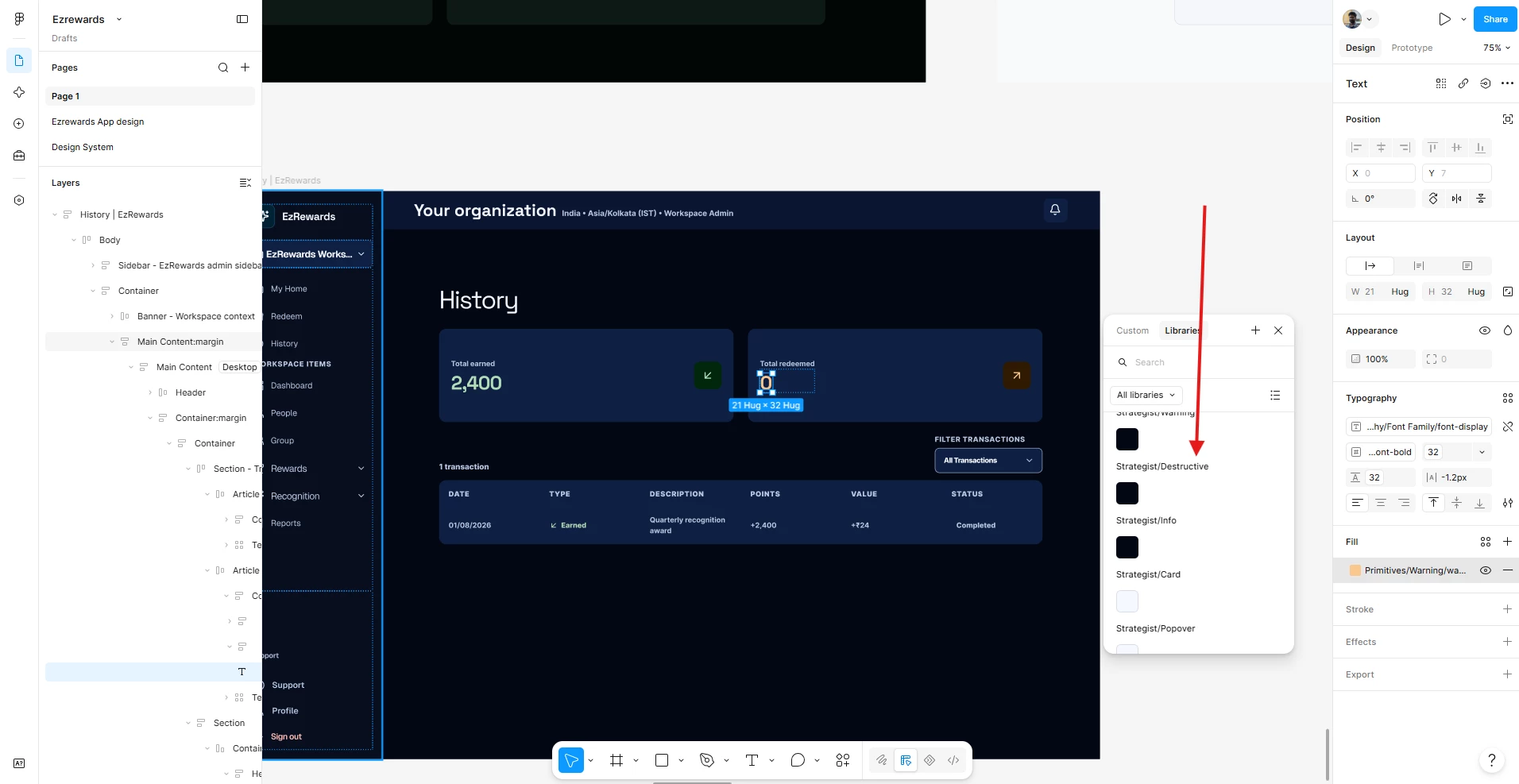
I have been facing the issue of certain colors from my variables are not shown when I am trying to apply it to the texts. The colors that I have created are all shown when I open the Variables tab from the left, but when I try to apply it after selecting any element like texts it doesn’t show all the colors, but only a few from each group under that selection. 
I am attaching two images:

  1. One image show the varaibels collections, with the red box indicating 4 colors under destructive group.
  2. 2nd image shows the arrow mark indicating the variables shown after trying to apply for a text. but it shows only one color instead of 4. 
     

Uday_kumar
Uday_kumarSolution
New Member
Nov 10, 2026 5:32 PM UTC

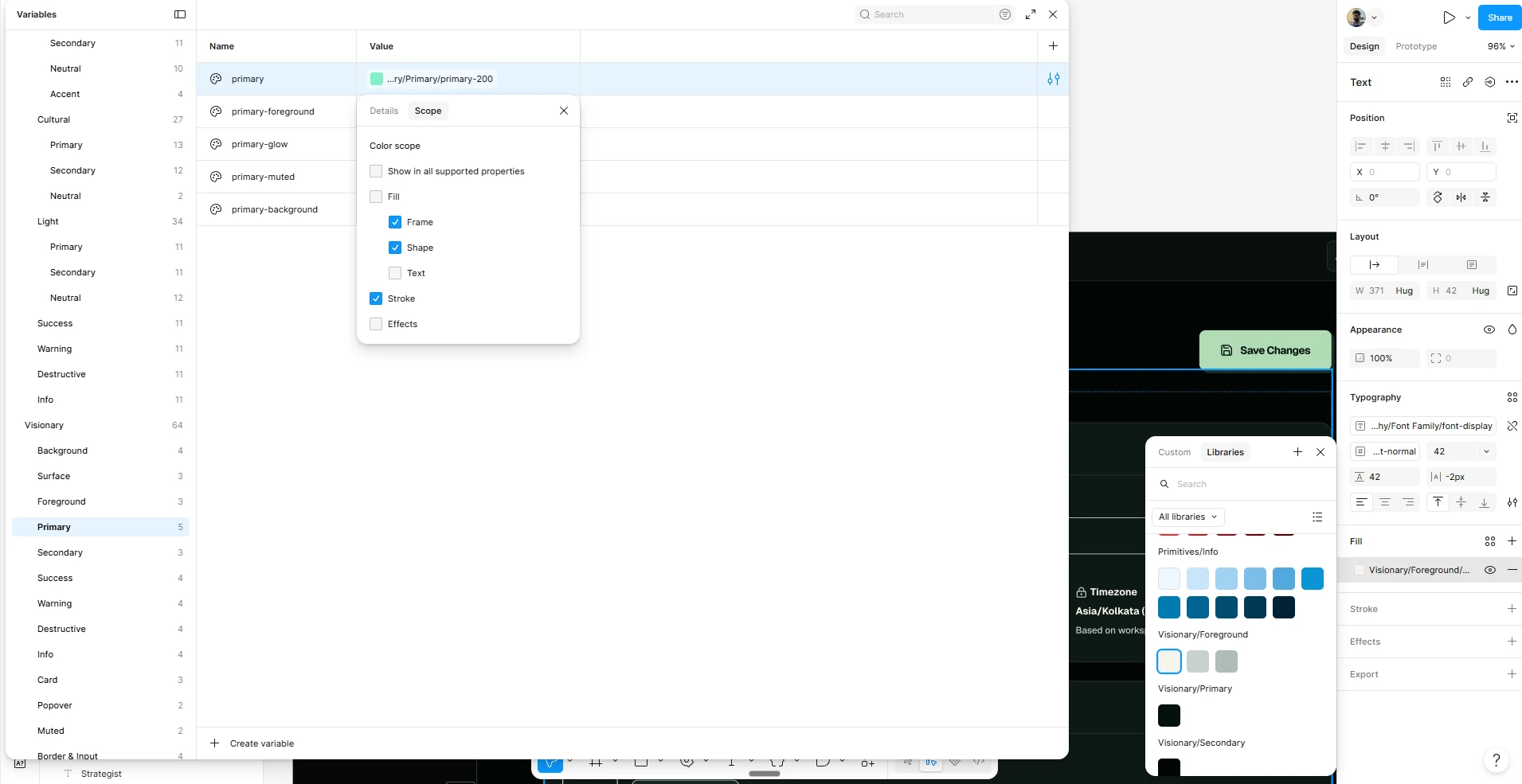
Yes, I can see the option under Scope. Thank you so much. I didn’t go till this deep.

5 replies

Jaycee Lewis
Figmate
Figmate
Oct 29, 2026 4:51 PM UTC

Hey, ​@Uday_kumar 👋 Thanks for including all your details.

I have a few quesitons to help us get started:

  • Are the affected color variables published and available in the library?
  • Is the library enabled in the file where you're trying to use them?
  • Are any of the affected variables set to Hide from publishing?
  • If you search for one of the missing variables by name in the picker, does it appear?
  • Does this happen in other files as well, or only this one?

Thanks! — Jaycee

Uday_kumar
New Member
Nov 3, 2026 10:26 AM UTC

Hi ​@Jaycee Lewis 

Here is my response based on my understanding:

  • The color variables are not published yet, it is available only in that speciic file. I do not want to publish them yet.
  • Yes they appear while searcing in the picker.
  • It’s happning in other files as well.​​​​​​​
djv
Figmate
Community Support
Nov 4, 2026 10:07 PM UTC

Hi ​@Uday_kumar, thanks for clarifying!

I’m stepping in while Jaycee is away. You should be able to keep the variables unpublished when using them in the same file. Could you check one of the missing colors under Edit variable → Scope and make sure Text fill is checked? You can also select Show in all.
 

If that’s already enabled, can you share a screen recording showing the color missing from the list, then appearing when searched? Also, are you able to apply it from the search results?

That will help us narrow this down. 

Uday_kumar
Uday_kumarAuthorSolution
New Member
Nov 10, 2026 5:32 PM UTC

Yes, I can see the option under Scope. Thank you so much. I didn’t go till this deep.