Question

Cant restore file

  • January 21, 2026
  • 1 reply
  • 7 views

Isa Thämer

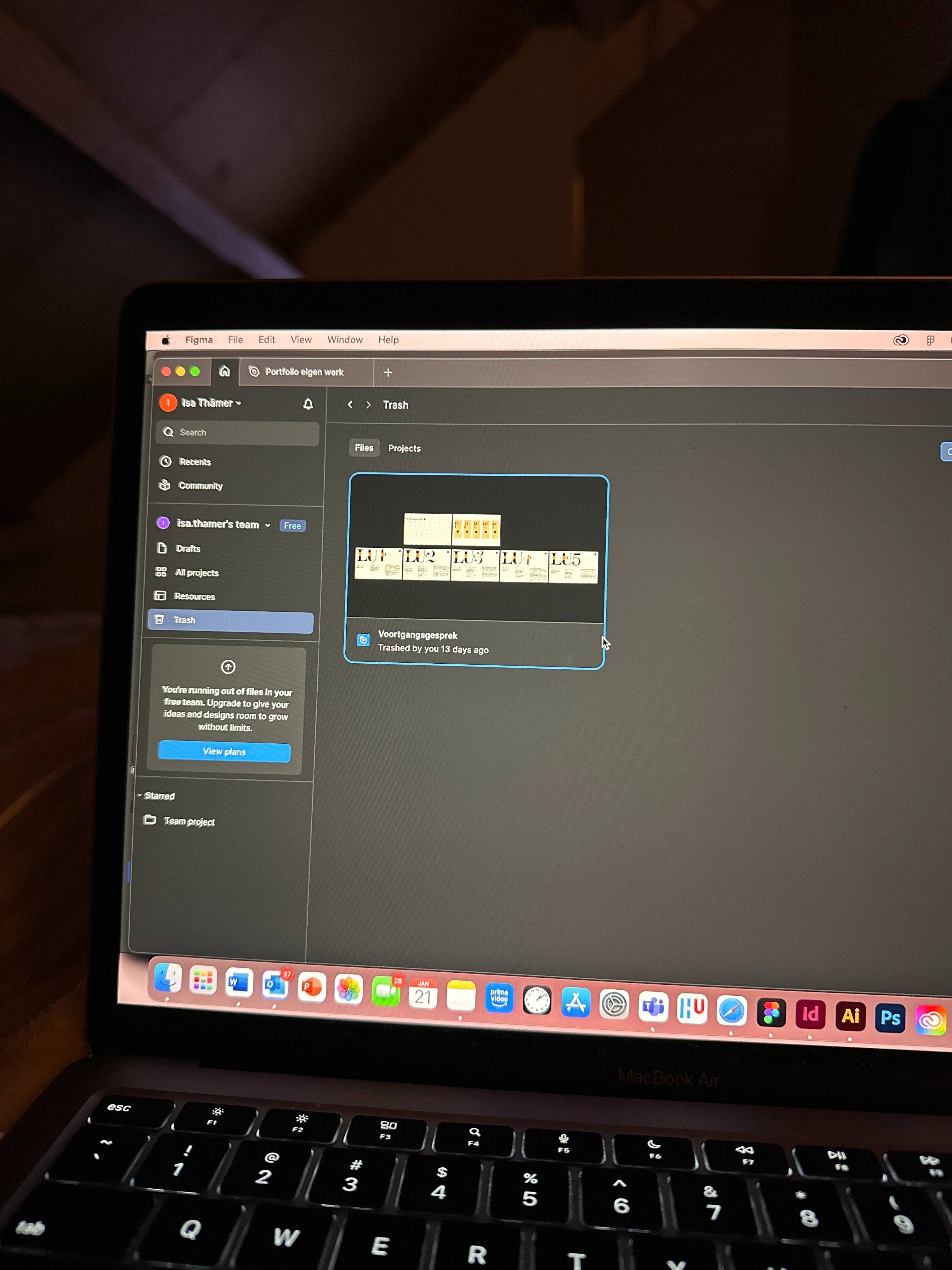
I deleted a Draft file less than 30 days ago (13 days ago)  

The file is visible in Trash but is completely unresponsive:

– Clicking does nothing

– No context menu appears

– “Copy link” is not possible

This happens both in the desktop app and in the browser.


Could you please restore this Draft file on your end?

1 reply

  • Figmate
  • January 21, 2026

Hi ​@Isa Thämer


I understand that you’re having trouble restoring a file from Trash.


From the screenshot you shared, I can see that:

  • The file you’re trying to restore is a Figma Design file in the team “isa.thamer’s team.”
  • There’s a message in the sidebar indicating that you’re running out of files on your Free Starter team. You can learn more about file limits here: Starter plan overview

After checking on our end, it looks like this team already has three design files, which is the maximum allowed on the Starter plan.

There are a couple of options you can try:

  • Free up space in the team and try restoring again
    • On the Starter plan, you need to be under the file limit in order to restore a file. You can try moving one or more files from the team Project to your personal Drafts to reduce the number of files in the team. Once there’s space available, try restoring the file from Trash again.
  • Duplicate the file to Drafts
    • You can also try duplicating the file directly to your Drafts by right-clicking the file and selecting “Duplicate to drafts.”

Please note that if a team has reached the three-file limit and you attempt to restore another file, the team may appear locked. In that case, you’ll need to either free up space (by moving files to Drafts) or upgrade the team to access your files again.

You may find these articles helpful for more details:


Thanks,