

Solved

Can't update branch or merge it with the main file due to file being out of memory

  • February 10, 2026
  • 2 replies
  • 17 views

Patrycy

I created a branch that introduces a lot of changes to the main file. I updated all my components to the newest library, deleted some pages, and made changes to individual frames across the whole file.

When I try to update changes from the main file, or even try to merge the branch, I get an error saying:

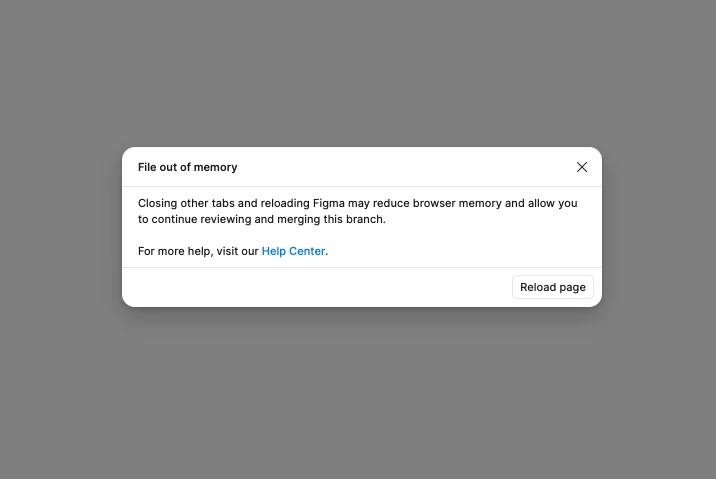
“File out of memory
Closing other tabs and reloading Figma may reduce browser memory and allow you to continue reviewing and merging this branch.”

I tried closing all other tabs, merging in both the desktop app, and using Figma in three different browsers. Nothing seems to work. My branch’s memory usage shows 9%, so it doesn’t look overloaded.

Please help, there are three days’ worth of work stuck in this branch 🥲
 

Best answer by Celine_

Hi ​@Patrycy, Celine from Figma here, thanks for reaching out! I’m really sorry you’re running into this, especially with several days of work tied up in the branch!

Even if the branch’s memory usage looks low, this type of “File out of memory” error can happen when there’s a large volume of changes to reconcile at once. I’d also recommend you checking our guide with some tips for reducing memory that can bel helpful: Reduce memory usage in files

I’ll send you a DM so we can take a closer look at your file and understand what’s happening. Please keep an eye on your inbox, I’ll share next steps there, thank you!

Update: I can see that you are currently in conversation with our support team. Please continue the conversation directly via the secure form,  so they can investigate it further. For reference, your case number is #173943. Thank you!

2 replies

Patrycy
  • Author
  • New Member
  • February 6, 2026

Hello!

I created a branch file that introduces a lot of changes to the main file. I updated all my libraries, deleted some pages, and made changes to individual frames across the whole file.

When I try to update changes from the main file, or even try to merge the branch, I get an error saying:

“File out of memory
Closing other tabs and reloading Figma may reduce browser memory and allow you to continue reviewing and merging this branch.”

I tried closing all other tabs, merging in both the desktop app, and using figma in two different browsers. Nothing seems to work. My branch’s memory usage shows 9%, so it doesn’t look overloaded.

Please help — there are three days’ worth of work stuck in this branch 🥲


Celine_
Figmate
  • Community Support
  • Answer
  • February 10, 2026

Hi ​@Patrycy, Celine from Figma here, thanks for reaching out! I’m really sorry you’re running into this, especially with several days of work tied up in the branch!

Even if the branch’s memory usage looks low, this type of “File out of memory” error can happen when there’s a large volume of changes to reconcile at once. I’d also recommend you checking our guide with some tips for reducing memory that can bel helpful: Reduce memory usage in files

I’ll send you a DM so we can take a closer look at your file and understand what’s happening. Please keep an eye on your inbox, I’ll share next steps there, thank you!

Update: I can see that you are currently in conversation with our support team. Please continue the conversation directly via the secure form,  so they can investigate it further. For reference, your case number is #173943. Thank you!