

BlairAAA
New Participant
July 8, 2025
Question

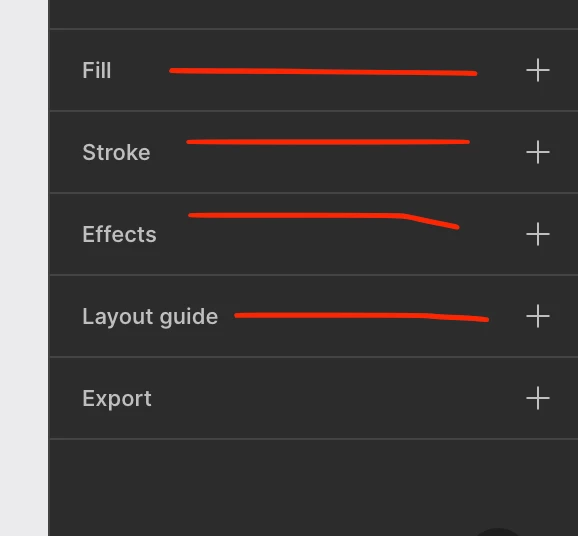
Can't touch blank area to apply fill
  • July 8, 2025
  • 2 replies
  • 81 views


I cant click in this blank area to apply fills/strokes/effects etc, i used to be able to but now i have to click the plus. it takes a little longer to navigate there which is a bit annoying, is this a new thing or a bug?

    This topic has been closed for replies.

    2 replies

    Gayani_S
    Figmate
    Community Support
    July 8, 2025

    Hi ​@BlairAAA, thanks for bringing this up!

    I get how a small change like this can disrupt your workflow. From what I can see, this does appear to be expected behaviour now, and I’m able to reproduce the same on my end. When you click directly on the “Fills,” “Strokes,” or “Effects” label, it still applies the effect as before. I’ve included a quick screen recording on Loom to show how that works. 

    If you still feel like usability is not intuitive, I’d be happy to share your feedback with the team so they can take it into account.


    BlairAAA
    BlairAAAAuthor
    New Participant
    July 9, 2025

    Thank you ​@Gayani_S I appreciate your response, I tried out your solution today & it works. although sometimes I miss the touch target and have to click again to reach it so I would appreciate if you could share my feedback with the team.


    Thanks again!