

Solved

Can't sign up

  • April 14, 2026
  • 1 reply
  • 20 views

Radiy

Hi Figma Support Team,

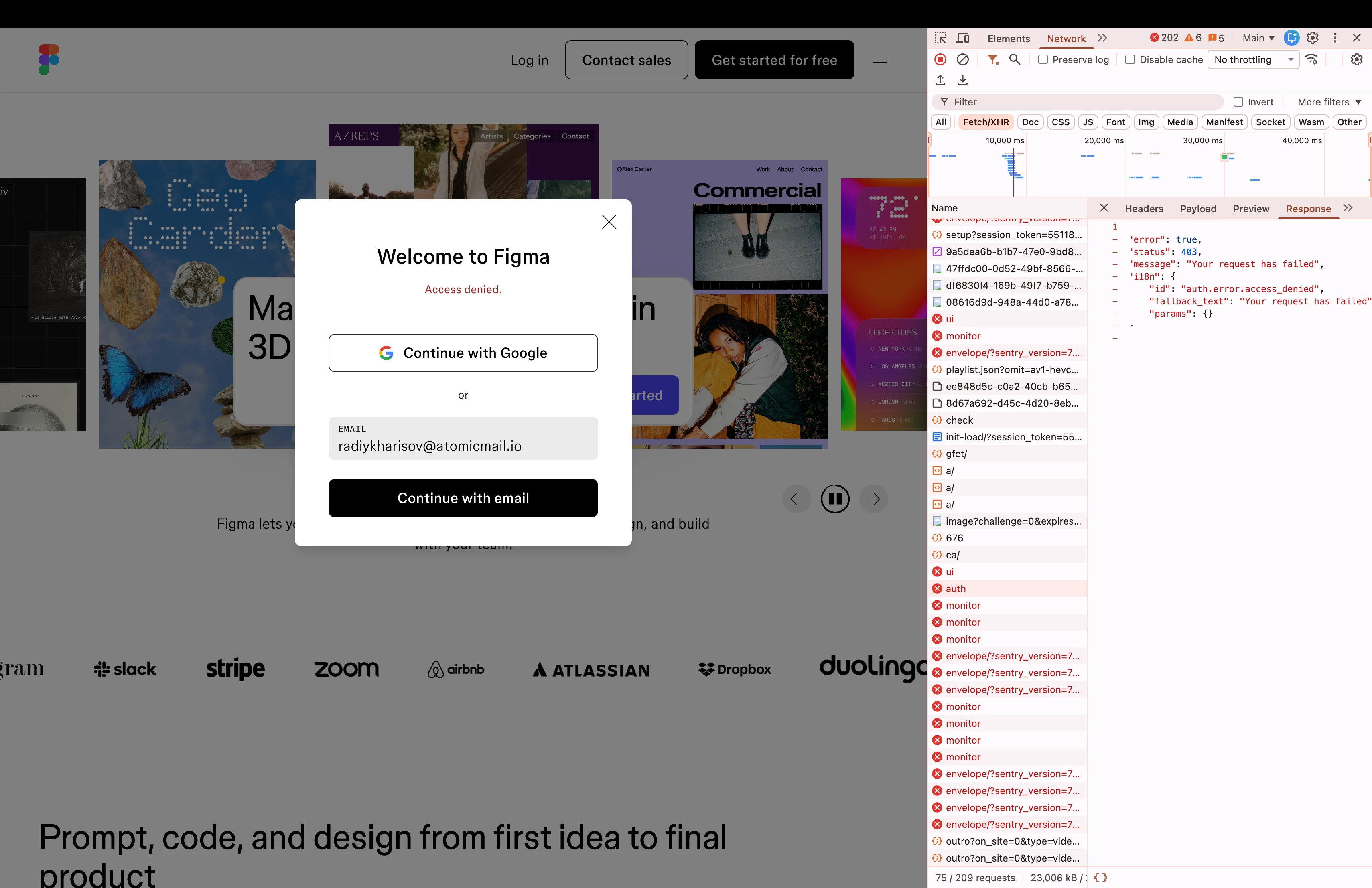
I am reaching out as the Product Manager of Atomic Mail (atomicmail.io). Currently, our mutual users are blocked from signing up on Figma. The UI shows "Access denied," and the network payload returns a 403 error: auth.error.access_denied.

This is a false positive. We are a legitimate, permanent European email provider with strict anti-abuse infrastructure (CAPTCHA, rate limits, spam filters). We are NOT a disposable or temporary email service.

To confirm our legitimacy, major platforms like Google, Microsoft, and Spotify fully accept our domain for registration. Additionally, independent cybersecurity validators like ZeroBounce and Palo Alto Networks officially rate our domain as clean and safe.

Could you please escalate this ticket to your Trust & Safety or Engineering team for a manual review to whitelist atomicmail.io in your authentication system?

Thank you,

Radiy Kharisov
PM, Atomic Mail
 

Best answer by Celine_

Hi ​@Radiy , Celine from Figma Community Support here! Thanks for reaching out and for the detailed explanation. I'm sorry to hear your users are being blocked from signing up on Figma. I completely understand how disruptive this must be.

I've gone ahead and created a support ticket on your behalf and added a follow-up note to make sure it gets escalated to the support team. Someone will be in touch with you directly via your ticket soon.

In the meantime, since Error 403 is generally related to permissions, you can check out the steps in this article in case it helps: Connection or server 403.

1 reply

Celine_
Figmate
  • Community Support
  • Answer
  • April 14, 2026

Hi ​@Radiy , Celine from Figma Community Support here! Thanks for reaching out and for the detailed explanation. I'm sorry to hear your users are being blocked from signing up on Figma. I completely understand how disruptive this must be.

I've gone ahead and created a support ticket on your behalf and added a follow-up note to make sure it gets escalated to the support team. Someone will be in touch with you directly via your ticket soon.

In the meantime, since Error 403 is generally related to permissions, you can check out the steps in this article in case it helps: Connection or server 403.
