

Question

Can't select Make Kits in Make File

  • August 13, 2026
  • 3 replies
  • 32 views

Selina Nie

Hey team, 

I’m trying to publish a Figma Make template for my organization to use. I’ve got it in a great state, but I can’t select a Make Kit to add. This is important, as the template will be used by others on my team, and I want to have kits pre-installed.
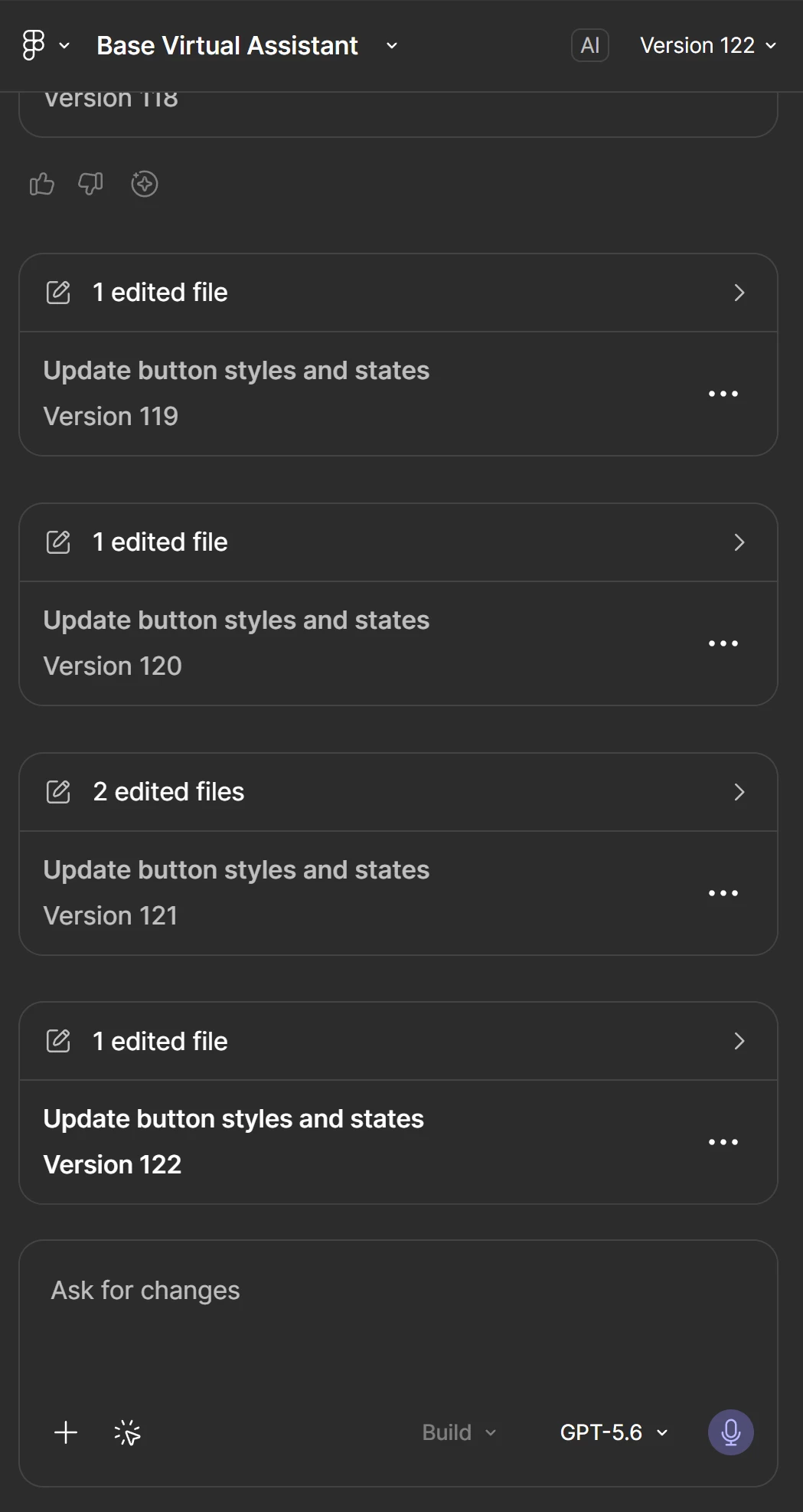
 

Left sidebar in Figma Make

I see it in other Figma Make files, just not the one that I have all the edits and context for. See a different file: 
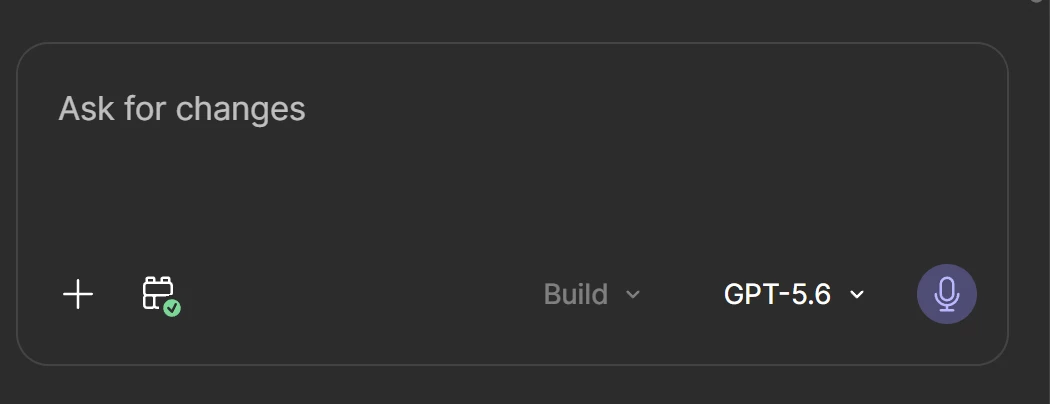

Is it because my Make file is older? I did start this file a few months ago.​​​​​​

3 replies

Jaycee Lewis
Figmate

Hey ​@Selina Nie 👋 That’s looks unexpected. Looking at the documentation for adding a Make Kit, it should would for new and existing files:

  • Open a new or existing Make file
  • From the prompter, and click Select a Make kit
  • Choose from a list of Make kits in the list. You can add more than one kit if desired

Would you be able to share a link to the file, with view access to support-share@figma.com 

I’m going to take this to my resources and get us our next step. — Jaycee


Jaycee Lewis
Figmate

Hey ​@Selina Nie I have a few more follow up questions:

  • Where do the two files live? Specifically, is the file that's missing the option in a team/project inside your org, or in your drafts? Make kits are an org-level resource, so file location matters more than file age here
  • Had you previously extracted style context from a design library in that file, before Make kits existed?

One thing worth checking in the meantime: if your goal is having kits already in place for your team, an org admin can set a kit to be added by default, which puts it in Make files without anyone having to search for it. Details are here: https://help.figma.com/hc/en-us/articles/39313426360087-Manage-Make-kits-for-an-organization

And for reference on how templates and kits relate, this covers it: https://help.figma.com/hc/en-us/articles/39241689698839-Get-started-with-Make-kits

Talk soon! — Jaycee


Selina Nie
  • Author
  • New Member
  • August 14, 2026

Hey ​@Jaycee Lewis! Thanks for your help and all the resources you’ve linked. I’ll take a look at these to see if any will help!

I added in support-share@figma.com as a viewer on the file. 

To answer your questions:

  1. It was in my drafts at first, actually! I just moved it to an organization file, but I’m still not seeing kits enabled:  
  2. It’s possible… I’m not 100% sure at this point, but I definitely had worked on this file prior to kits being introduced.Â