

Question

Can't no longer collapse/expand multiple layers simultaneously

  • July 22, 2026
  • 2 replies
  • 26 views

Frederic_Giroux

Previously, it was possible to collapse or expand multiple layer groups simultaneously, but it no longer seems possible. It was as simple as selecting multiple groups and holding the CMD key while clicking on one if their chevron icon-button. 

This ability seems to have been removed, unless it’s simply the shortcut that changed? 

This feature was quite useful to navigate quickly within the layers panel. It would be great to bring it back as it doesn’t seem to conflict with any new features. 
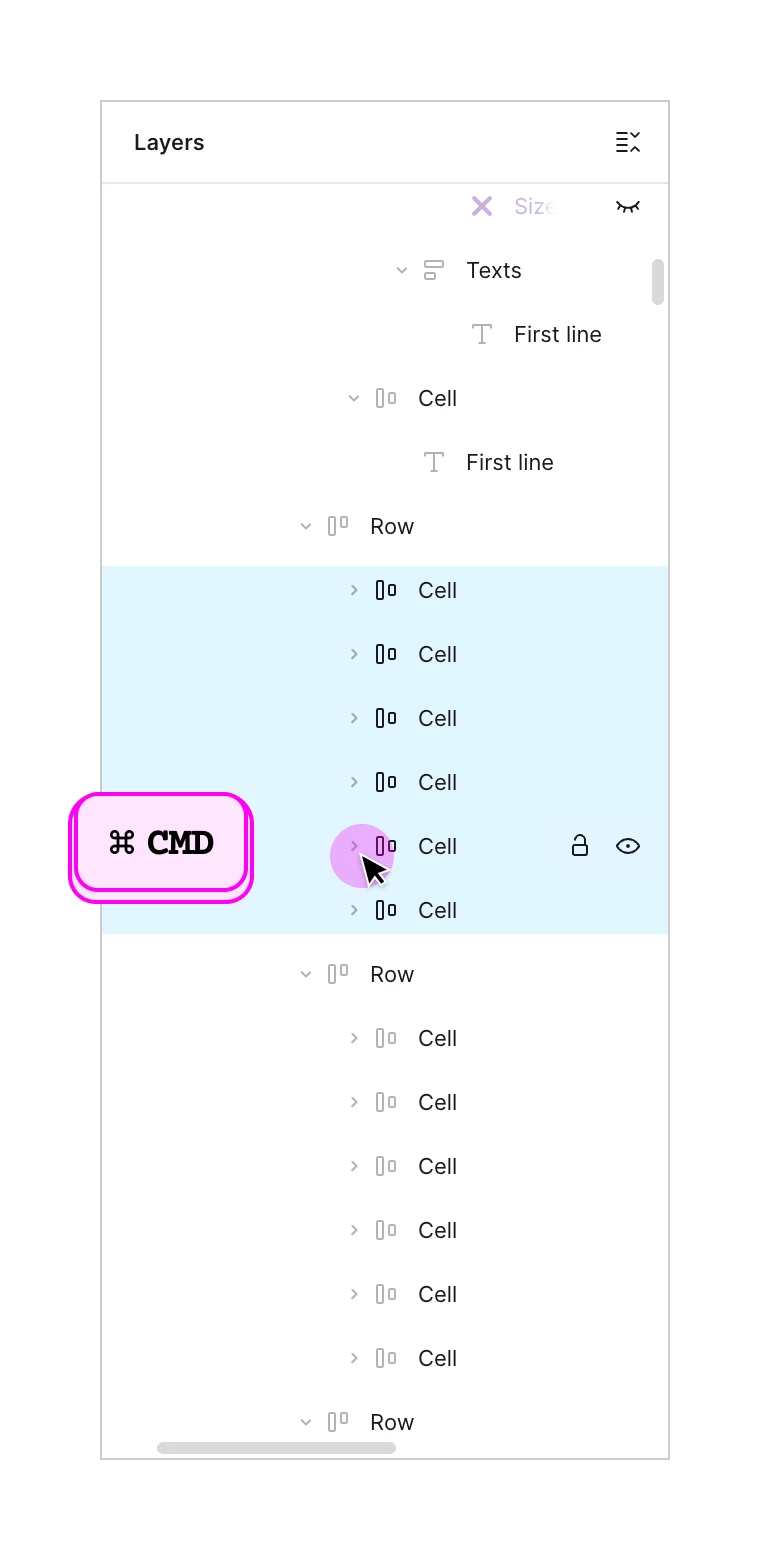
Collapse and expand multiple layers simultaneously


2 replies

Jaycee Lewis
Figmate

Hey ​@Frederic_Giroux 👋 Thanks for the info!

I found a forum post referencing this capability (holding Cmd/Ctrl while clicking a chevron to expand/collapse all selected groups at once), I wasn't able to confirm it in our official Help Center docs. The docs cover single-chevron clicks, the "Collapse layers" button, and Option/Alt + L, but not the modifier-click multi-toggle behavior you're describing.

Docs:

I’m happy to dig in more with you and I think we need a bit more info. Talk soon — Jaycee


Jhordan Wogenski

Searching for the same. Was thinking that i had disabled something. It was really helpful on the flow, hope its a uptade bug.