

Question
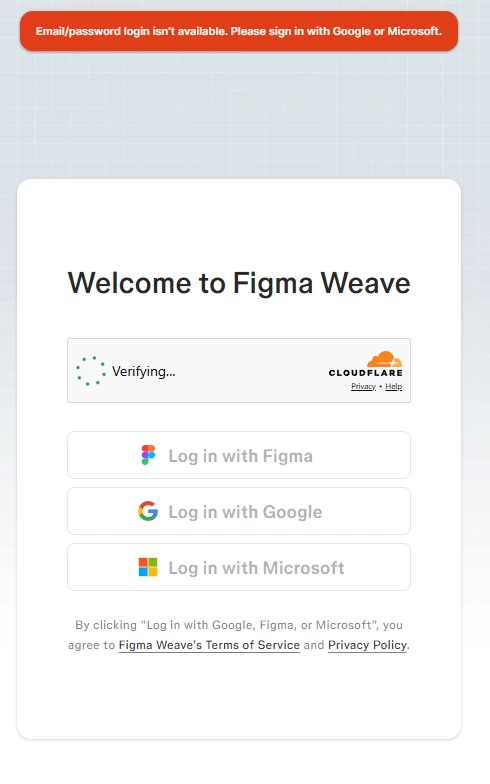
Can't log in into Weavy AI via "Log in with Figma" redirects to error
Hello everyone,
I am facing a persistent login issue with Figma Weave that completely blocks me from accessing the tool.
Steps to reproduce:
- I go to the Figma Weave welcome/login screen.
- I click the "Log in with Figma" button.
- The page turns dark and gets stuck on a loading spinner for a while.
- Eventually, it redirects me back to the login screen with a red error banner at the top: "Email/password login isn't available. Please sign in with Google or Microsoft."
Important details:
- I cannot use the other two options (Google or Microsoft login) because this is my Figma Education plan student account, meaning I must authenticate strictly through my Figma identity.
- The error appears even though I am not trying to enter an email/password manually; it triggers automatically after the Figma redirect loop.
I have already uploaded the screenshot showing the error page. Has anyone else encountered this with student accounts, or is there a known workaround?
Thanks in advance for any help!