Question

Can't edit existing text

  • June 10, 2026
  • 2 replies
  • 26 views

Cups

HALP!


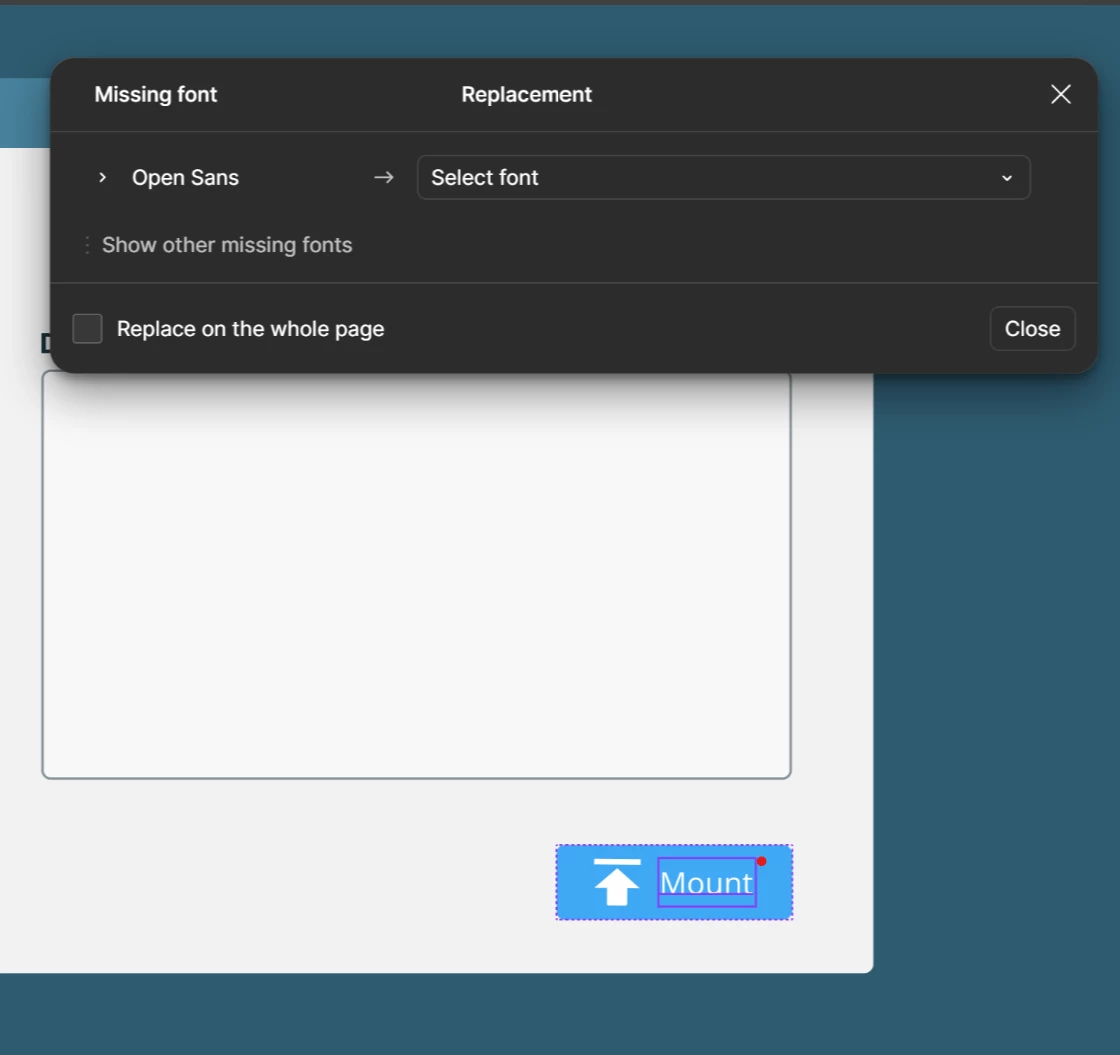
I can no longer edit any existing text! I can however drop in new text and it works just fine. At one point I would get the missing font popup, go through the UI for it and select the missing font. Even though I had it installed a long time go. Close out the modal and I go to edit text, get the pop up again. The odd thing is that I would be able to create new text just fine...I don’t even get the popup anymore!

I have

  • Restarted my machine
  • Restarted Figma
  • Reinstalled my Fonts
  • Restore previous versions


HELP!!

2 replies

adamsmasher
Figmate
  • Figmate
  • June 11, 2026

Hi, ​@Cups. Let’s see if we can figure out what’s going on and get you editing text again - I’m sure this is frustrating for you.


When you find and replace the font, are you checking the option to do this for the whole page? It sounds like there remains a font issue with text layers that is preventing you from editing - this explains why new layers work just fine because there’s no font issue with those. Here are a few things you can try:

  • Check for conflicting font versions.
    • If you or a collaborator installed the font from different sources, Figma may be seeing two versions and getting confused. Try uninstalling the font entirely, then downloading and reinstalling it from a single consistent source. After reinstalling, use Edit > Select all with > Select all with same font to find affected layers, then try Main menu > Edit > Recompute Text Layout in Selection to reset them.
  • Check the Font Installer (if you're on the web app).
  • Check the Missing Fonts modal for specifics.
    • Click the missing font icon in the left sidebar to see exactly which fonts are flagged and on which layers — this can help narrow down whether it's one font or many.

You can also find a full breakdown of causes and fixes here: Missing font alert in Figma Design. Let me know if those solutions don’t work for you and we’ll go from there.


Cups
  • Author
  • New Member
  • June 15, 2026

Thank you for getting back to me!

I ended up having to delete the Figma folder by going into the command line and pulling it up. Opened Figma back up and it reinstalled the fonts. I still have some errant components that have the missing font but like 95% of the components are working again. It feel like when I published my library it got everything screwed up. I’m pretty sure it has something to do with my work being connected to another library and that project also has the same fonts.

Really odd but now I know!

Thanks again for getting back to me!