Question

Bug Report — Text Rendering Issue in Figma Prototype
  • May 14, 2026
  • 1 reply
  • 14 views

Minh_Quang

Hey team, I found a bug in the Figma prototype regarding text rendering/layout.

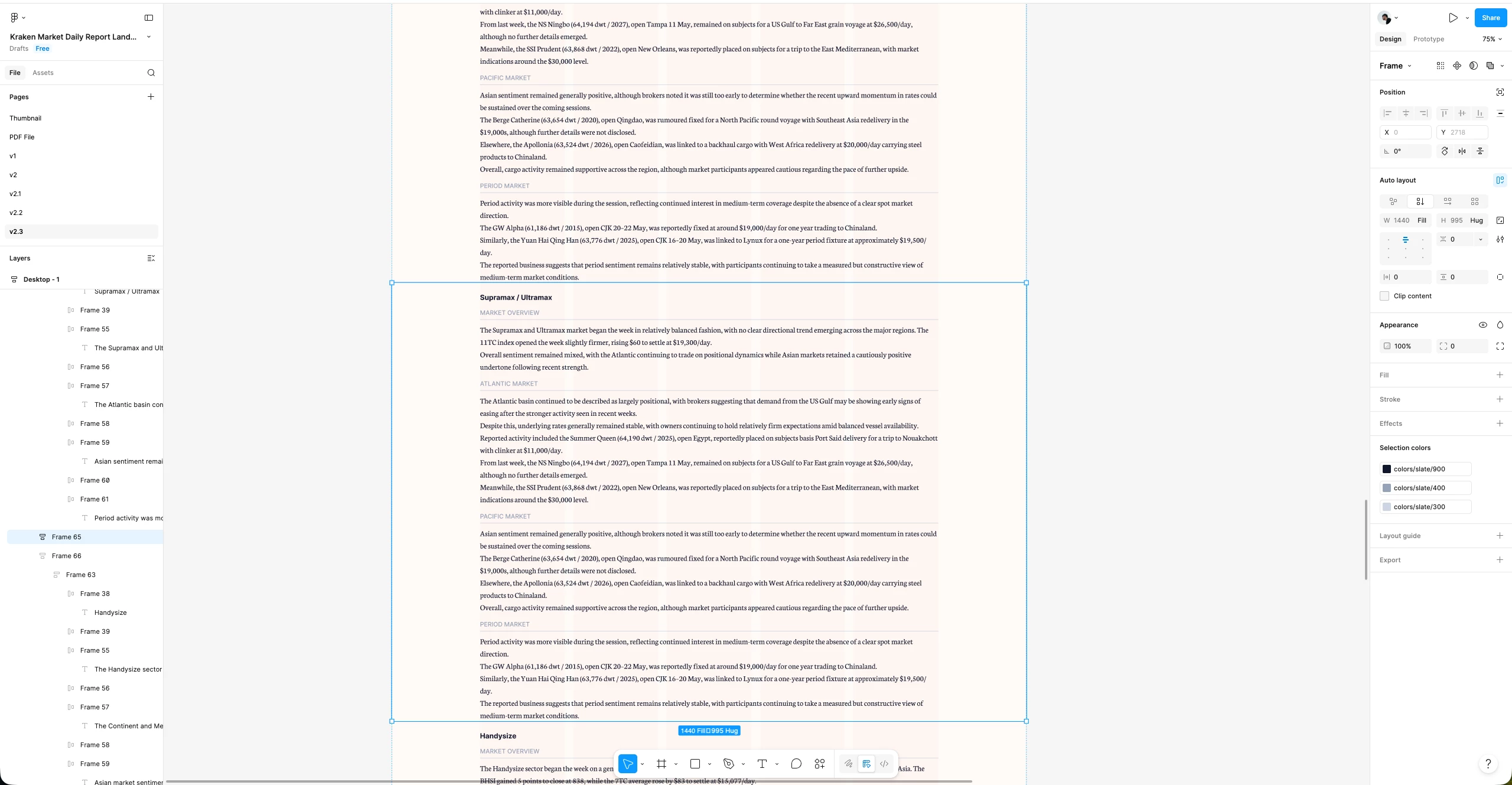
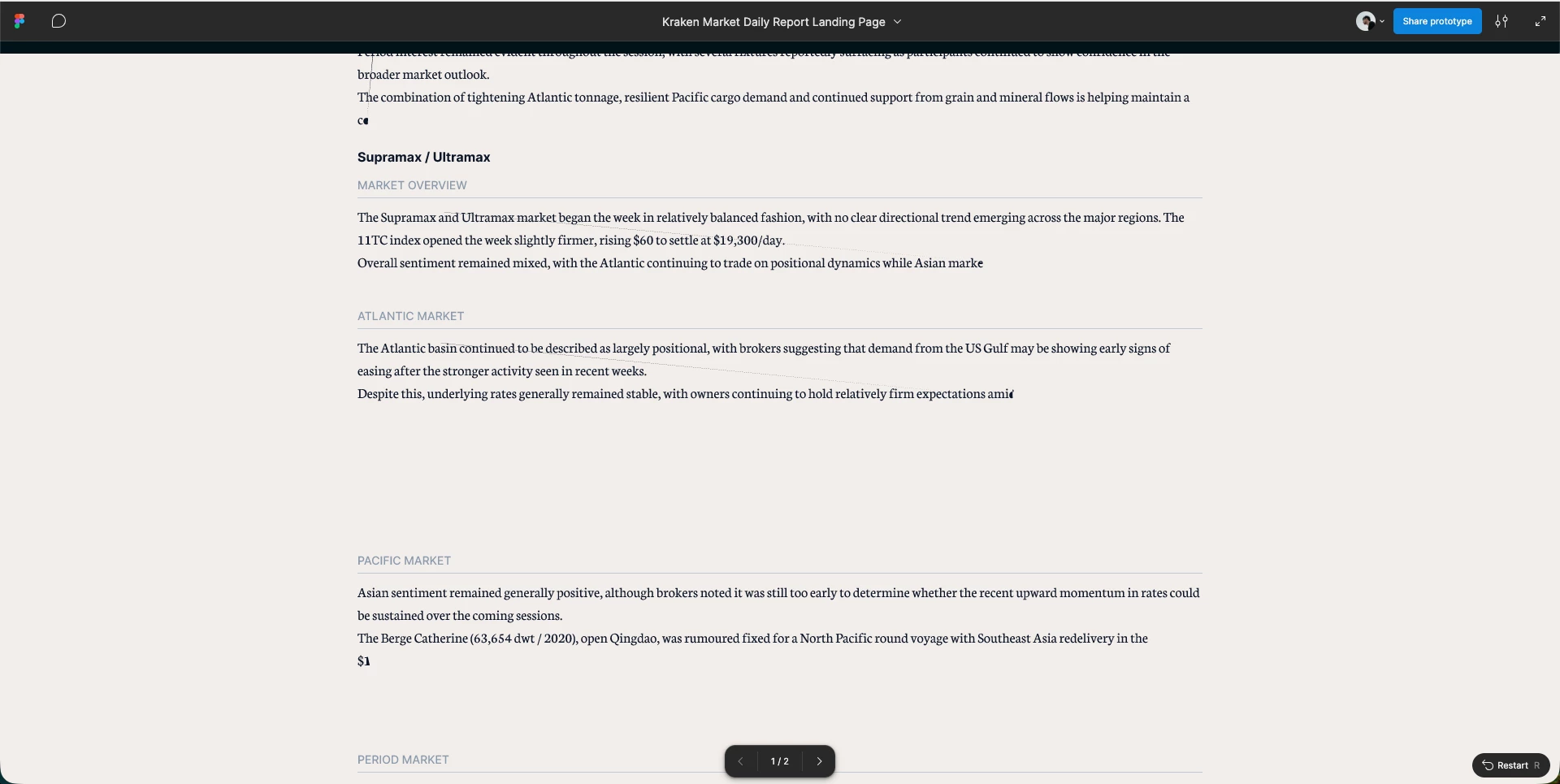
In Design mode, all report content displays correctly, but in Prototype mode several text blocks are getting clipped/truncated and large blank spaces appear between sections.

Affected sections include:

  • Supramax / Ultramax
  • Atlantic Market
  • Pacific Market
  • Period Market

Examples:

  • Paragraphs stop mid-sentence
  • Some text disappears completely
  • Large empty gaps appear even though content exists in the editor

From checking the layers, this looks related to Auto Layout / fixed height / clip content behavior in Prototype mode.

1 reply

adamsmasher
Figmate

Hey ​@Minh_Quang!


Thanks for your post and for detailing what you are seeing - it looks like you’ve done a fair amount of investigating yourself. You mention that it looks related to auto-layout/fixed height/content clipping. Was there something you toggled on/off or changed that led you to think one of those was the cause? I’m checking in with the team to see if there are any known reasons why this happens, but I was curious what might have led you to that when you were checking things with your file. 


One other question - does this happen consistently with all the paragraphs or just specific paragraphs?


Thanks!