

Question

BUG REPORT - Figma Make - Copy pasting design broken

  • May 13, 2026
  • 1 reply
  • 12 views

SEO_team

Hello, I’m using Figma desktop and browser. I made a design I liked in Make, than proceeded to click on the “copy design” icon. And when I paste it in a file, a lot of elements are missing (text, graphics...)


Tried emptying cache, checking network, closing/opening the file then setting a size (1440*1024px for example) then copying it, copying in a mobile view, copying after dcrolling all the way down the page.
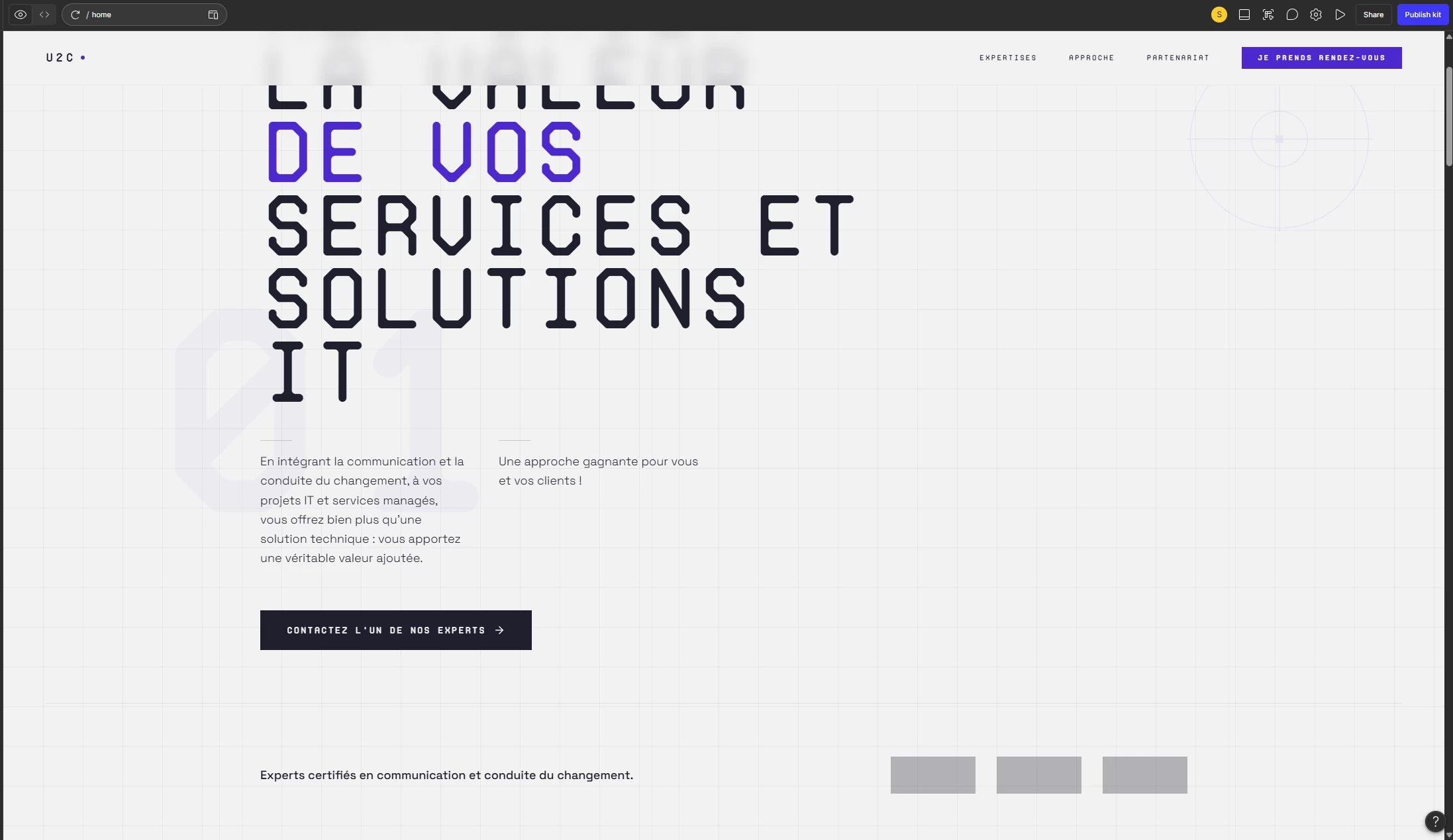
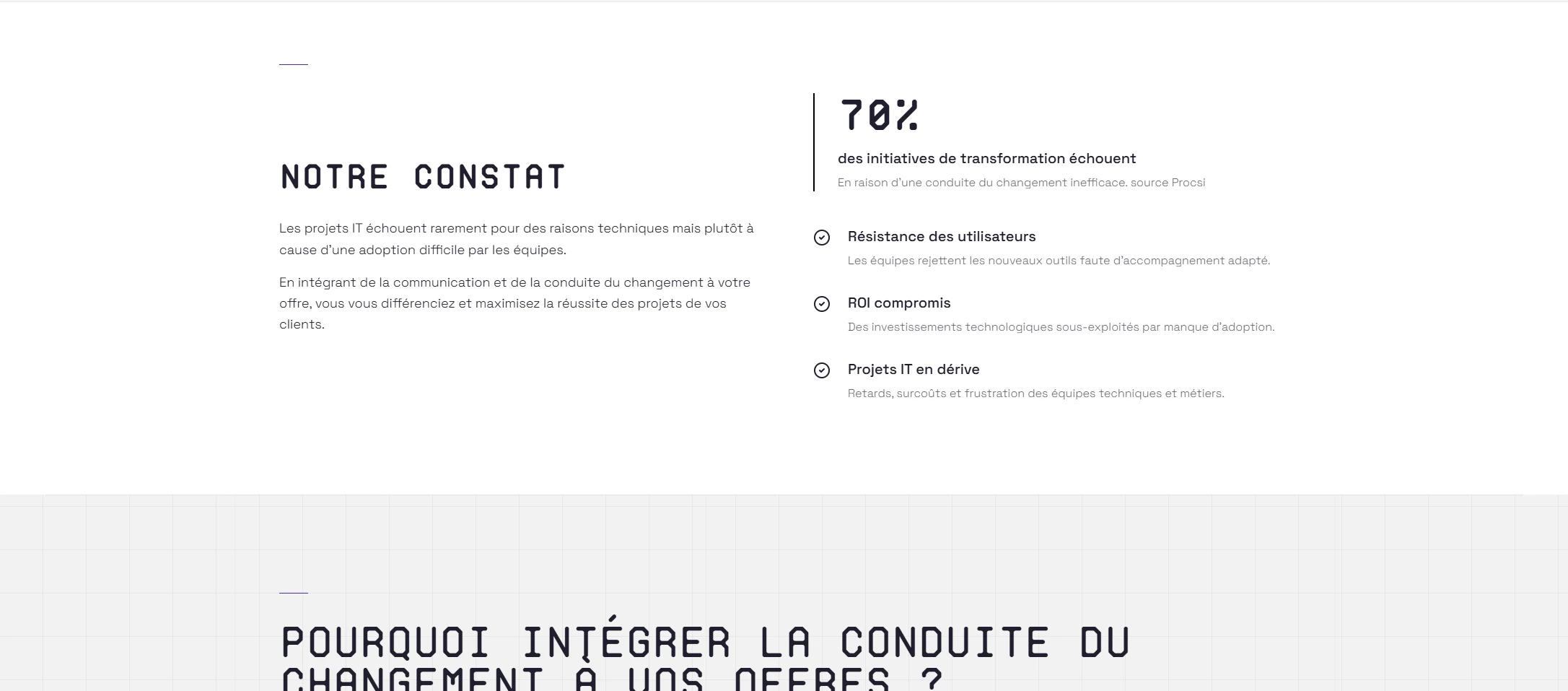
 

the make version
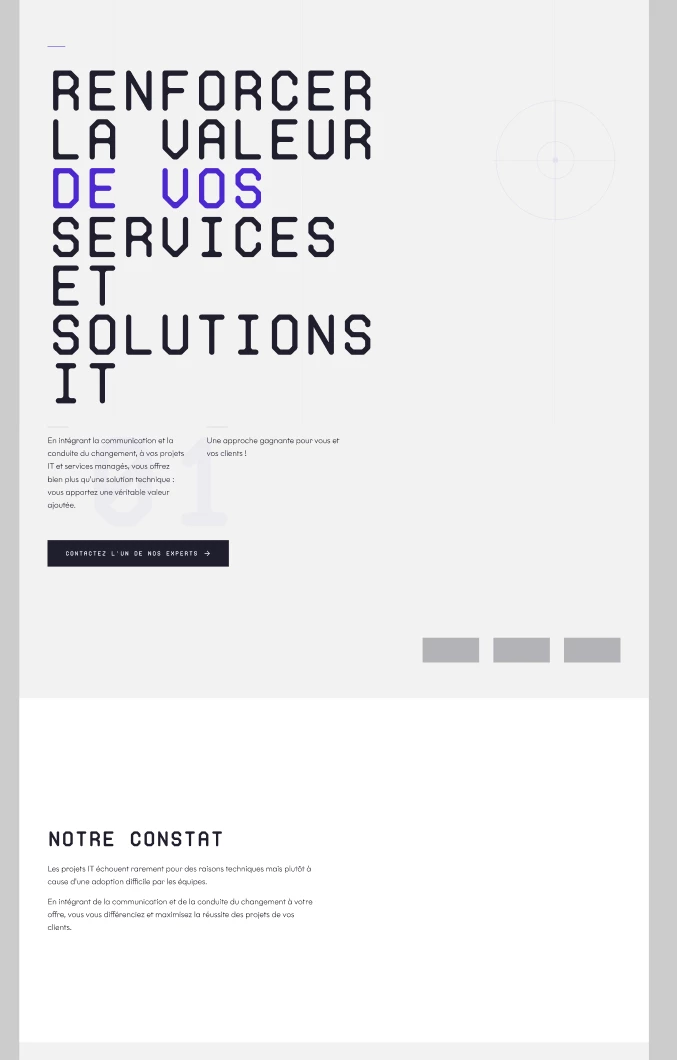
 

The copied version

I already checked the guide. I happens every time I want to copy this design. Tried with another one (juste one), seems to work, so the issue seems to be with the particular file.


Can you help me please ?


thanks

1 reply

  • Figmate
  • May 14, 2026

Hi ​@SEO_team ,


I understand that some layers are missing when you copy the Figma Make preview as design layers.


From the screenshot you shared, this looks like a Make kit. Since you mentioned the issue seems to be specific to this file, I tried copying a preview from a Make kit on my end, but wasn't able to reproduce the issue — so it may be something specific to your file.


Since we're unable to investigate individual files directly here on the Forum, I'd recommend submitting a bug report so our team can take a closer look at your specific setup:

  1. Go to the Support Hub
  2. Type "Report a bug" and click Start a chat
  3. In the form, please include:
    • The direct URL to your Figma Make file with Can view access granted to support-share@figma.com (this won't affect your billing)
    • A screen recording showing the steps you take and the missing elements
    • URL of this forum post

This will help our team know the full context and investigate the issue more effectively.


Thanks!