

Bug: instance click still triggers internal variant click interaction
This seems like a bug or regression, and it messed up with my prototype.
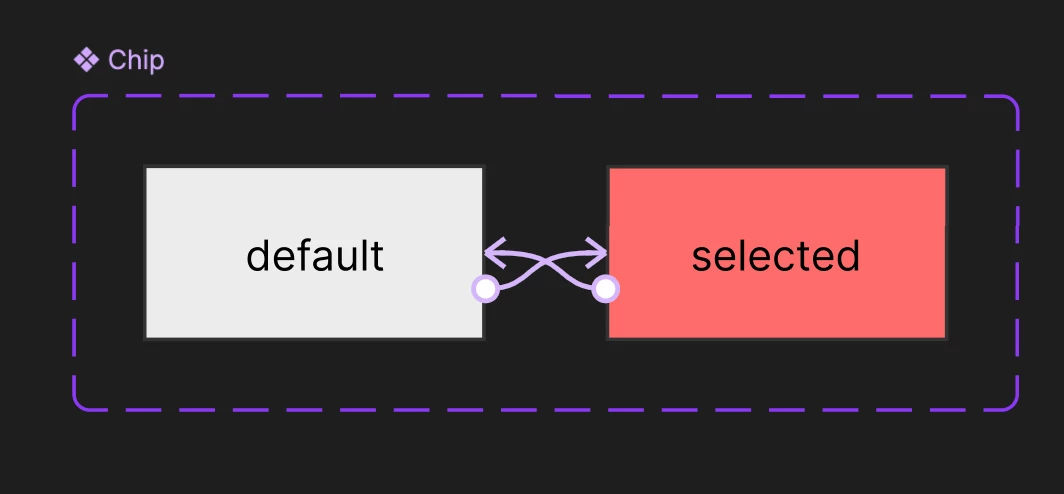
For testing, I made a very simple interactive component with only 2 states:
-
default
-
selected
Inside the component, the interaction is:
-
Default: On click -> Change to selected
-
Selected: On click -> Change to default
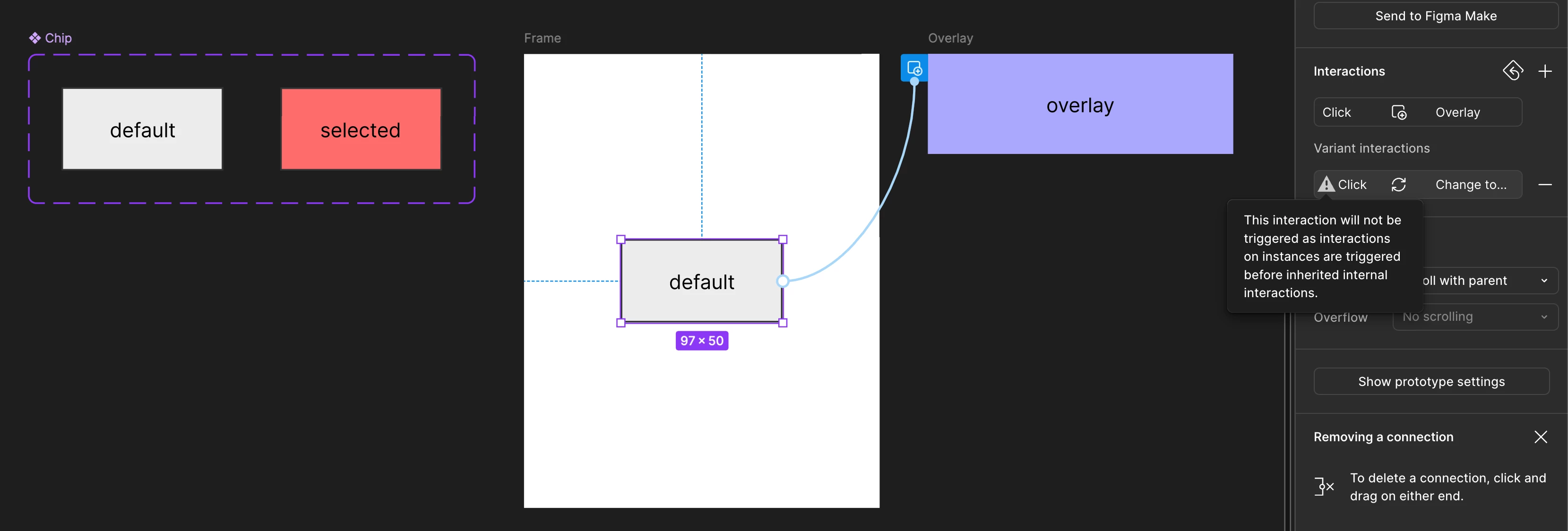
Then I placed an instance on a frame and added:
-
On click -> Open overlay
Figma shows the warning:
This interaction will not be triggered as interactions on instances are triggered before inherited internal interactions.
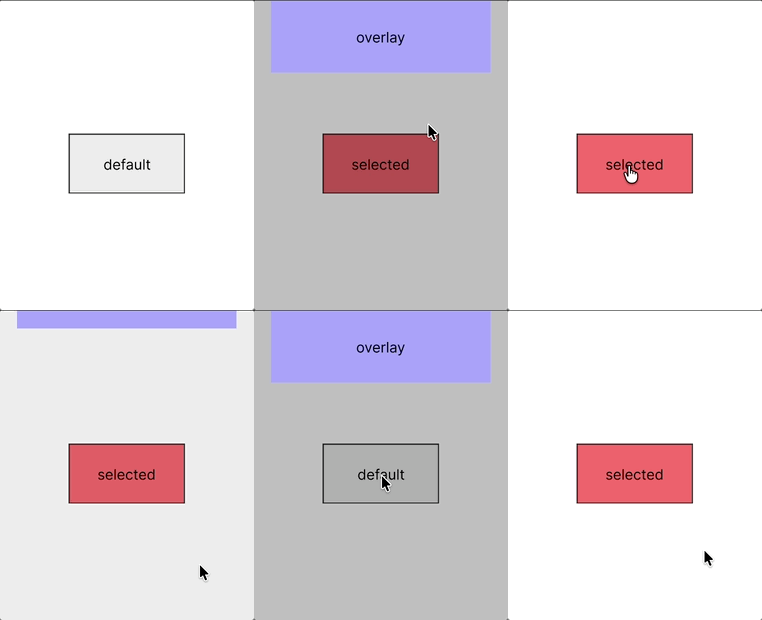
But in preview, when I click the instance:
-
the overlay opens
-
and the component still changes state / color
So the inherited internal click interaction is still firing even though Figma says it will not.
Also, the state behavior becomes inconsistent after the first click:
-
First click on the default state opens the overlay and changes the component to selected
-
After closing the overlay, the component stays selected
-
Clicking again opens the overlay and temporarily changes the component back to default
-
But when the overlay closes, the component snaps back to selected
So the component state is not only being triggered when it should not, it is also being restored inconsistently after the overlay closes.
Expected
Only the instance interaction should fire, and the component should not change state, as it used to.
Actual
Both happen:
-
overlay opens
-
component also changes to selected state
I reproduced this in a minimal test file with just 2 states and a single click interaction.