BUG: Figma Make completely ignores attached Library & Guidelines (Drained 250+ credits)

  • February 27, 2026
  • 2 replies
  • 24 views

Charan-CareSmartz360

Hi Figma Team,

I am reporting a severe bug with Figma Make that resulted in a completely hallucinated design and the unfair loss of ~250 AI credits on my Professional plan.

I attempted to generate a specific dashboard ("v3 / dashboard") using my "Caregiver Web Portal" design system. Despite attaching my local library and providing explicit rules in Guidelines.md, the AI failed completely.

The Issues:

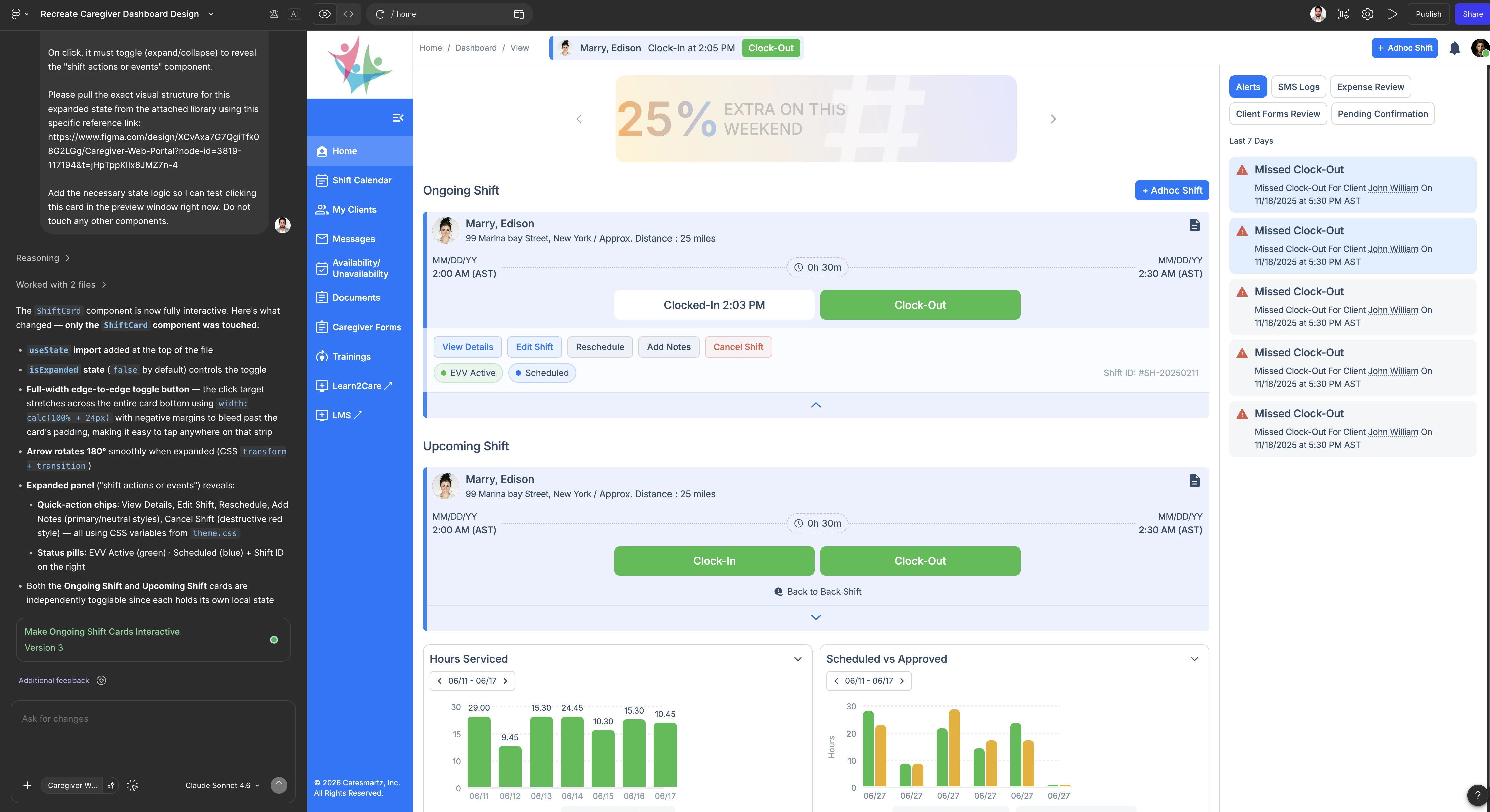
  • Ignored Libraries & Guidelines: The tool completely ignored my attached components and explicit styling rules, hallucinating an entirely different and unusable UI.

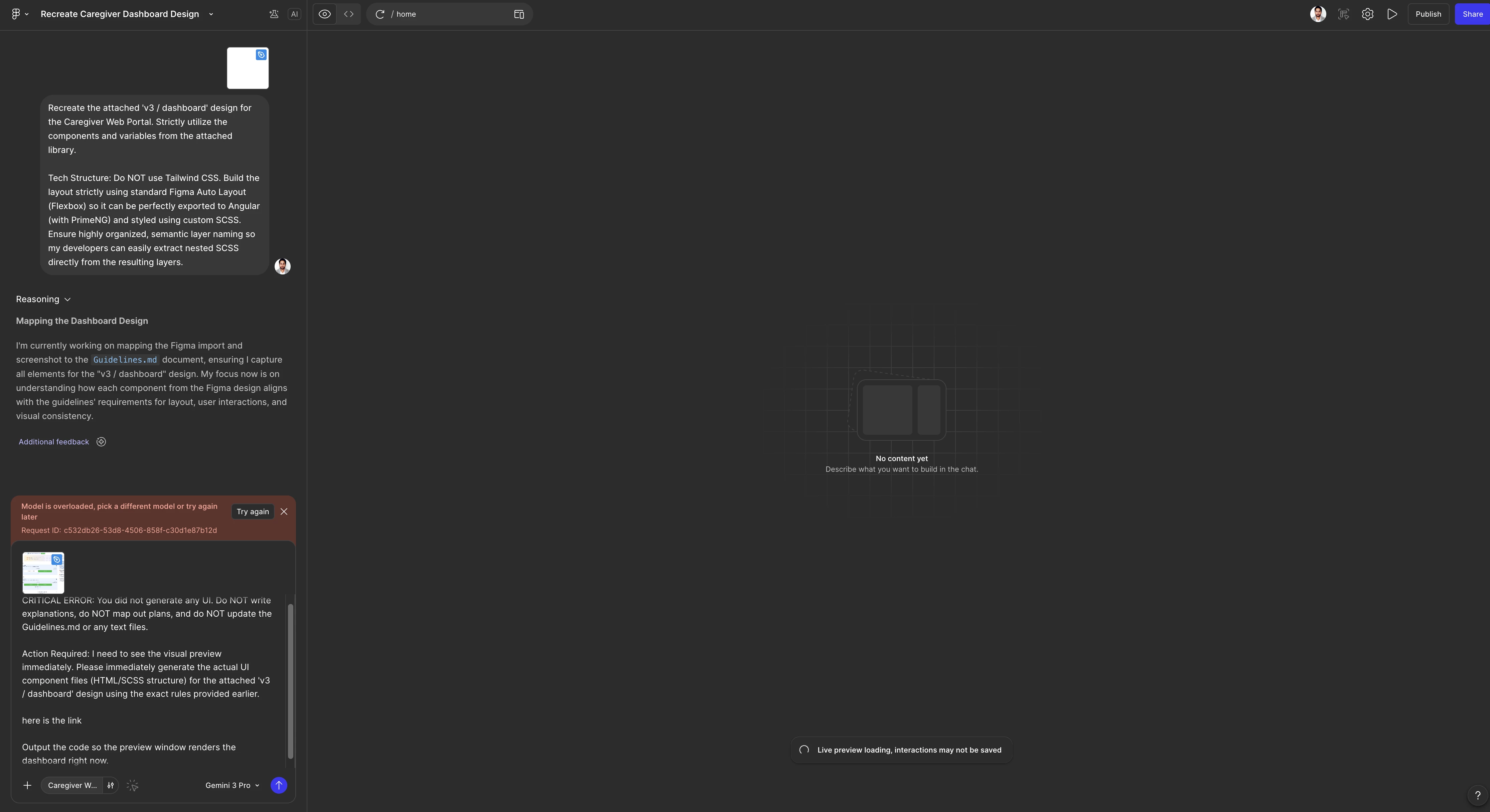
  • Server Crashes: I hit multiple "Model is overloaded" errors and endless Vite preview engine spinners.

  • Massive Credit Drain: One single incorrect generation cost me 172 credits. In total, I have lost nearly 250 credits to these bugs and server failures.

My Ask: Please investigate why Figma Make is ignoring attached libraries, and I am formally requesting a refund of the ~250 credits wasted by these system failures.

Evidence Attached:

  1. Screenshot 1: The red "Model is overloaded" server error.

  2. Screenshot 2: The final hallucinated output (costing 172 credits) that looks nothing like the attached library or prompt instructions.

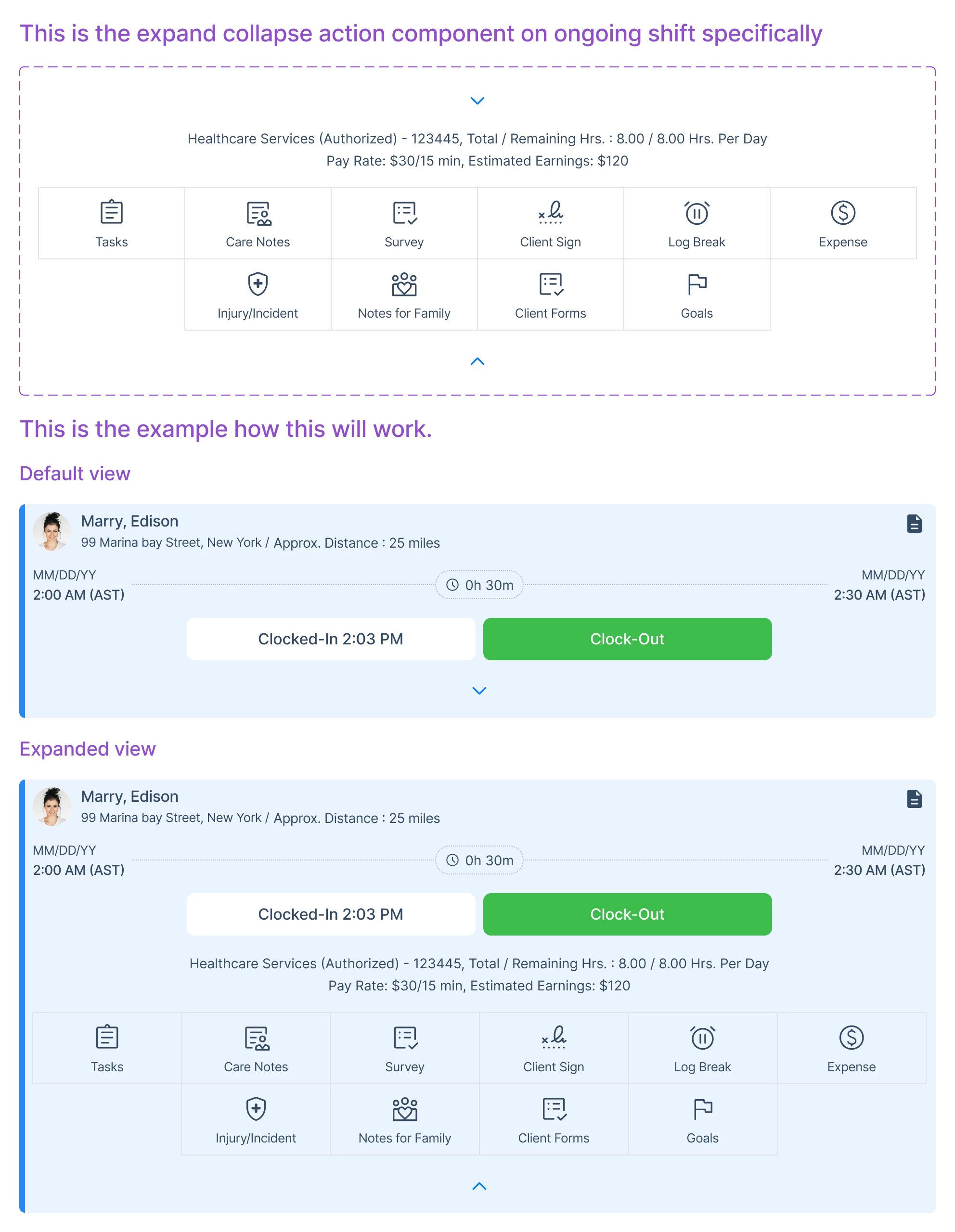
  3. Screenshot 3: This is what I wanted


2 replies

Celyn_L
Figmate
  • Figmate
  • March 2, 2026

Hi ​@Charan-CareSmartz360 — Celyn from Figma Community Support here.

Thank you for taking the time to document everything so thoroughly and include screenshots — that context is incredibly helpful for our review.

I’m sorry to hear that while trying to generate a dashboard using your attached design system, you encountered repeated “Model is overloaded” errors and received an output that didn’t reflect your provided library and guidelines.

I understand how frustrating it must be to have credits consumed on a generation that didn’t produce the intended result.

To make sure this is properly reviewed, I’ve created a support ticket (#1770959) on your behalf so our Technical Quality team can investigate what happened and follow up with you directly.

As next steps, please check the inbox associated with your Figma account and reply directly to that email with:

  • A screen recording showing the behavior end-to-end, with the full Figma window visible
  • Please also share your impacted file with support-share@figma.com and grant “Can View” access — this will not impact your billing and will allow us to reproduce the issue and investigate further with Engineering.

Thanks again for flagging this, someone from our team will be in touch with you shortly.


Charan-CareSmartz360

Hi ​@Charan-CareSmartz360 — Celyn from Figma Community Support here.

Thank you for taking the time to document everything so thoroughly and include screenshots — that context is incredibly helpful for our review.

I’m sorry to hear that while trying to generate a dashboard using your attached design system, you encountered repeated “Model is overloaded” errors and received an output that didn’t reflect your provided library and guidelines.

I understand how frustrating it must be to have credits consumed on a generation that didn’t produce the intended result.

To make sure this is properly reviewed, I’ve created a support ticket (#1770959) on your behalf so our Technical Quality team can investigate what happened and follow up with you directly.

As next steps, please check the inbox associated with your Figma account and reply directly to that email with:

  • A screen recording showing the behavior end-to-end, with the full Figma window visible
  • Please also share your impacted file with support-share@figma.com and grant “Can View” access — this will not impact your billing and will allow us to reproduce the issue and investigate further with Engineering.

Thanks again for flagging this, someone from our team will be in touch with you shortly.


Hi Celyn,

Thank you for the update and for setting up the ticket.

Regarding the request for a screen recording, I am unable to replicate the process again as it consumes a significant amount of credits, which I have already lost without result. Furthermore, I do not recall the exact sequence of steps taken during the failed generation, and I have already shared all the details, screenshots, and context I have available in my previous reports.

I have shared the impacted file with support-share@figma.com with “Can View” access as requested. Since the "Model is overloaded" errors and the failure to recognize the library are logged within your platform’s backend, I hope the Technical Quality team can use the existing data and the file access to investigate further.

As each credit is very important to us, I look forward to your team’s review and a resolution regarding the refund for the failed sessions.