Question
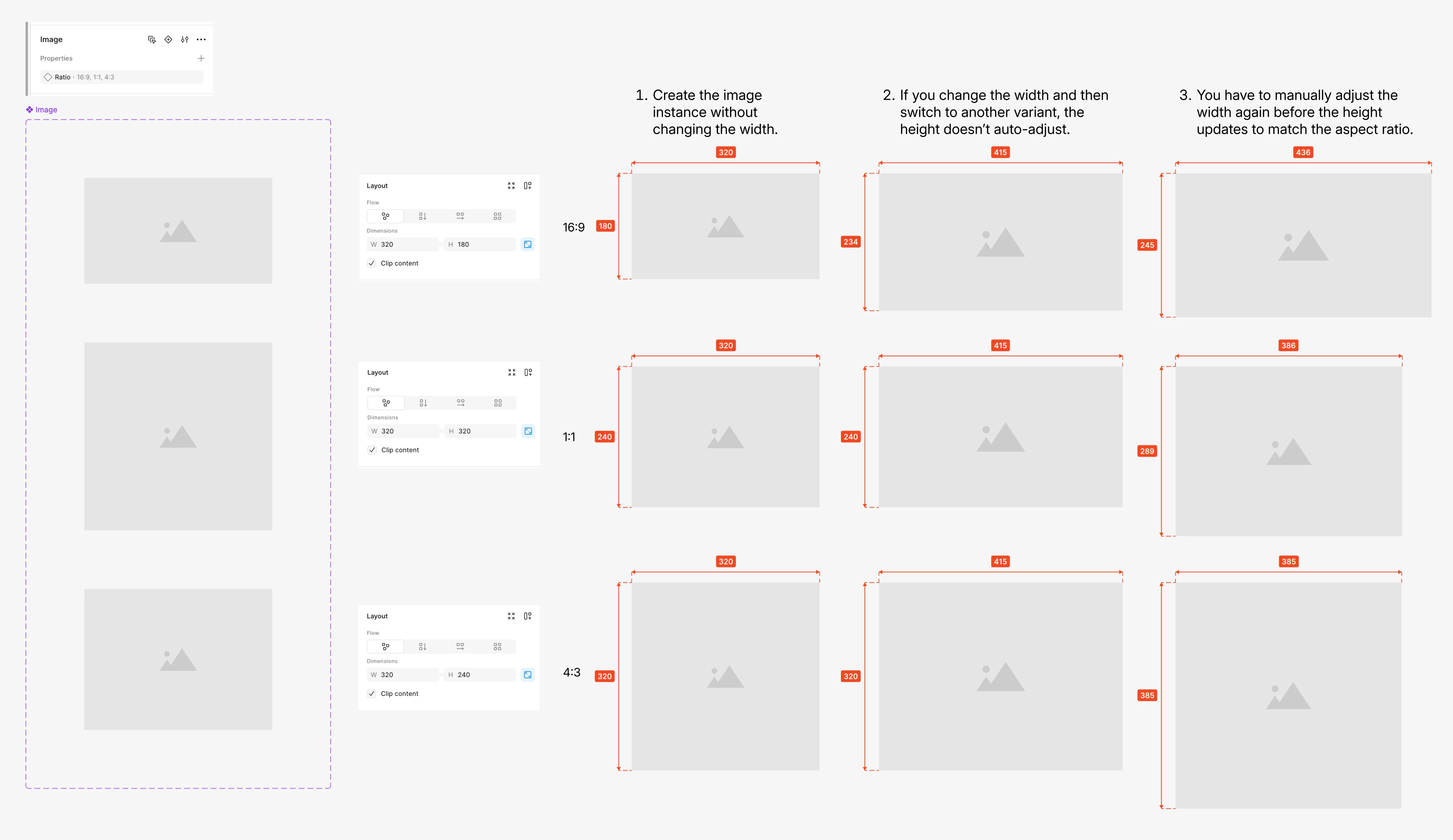
[Bug] Aspect ratio property to image component doesn’t auto-adjust the height
I have image component variants for 16:9, 1:1, and 4:3. I can switch between variants and the aspect ratio updates correctly until I resize the instance width. After I change the width, switching to another variant causes the height to keep an incorrect aspect ratio. I then have to manually adjust the width again before the height updates to match the new aspect ratio.
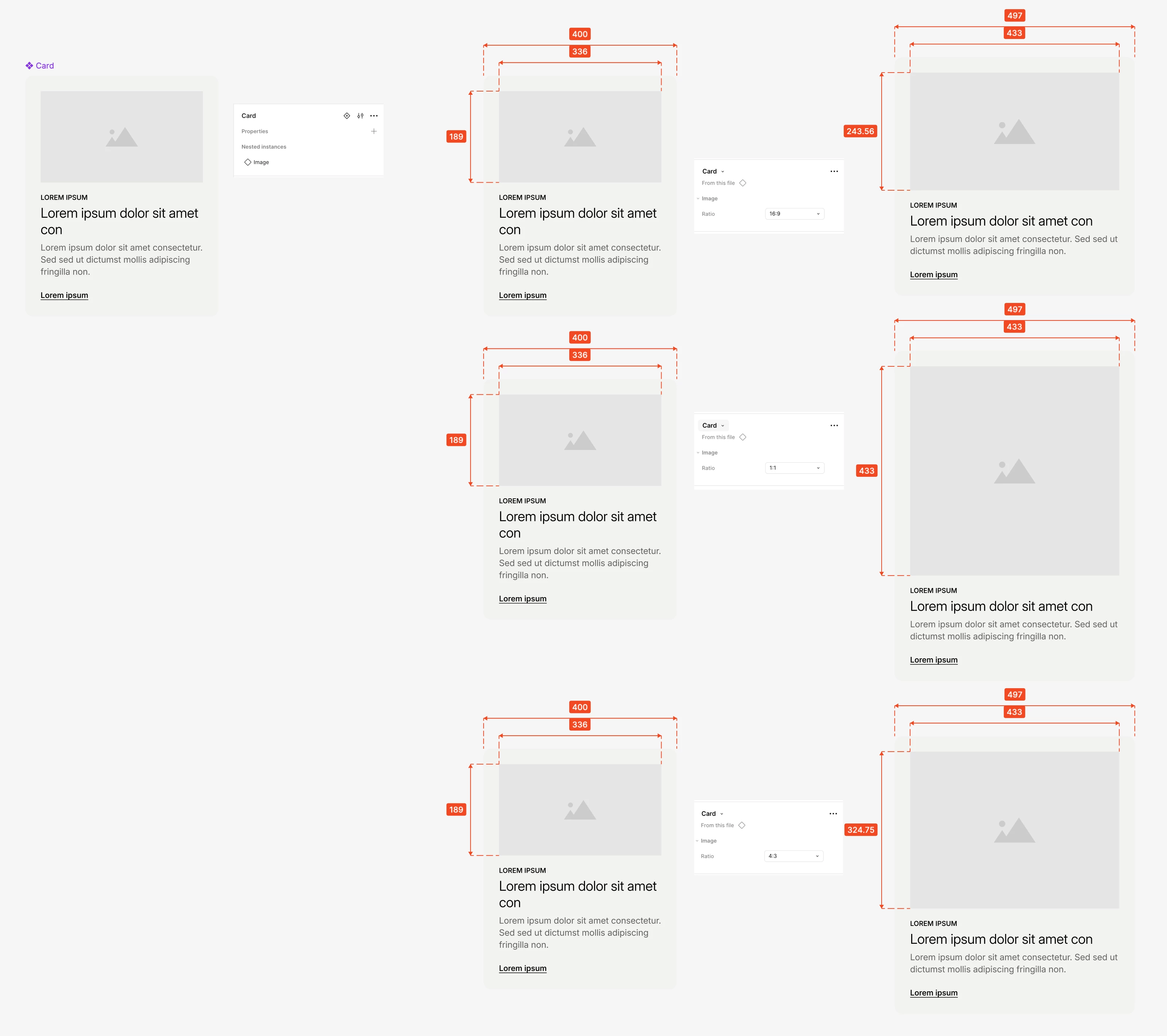
Another issue: when the image instance is placed inside a card component, switching to a different aspect-ratio variant doesn’t update the image size correctly. You have to resize the card to trigger the image instance to resize to the correct aspect ratio.