

Question

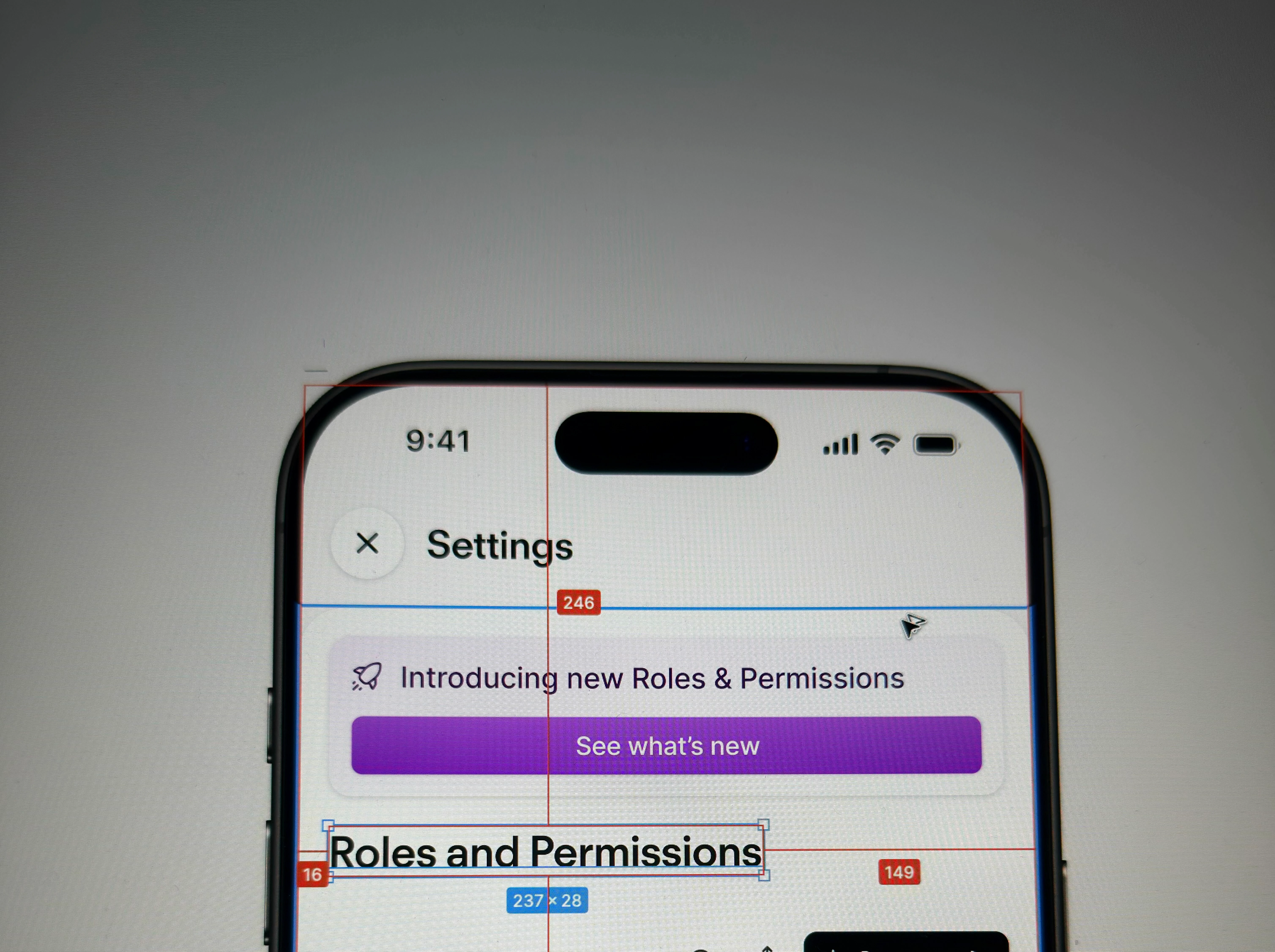
Broken measurement rendering

  • April 30, 2026
  • 3 replies
  • 19 views

Paul_Brouwer1

In Figma, when I hold option key and mouse over a specific area the spacing appears between the select item and the edges of the thing you're mouse over. However, in the past it was scoped to the edges of the direct parent and now it is set to the outer parent.


3 replies

adamsmasher
Figmate
  • Figmate
  • April 30, 2026

Hey ​@Paul_Brouwer1! Thanks for your post.


I can see how that might make it challenging measuring the distance between layers if it measures to a layer you don’t expect. Do you have any overlapping layers? I checked and the last update we made to the measurement tool was adding accessibility options so you can use your keyboard.


I’m wondering if maybe the structure of your file and layers is causing it to choose different layers than you’d expect. Per the support article on measuring distances, you may want to try toggling off the visibility on certain layers so it will measure the distance you want.


Paul_Brouwer1
  • Author
  • New Participant
  • May 1, 2026

Hay ​@adamsmasher 

I am aware of the shortcuts, and in some situations it works perfectly fine so it seems to be a bug of some kind. The nesting seems to be according normal conventions - as seen from the screenshot the spacing measurements just immediately jumps to the outer container which doesn’t make sense.


adamsmasher
Figmate

Yea, that doesn’t seem to be working in a consistent way for you.


I’m going to make a ticket for you with our support team so they can take a closer look. If you are comfortable, I recommend sharing your file with support-share@figma.com with view access; don’t worry - you won’t be charged for that. You can also make a copy and share that instead if you prefer.


In the meantime, let me know if you have any questions!


Edit: Ticket created - #1880504.