

Question

Black boxes and transparent modals in Figma desktop on macOS 26.5.2 (Tahoe)

  • July 21, 2026
  • 3 replies
  • 18 views

Adam Kendall

I'm getting boxes rendering all over the place. It happens “lightly” when navigating around, but it’s particularly “heavy” when Figma is doing some heavy lifting - like using the AI agent.

Short video of the bug in action: https://drive.google.com/file/d/1zBrTCFqxDhfcBVLWakuQlkHSWEBhxXmT/view?usp=sharing

Screen shot of the bug in action:
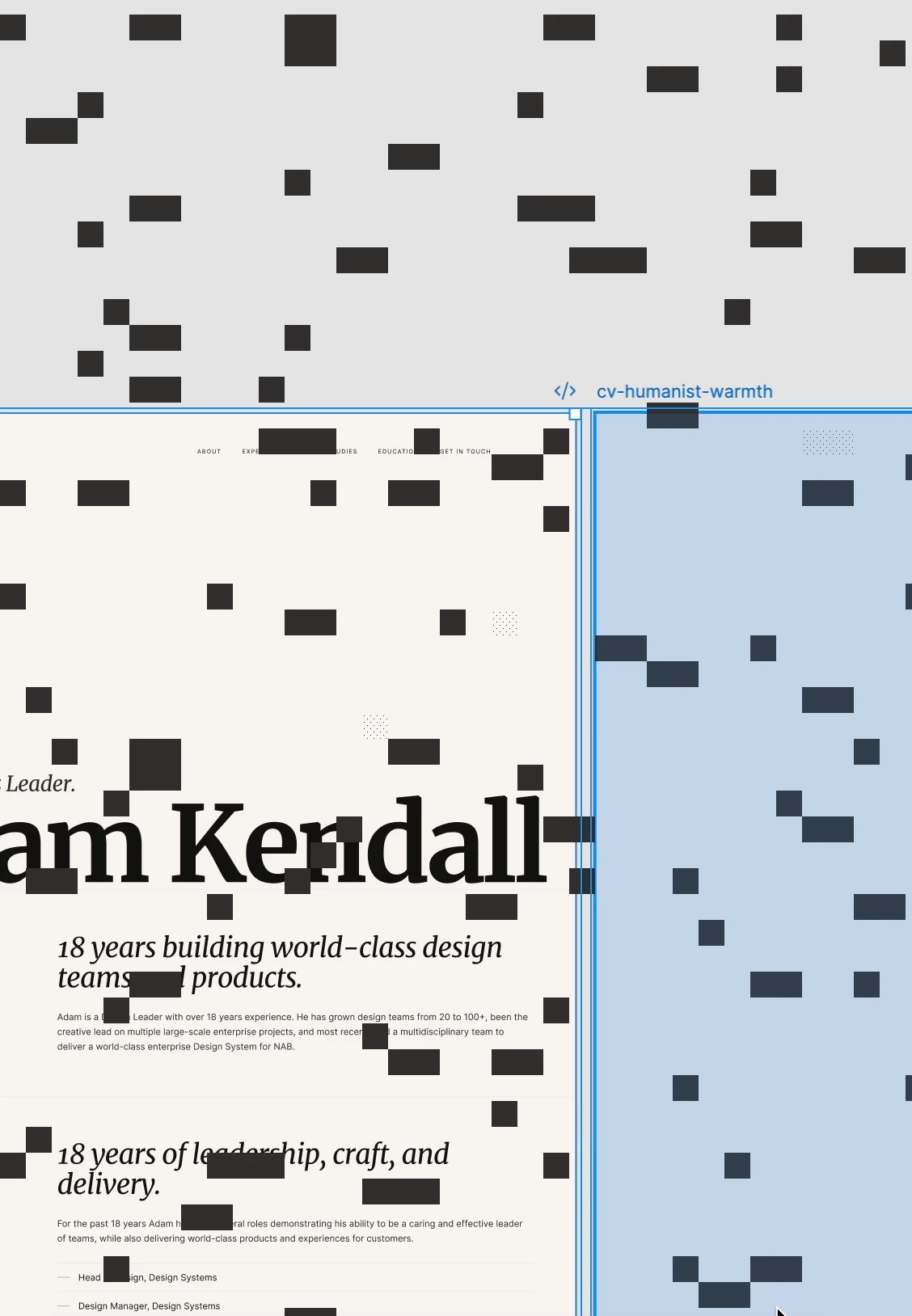
Steps to reproduce:
1. Open Figma desktop
2. Run an agent task like - replace copy with lorem ipsum.
3. Black boxes appear over elements, or the panel shows content behind it instead of a solid background

Expected: UI renders cleanly with solid, opaque panels and no black box artifacts

Actual: Rendering artifacts as described above

Troubleshooting already done:
- Reproduces on a fresh macOS user account with only Figma installed, so it's not caused by another app, extension, or corrupted preferences
- Reproduces in Safe Mode
- Happens on both the internal display and an external display
- Updated to the latest version of Figma desktop, issue persists
 

System:
MacBook Air 13-inch, M3, 2024, 8GB unified memory
macOS 26.5.2 (25F84)

3 replies

Gayani_S
Figmate
  • Community Support
  • July 23, 2026

Hey ​@Adam Kendall, sorry for the delay getting back to you here! 

The troubleshooting you'd already done before posting was really helpful, thanks as well for including the screen recording.

I've opened a support ticket (#2030404) and logged this for our team to dig into further. You should hear from someone there soon. In the meantime, one thing you haven't mentioned trying: toggling hardware acceleration off and back on can sometimes clear up rendering artifacts like this. You can find it under Help > Troubleshooting in the desktop app menu.

If that doesn't help, our Troubleshooting checklist covers a few other common causes worth ruling out. 


Someone from our team should be in touch with you, appreciate your patience in the meantime! 


Adam Kendall
  • Author
  • New Member
  • July 24, 2026

Hi Gayani,

I tried turning off hardware acceleration but I get the following error message:


Gayani_S
Figmate
  • Community Support
  • July 24, 2026

Hey ​@Adam Kendall, thanks for testing that out and for flagging the error you hit! 

I've passed this new detail along to the team already investigating this under ticket #2030404, so they'll have the full picture, including the WebGL error that pops up when you toggle hardware acceleration off.

Appreciate you sticking with us on this one!