
grandCandy
New Member
August 28, 2026

Bad experience with development model

  • August 28, 2026
  • 1 reply
  • 28 views

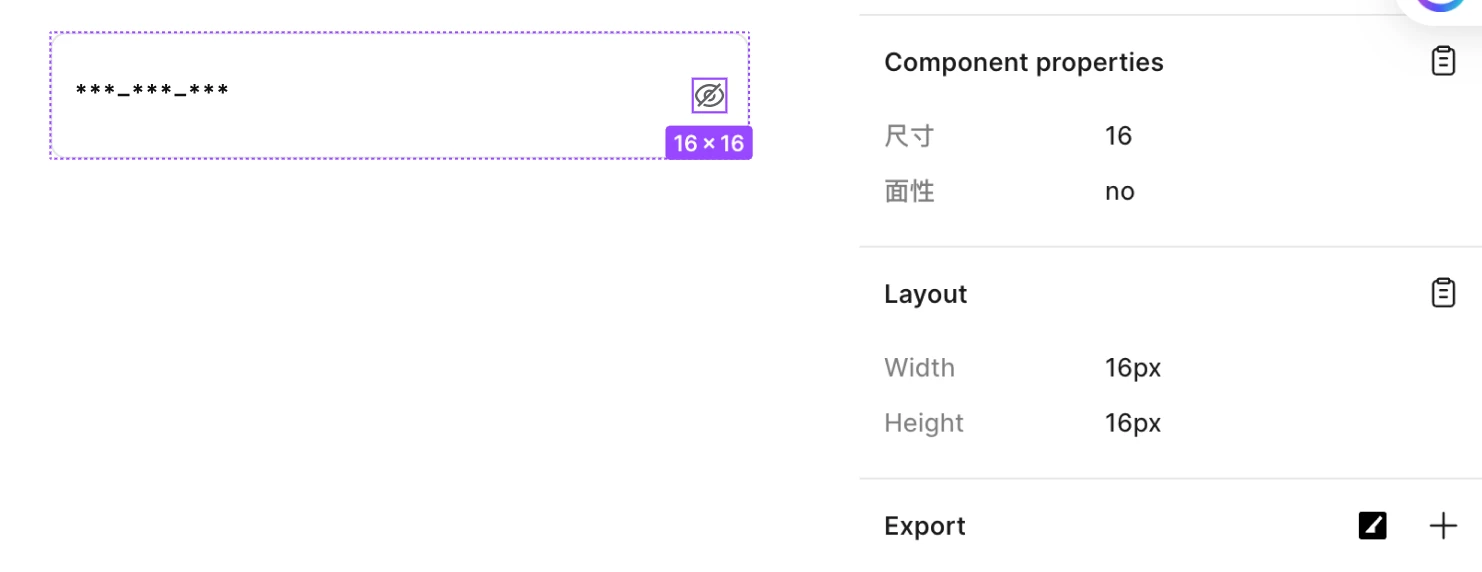
When developers select an icon within a component, they cannot see the icon's color token in the right-hand panel, resulting in a very poor user experience.

 

1 reply

djv
Figmate
Community Support
August 28, 2026

Hi ​@grandCandy, thanks for flagging this! 

Not seeing your token in Inspect definitely makes handoff harder than it should be, so I understand your frustration. A couple of things to check first:

  • Selection depth: In Dev Mode, clicking an instance selects the whole instance rather than the icon inside it. Try double-clicking (or ⌘/Ctrl-click) to drill into the icon layer itself, then check the Fill row in Inspect.
  • Library access: Variable names only resolve in Inspect if the viewer has access to the library the variable lives in. If the icon's color comes from a library that isn't published or isn't enabled in this file, Inspect falls back to the raw hex. You can also cross-check via the variables table in Dev Mode (Inspect panel with nothing selected).

If neither of these help, we'd love a few more details:

  1. Is the color bound to the icon's own vector layer, or to a property on the parent component?
  2. Did this ever work as expected before, or has it always shown this way?
  3. Are you on desktop or browser, and roughly when did you first notice it?
  4. If you're able, a URL link to a minimal file that reproduces it (or a copy shared with view access for support-share@figma.com) would let us test this directly.

It may be worth noting that we've seen a couple of recent reports around variables on nested icons inside instances, so this may be connected. Let us know, and we'll keep you posted either way.