

Solved
Auto-layout with variable padding loses its binding on copy/paste between files, while other bound properties (fill, corner radius, text) survive intact
When copy/pasting a component instance between Figma files, variable bindings on auto-layout padding (and likely gap) are silently dropped and replaced with static values — even though the property still displays a "linked variable" icon in the UI. Other variable-bound properties on the same node (fill, corner radius, typography) retain their live bindings through the same paste. This makes the padding/gap binding appear connected when it is not, and breaks any subsequent "Swap library" action for that property, since there's no live reference left to relink.
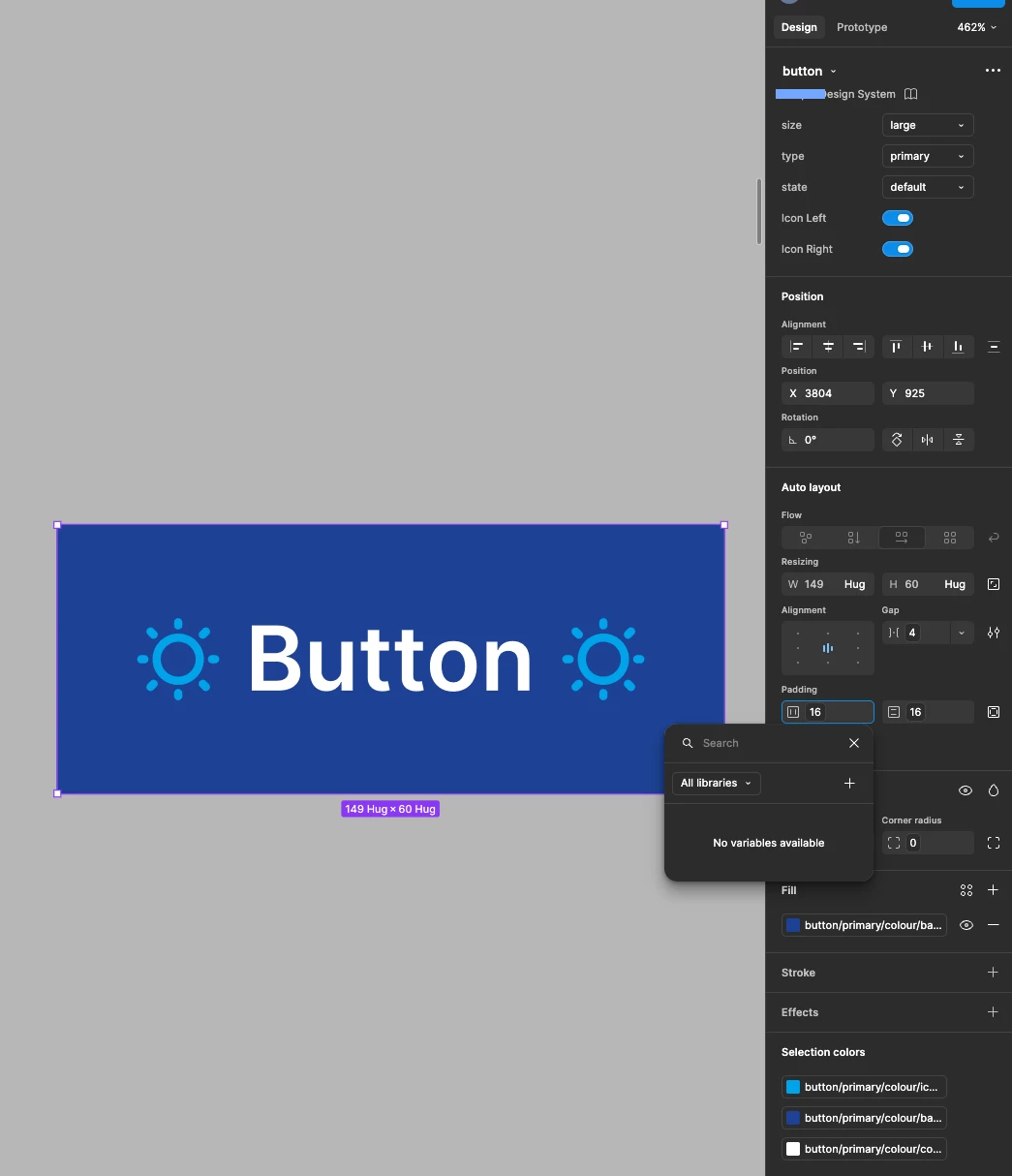
- The padding field still displays a variable-linked icon/pill after paste, visually indistinguishable from a genuinely bound property.
- Clicking into it opens the variable picker showing "No variables available" — the reference is dead.
- Fill, corner radius, and typography on the same pasted instance do resolve correctly to their source variable names when clicked, confirming this is isolated to padding (and likely gap/other auto-layout spacing properties), not a general copy/paste variable issue.
- Because the padding binding is already dead at paste time, subsequently using "Swap library" to switch the file's library reference (e.g. from Main Design System to a second library, "Second Brand," with an identically-named padding-x-lg variable holding a different value, 24) correctly updates fill/radius/typography to the new library's values, but padding remains stuck at the old static number (16) — since there's no live binding left for the swap to act on.
