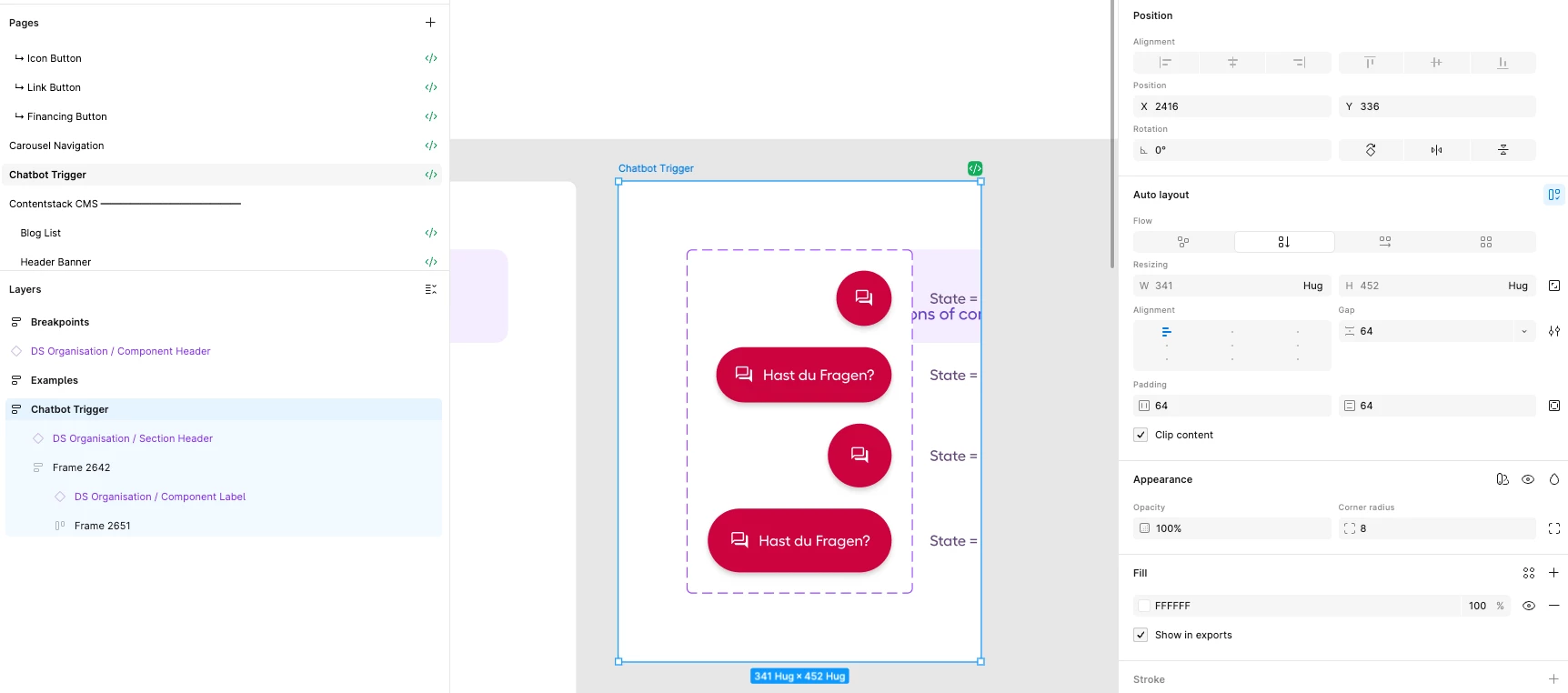
Auto layout not rendering correctly
Hi Figma Team
We are experiencing a bug where auto layout frames show incorrect dimensions on load. Any change to the frame triggers a recalculation and displays the correct result, which points to an initial calculation bug.
Description
When a page loads, some auto layout frames display incorrect dimensions despite being configured correctly. The issue appears randomly and we have not been able to identify a specific trigger. As soon as any change is made to the frame, the dimensions update to the correct values. Interestingly, copy-pasting an affected frame also produces a correctly calculated result in the pasted copy.
All of the following trigger a recalculation and temporarily resolve the issue:
- Changing the auto layout direction and switching it back
- Using "Regenerate all instances"
- Manually dragging the frame larger, then pressing Ctrl+Z to undo
- Copy-pasting the affected frame
Environment
- Affects both Figma web app and desktop app
- Affects multiple users on our team (not user-specific)
Would appreciate any help or a fix as soon as possible, as this is significantly impacting our workflow.