Zach_Thomson
New Participant
June 28, 2024
Question

Auto Layout incorrectly sets container to hug instead of fixed

  • June 28, 2024
  • 16 replies
  • 1226 views

Desktop App version 124.1.16 (UI3)

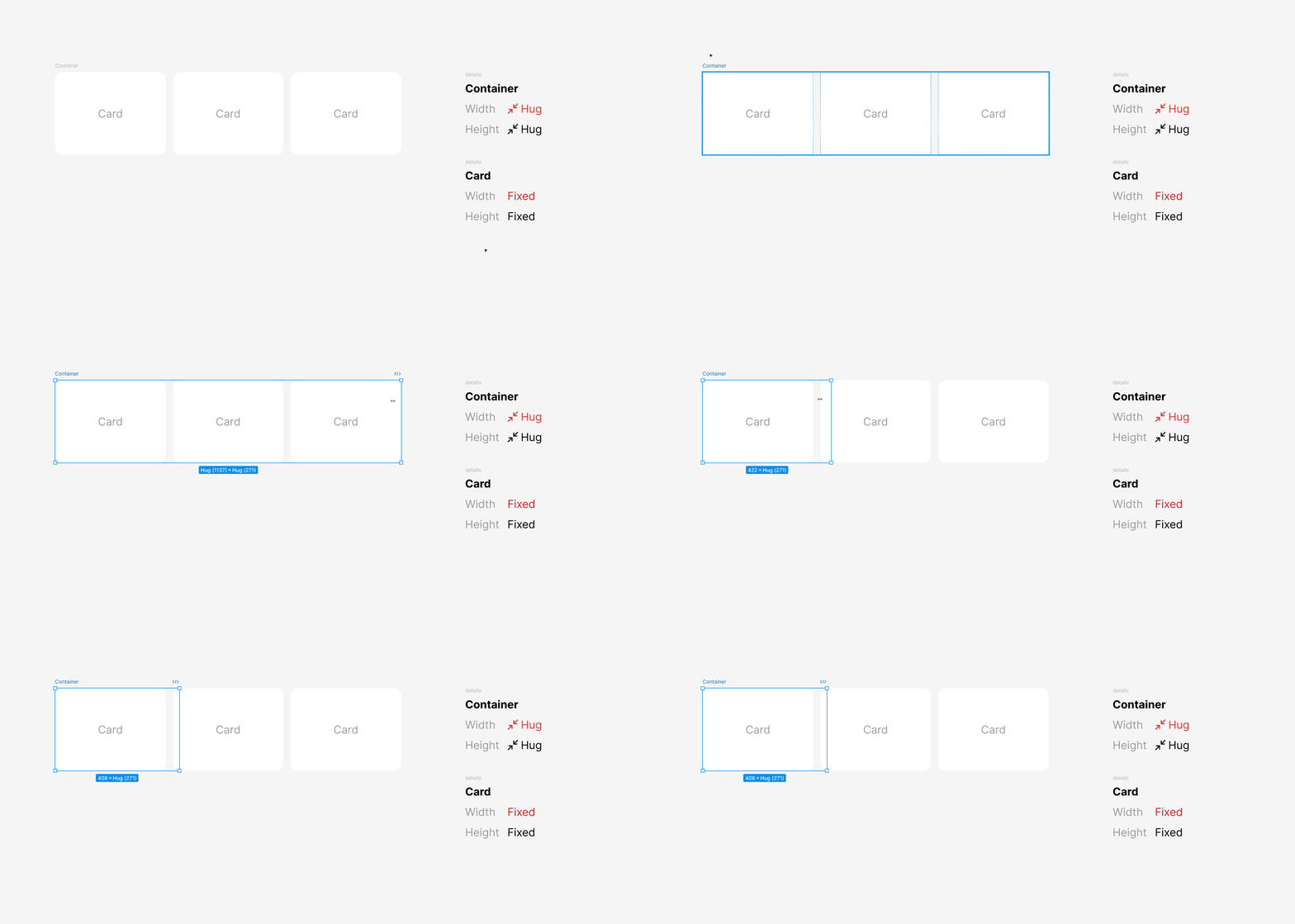
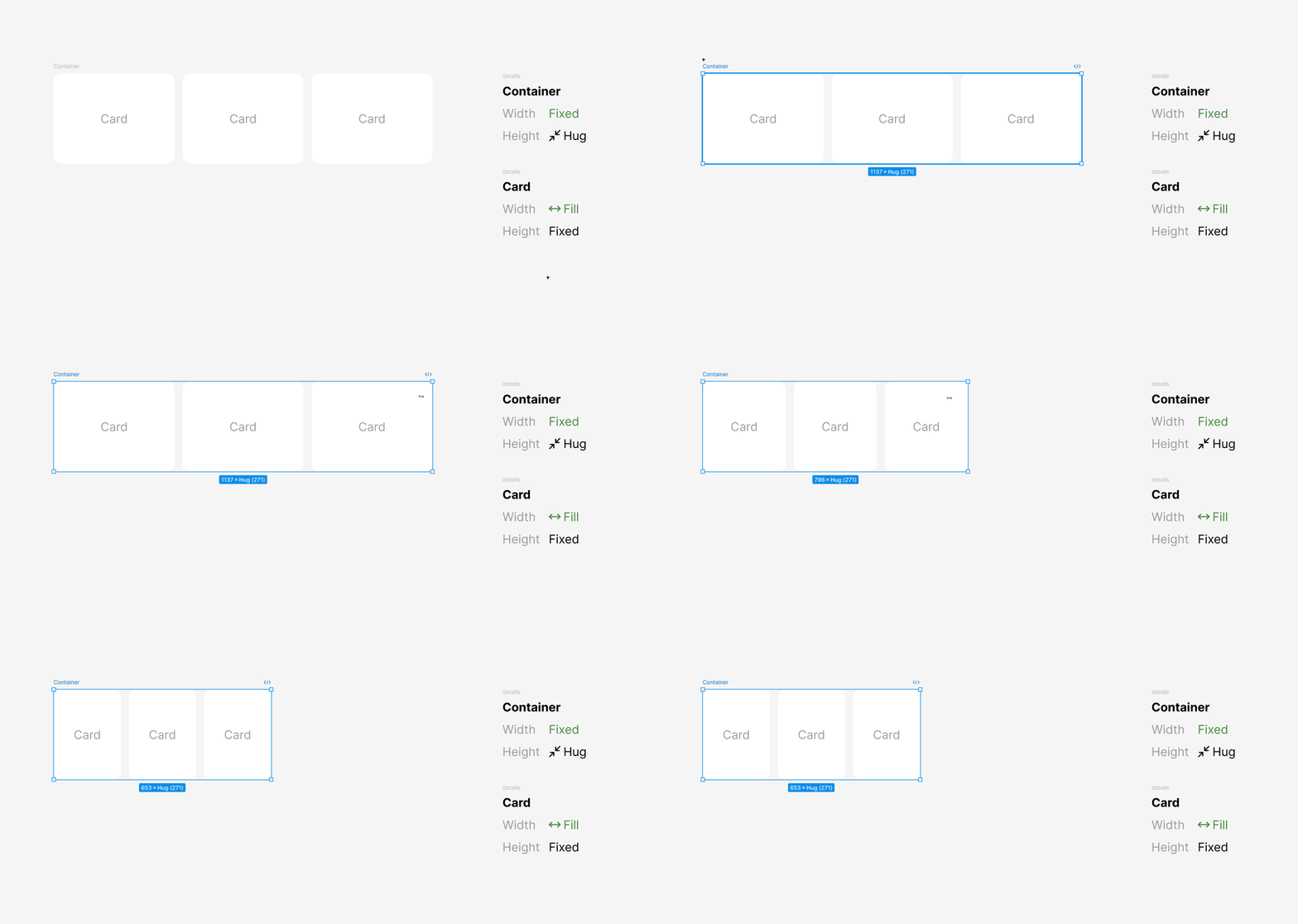
When changing auto layout direction, it incorrectly sets the container to hug contents instead of fixed which causes the children (card) to be put to fixed causing unnecessary steps to fix.

These are the properties before changing the auto layout direction:
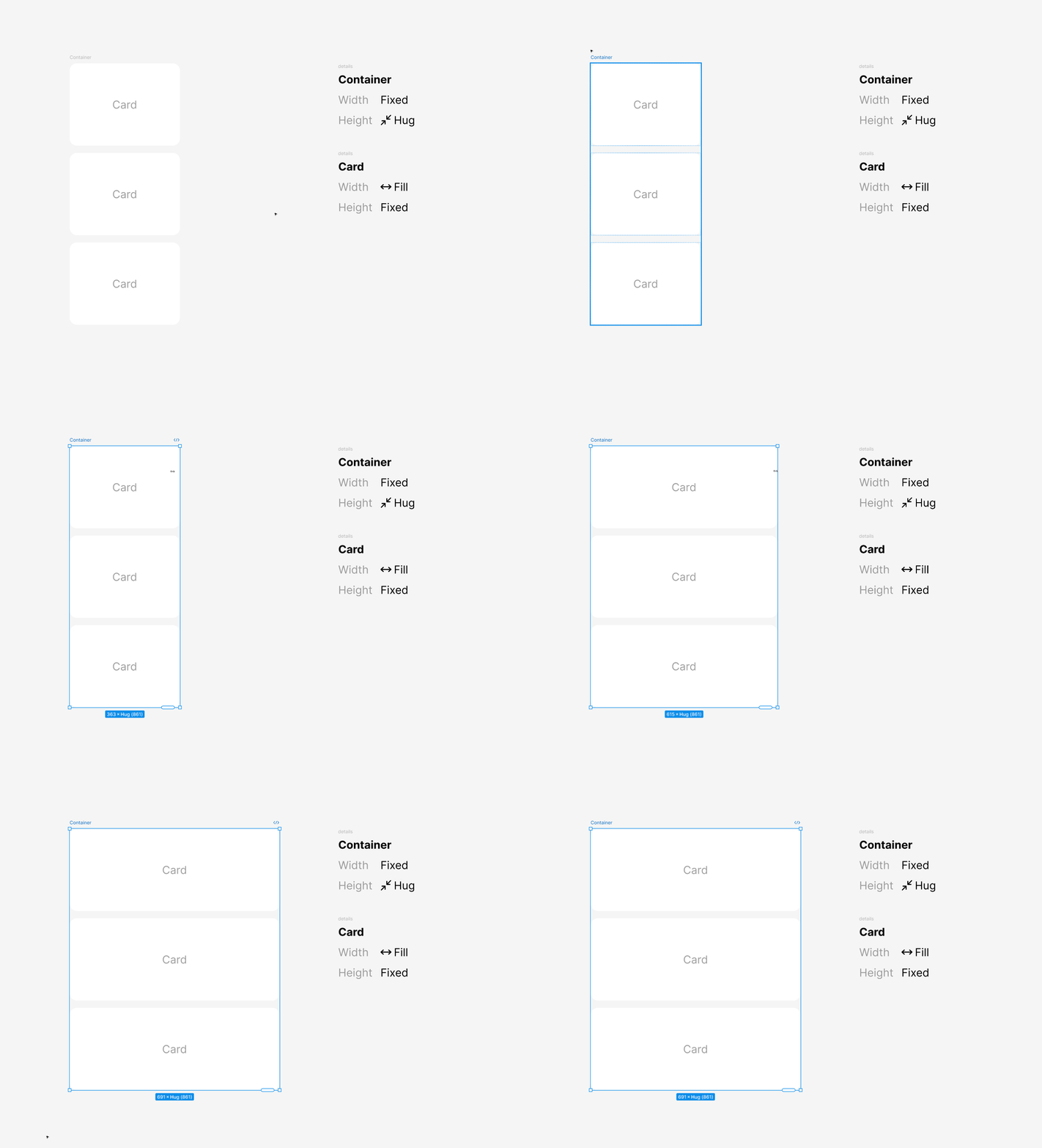
Figma_i7vpbQvK5j

This is the current result:
Figma_gSKmrn3BYn

What it should be:
Figma_zCCZYfwThO

This is an extremely annoying bug and makes working with auto layout more annoying than needed. This was fixed for a couple of months, but the recent updates have reverted it back for some reason.

This topic has been closed for replies.

16 replies

djv
Figmate
Community Support
July 2, 2024

Hey @Zach_Thomson, thanks for flagging this to us!

Our auto layout team is aware of this bug, and they think they understand what may be causing it. I’ll pass this topic over to the team as they continue their investigation.

Are you able to share a link to your file, so they can take a closer look? If so, please include a link to the file within this topic thread and share edit access with support-share@figma.com, so the team can take a closer look.

Zach_Thomson
New Participant
July 2, 2024

That’s great to hear! I believe the issue is that the parent container is being set to hug instead of keeping the fixed width which cascades to the children, causing them to become fixed instead of keeping the fill container. Unfortunately, I can’t share any file but it is easily reproducible by following the setting shown in the .gifs.

Thanks!

djv
Figmate
Community Support
July 2, 2024

Thanks for the additional context, @Zach_Thomson!

The gifs provided will definitely help with reproducing this issue, so the team will do their best to find a fix using them as a primary example.

Joe12
July 3, 2024

Similar issue on current Figma ui. This is impacting my teams work flow and efficiency a lot.

We change the layup direction or add a component and all elements nested in parent lose their set fill state turning to fixed meaning we have to check all our layers.

Julia57
Active Member
July 16, 2024

(bump)
having the same issue. And what annoys me the most isnt even the children having their settings reset. The container itself (the one that I changed from vertical to horizontal, or vice versa) has its Al settings reset. Its really really bad, and especially in scenarios where I’m editing a whole list of items, and then I have to go in and adjust dozens of children by hand.

djv
Figmate
Community Support
July 16, 2024

Hey @Joe12 and @Julia57, thanks for chiming in!

I’ll pass this feedback onto the team as they continue to work on a fix.

Zach_Thomson
New Participant
July 17, 2024

Here is an update I got regarding this:

"Just a quick update that it looks like this was an intentional change but as we’ve now seen some further feedback from users like you who felt this was not what they expected, the engineers are re-thinking this change and it’s likely you’ll see some further updates to help make direction changes for auto layout more intuitive, and closer to previous behaviour. "

Zach_Thomson
New Participant
July 18, 2024

Additional update for context:

"Based on what I can see in the engineering notes it looks like there was a change needed for elements in vertical auto layout frames to default to fill width when created, to clear some persistent issues. This then created some trickle down impacts for frames where the direction changed, which are especially noticeable and disruptive for frames with alternative settings than the defaults.

They agree that the problems this is causing are having a greater impact that we’d expect for any changes of this kind and as a result are looking at how best to have direction changes work as previously and we sincerely apologise for the disruption this causes in the interim. "

Marc_Robinson
New Participant
July 29, 2024

Does Figam have an ATA for a fix? This is driving me insane! I spend more that 8 hours per day on Figma. And this is stealing tons of time from me.

Zach_Thomson
New Participant
July 30, 2024

I doubt we will ever get an ETA but at least they are aware and working on it. This is directly from their support team included in the same email as my previous update:

"Unfortunately, I’m not able to say when these changes will be released as this relies on many factors but have stressed for the engineers that this is causing ongoing disruptions for your work in the interim so they can take note of the continued impact. We appreciate your patience and understanding as the team works on this problem. "