I ran into that exact same jumpy prototype behavior before. From my experience, two small tweaks usually help resolve it:
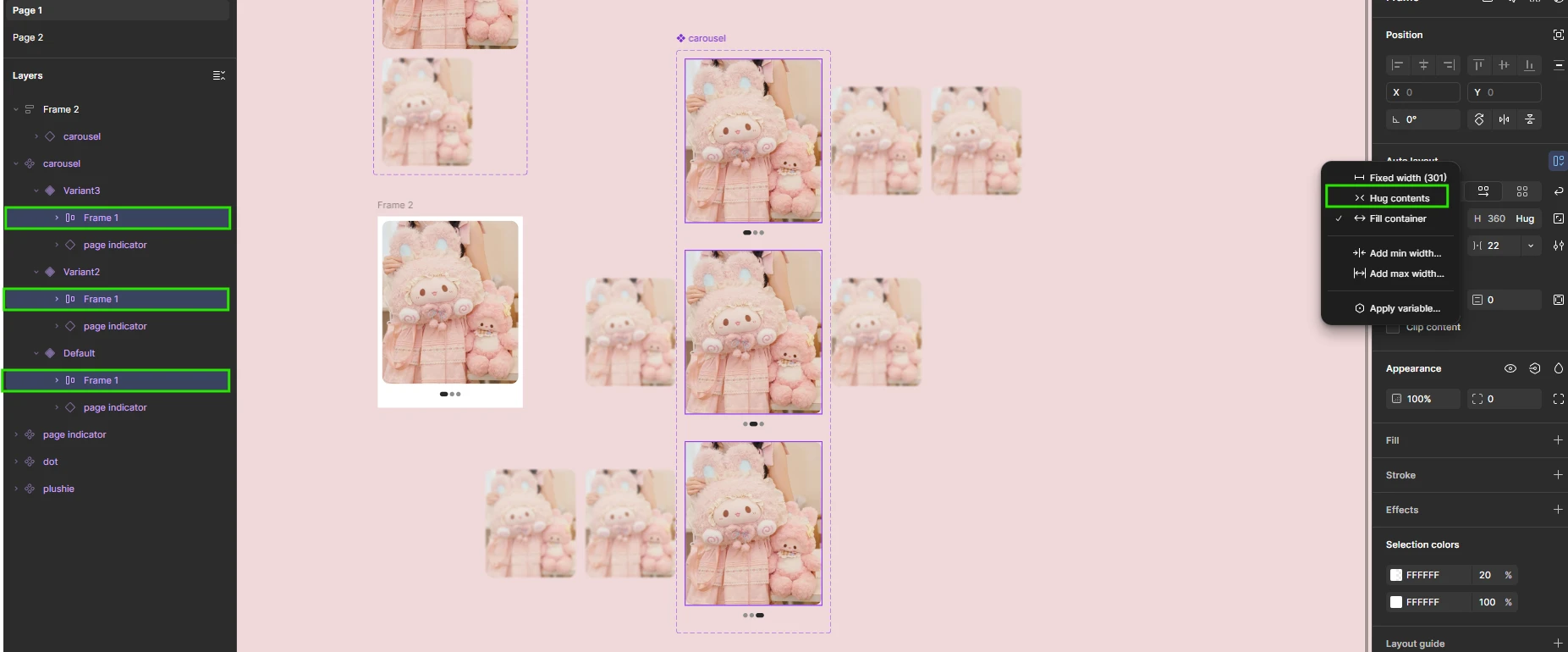
First, try double-checking that all three Frame 1 layers across your variants have horizontal resizing set to Hug contents. If even one of them stays on Fill or Fixed, the outer container gets confused about the actual width and starts kicking cards out.
Figma Carousel Hug Contents
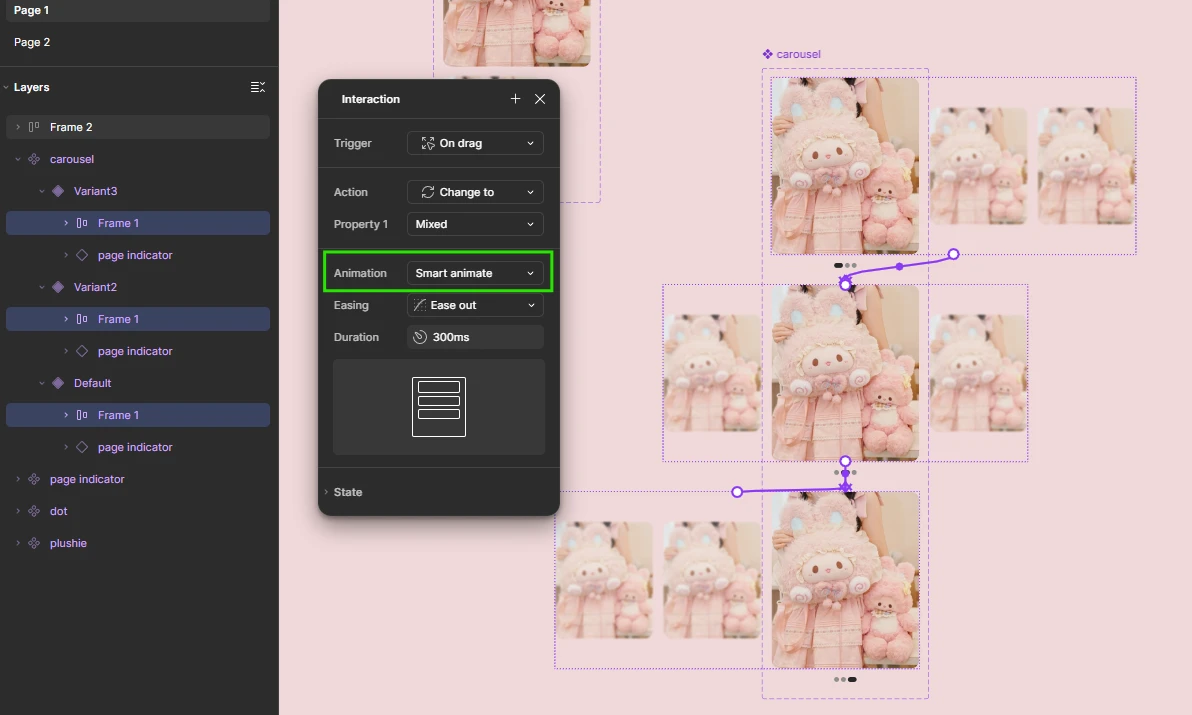
Second, try connecting your prototype flow directly between those nested Frame 1 layers instead of the outer variant frames, and keep the animation on Smart animate. That way, Figma recognizes the matching layers and slides them smoothly.
Figma Prototype Smart Animate
Figma can definitely test our patience with carousels sometimes, but hopefully this gets everything sliding nicely! ✨
Product designer @ NETWORG | Designing Model-driven Power Apps in Figma | Power Apps DesignKit (Model-driven) | Disclosure: I’m part of Figma’s Forum Ambassador program.
I tried following the same tutorial to recreate it, and I think I might know where the issue is. If you try to center Frame 1 directly, it gets stuck or behaves incorrectly.
Instead of centering Frame 1, make sure to select the variant component itself (Variant2) and set its Auto Layout alignment to the center.
If it still does not work, feel free to share more details about your layers and I will gladly help! 😊
Product designer @ NETWORG | Designing Model-driven Power Apps in Figma | Power Apps DesignKit (Model-driven) | Disclosure: I’m part of Figma’s Forum Ambassador program.
Looking at your file, I see exactly what is happening. The Frame 1 layer inside the variant is currently set to Fill container instead of hugging the cards.
To fix it, select Frame 1 directly inside Variant2 and change its horizontal resizing from Fill container to Hug contents. Once it hugs the content, the Auto Layout alignment on the parent variant will center the carousel properly.
Autolayout hug setting
Fingers crossed this gets your carousel animation working smoothly! 🤞
Product designer @ NETWORG | Designing Model-driven Power Apps in Figma | Power Apps DesignKit (Model-driven) | Disclosure: I’m part of Figma’s Forum Ambassador program.
Now it’s aligns thank u😊, but I have the problem after resizing it the frame to the first image the one who is not active is not in the frame anymore like in the video, when I hover over other two the box doesn’t contain them anymore, i tried the carousel in the prototype and it’s laggy
I ran into that exact same jumpy prototype behavior before. From my experience, two small tweaks usually help resolve it:
First, try double-checking that all three Frame 1 layers across your variants have horizontal resizing set to Hug contents. If even one of them stays on Fill or Fixed, the outer container gets confused about the actual width and starts kicking cards out.
Figma Carousel Hug Contents
Second, try connecting your prototype flow directly between those nested Frame 1 layers instead of the outer variant frames, and keep the animation on Smart animate. That way, Figma recognizes the matching layers and slides them smoothly.
Figma Prototype Smart Animate
Figma can definitely test our patience with carousels sometimes, but hopefully this gets everything sliding nicely! ✨
Product designer @ NETWORG | Designing Model-driven Power Apps in Figma | Power Apps DesignKit (Model-driven) | Disclosure: I’m part of Figma’s Forum Ambassador program.
Thank u for your help!(im sorry for asking so many questions im really new to Figma), but what is is bothering me when I press shift A, and adjust a width a new container a mains plushie components frame is not here, but his main shoes component frame is visible and he can “touch” it(idk how to explain) when it’s disappearing for me