

vbaton
New Member
Nov 13, 2026 1:03 PM UTC

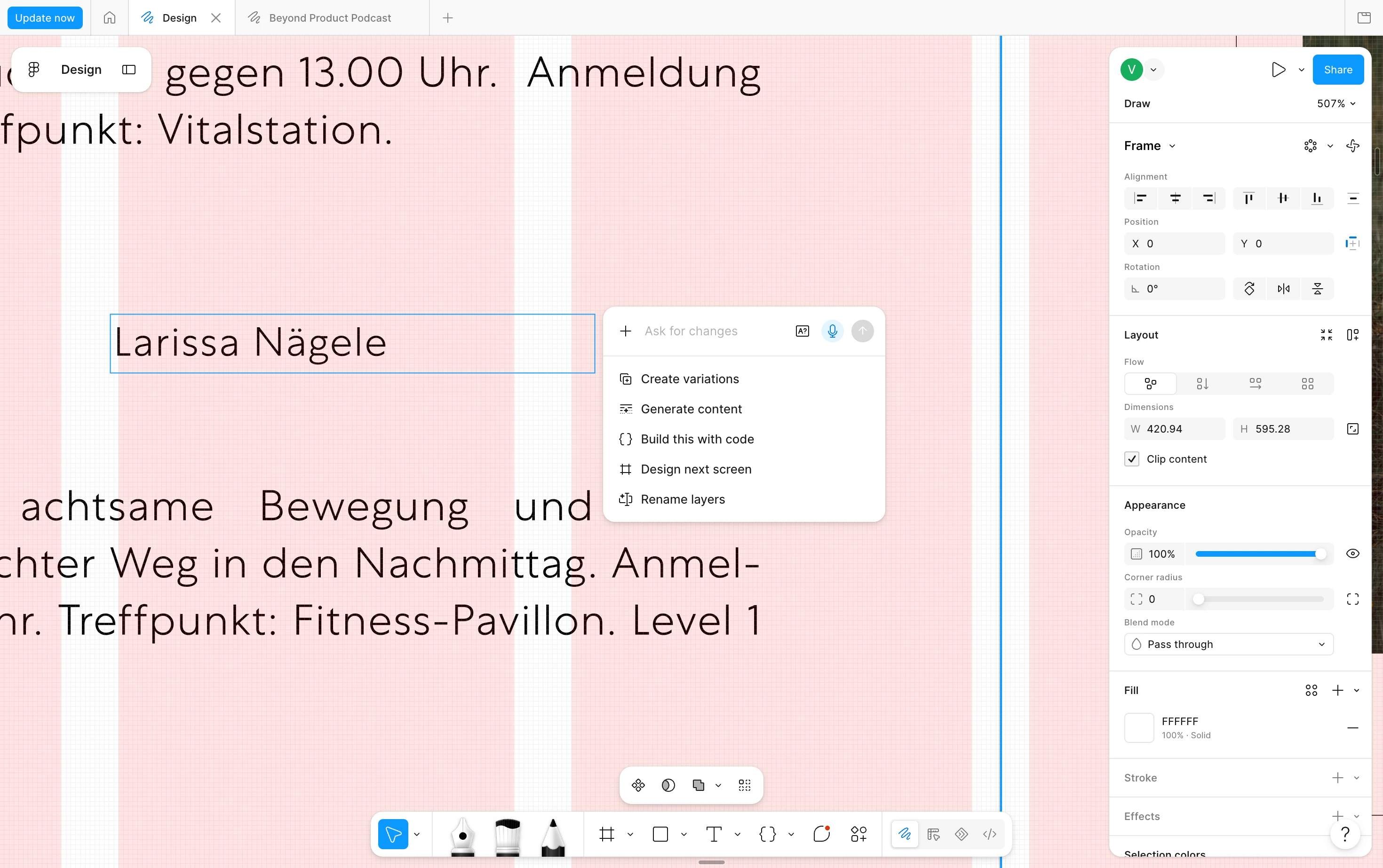
“Ask for changes” panel has no visible close button in Figma Design

I’ve accidentally opened the floating “Ask for changes” panel several times while working with text layers in the Figma Design desktop app on macOS. The panel appears next to the selected layer, and I can’t find a visible control to dismiss it. This interrupts editing when I open the panel by accident.

Expected behavior: The panel has a visible close button that dismisses it while keeping the text layer selected.
 

3 replies

Ondrej_Pavlicek
Figma Ambassador
Figma Ambassador
Nov 13, 2026 1:16 PM UTC

Hi there! 👋

Thanks for sharing this feedback! Having a visible close button would definitely make the experience much smoother, especially when the panel pops up unexpectedly. It happens to me occasionally too when I am trying to select a frame. 😊

In the meantime, as a quick workaround, I have found that pressing the Esc key or clicking anywhere outside the panel on the canvas dismisses it right away.

Hopefully, this helps make your workflow a bit easier for now! 🙏

Product designer @ NETWORG | Designing Model-driven Power Apps in Figma | Power Apps DesignKit (Model-driven) | Disclosure: I’m part of Figma’s Forum Ambassador program.
vbaton
vbatonAuthor
New Member
Nov 13, 2026 1:22 PM UTC

Thanks, Ondrej! Esc works for me and is a good workaround for now. When I click on the canvas outside the frame, though, the panel stays open. Being able to dismiss it by clicking away would make editing feel much smoother.

Ondrej_Pavlicek
Figma Ambassador
Figma Ambassador
Nov 13, 2026 1:50 PM UTC

You are welcome! 😊

That is actually quite strange, so there is a good chance it might get fixed in a future update.

One more thing that just came to mind: if you do not use this AI feature on the canvas, you can turn it off completely in the main menu under Preferences by unchecking Show Agents on canvas:

It is a bit more drastic since it hides the panel completely, so Esc is still better if you want to keep quick access to it. 🙏

Product designer @ NETWORG | Designing Model-driven Power Apps in Figma | Power Apps DesignKit (Model-driven) | Disclosure: I’m part of Figma’s Forum Ambassador program.