

Applied variable modes are NOT properly updated on library swap
Hello,
we found the following issue when swapping libraries. It seems Figma properly swaps variables, but not modes. As soon as a mode is applied on a frame or a component / variant it is not correctly swapped and shows duplicated modes.
We were able to isolate the issue in a very simple file setup (see attachment).
File 1 - Test Lib
Contains a simple color variable with 2 modes
Contains a simple style as well (not using the variable)
File 2 - Test Comp
Contains frames using the variables from the Test Lib, one applying also a mode, one applying the style.
Contains a simple component set. Each variant uses the variable. One variant also applies a mode.
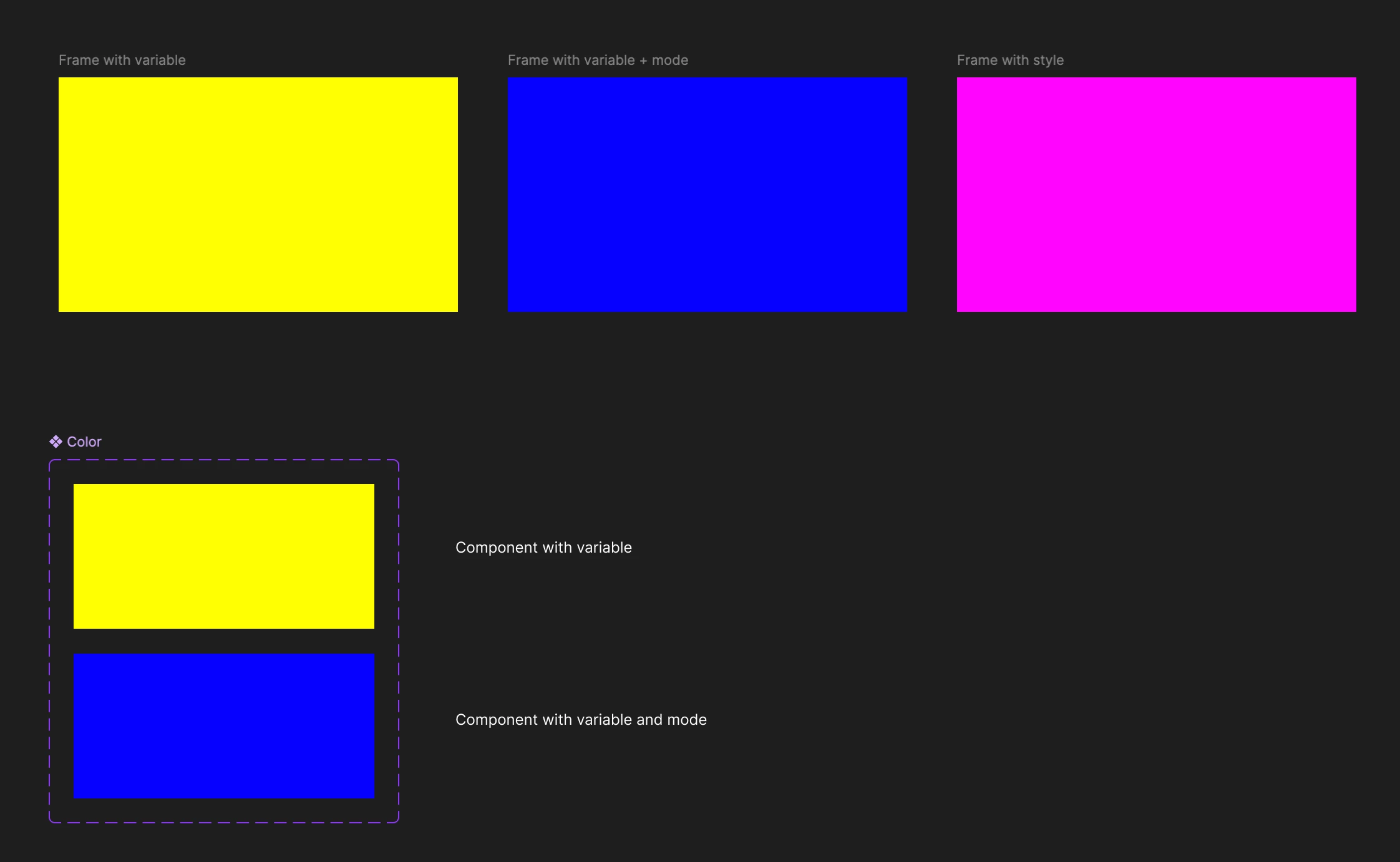
This is how it looks in the original Test Lib file

This is how it looks in the original Test Comp file
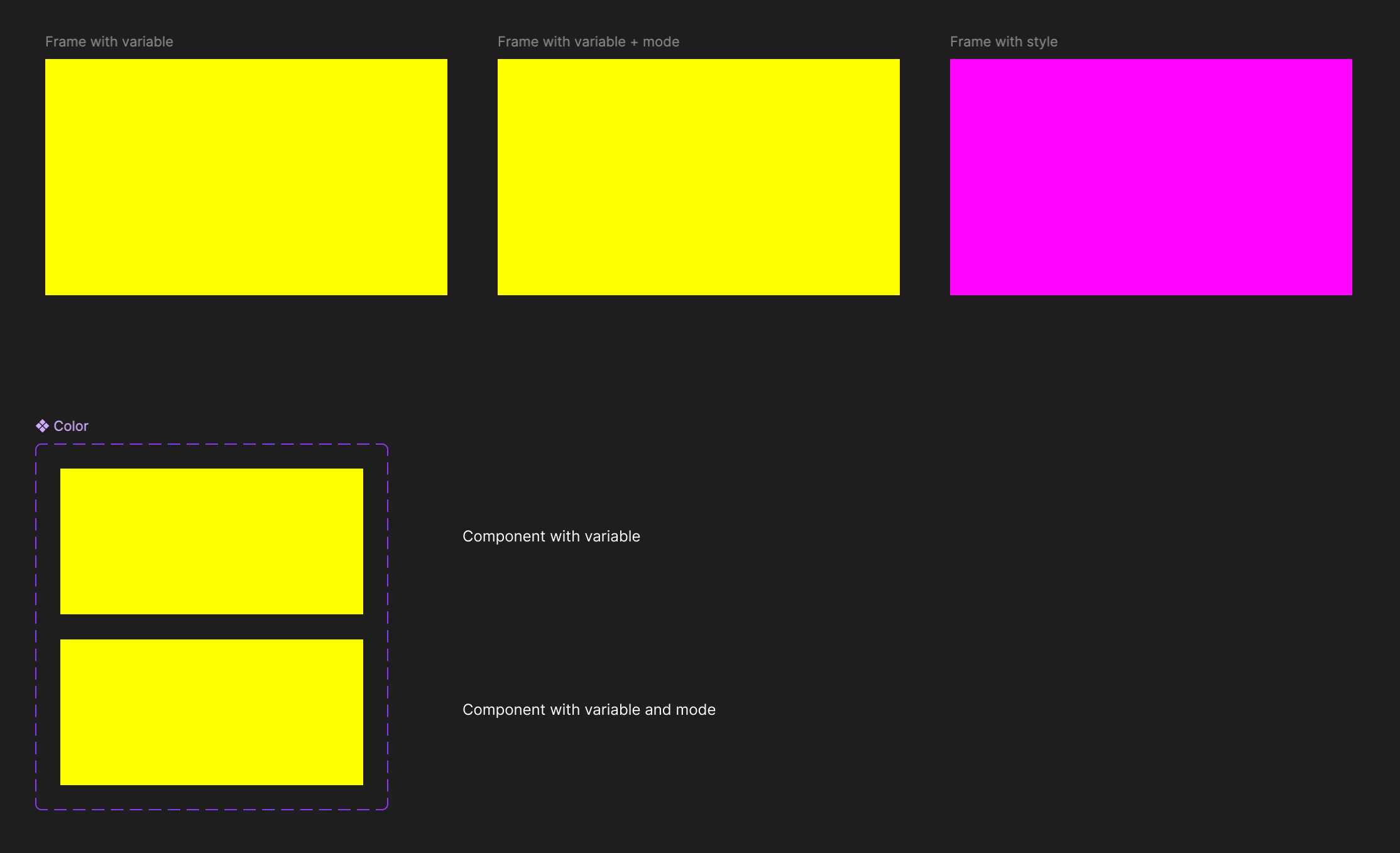
After copying both files and swapping, it looks like this in the Text comp (copy)
Obviously the variable is still applied, but modes are not.
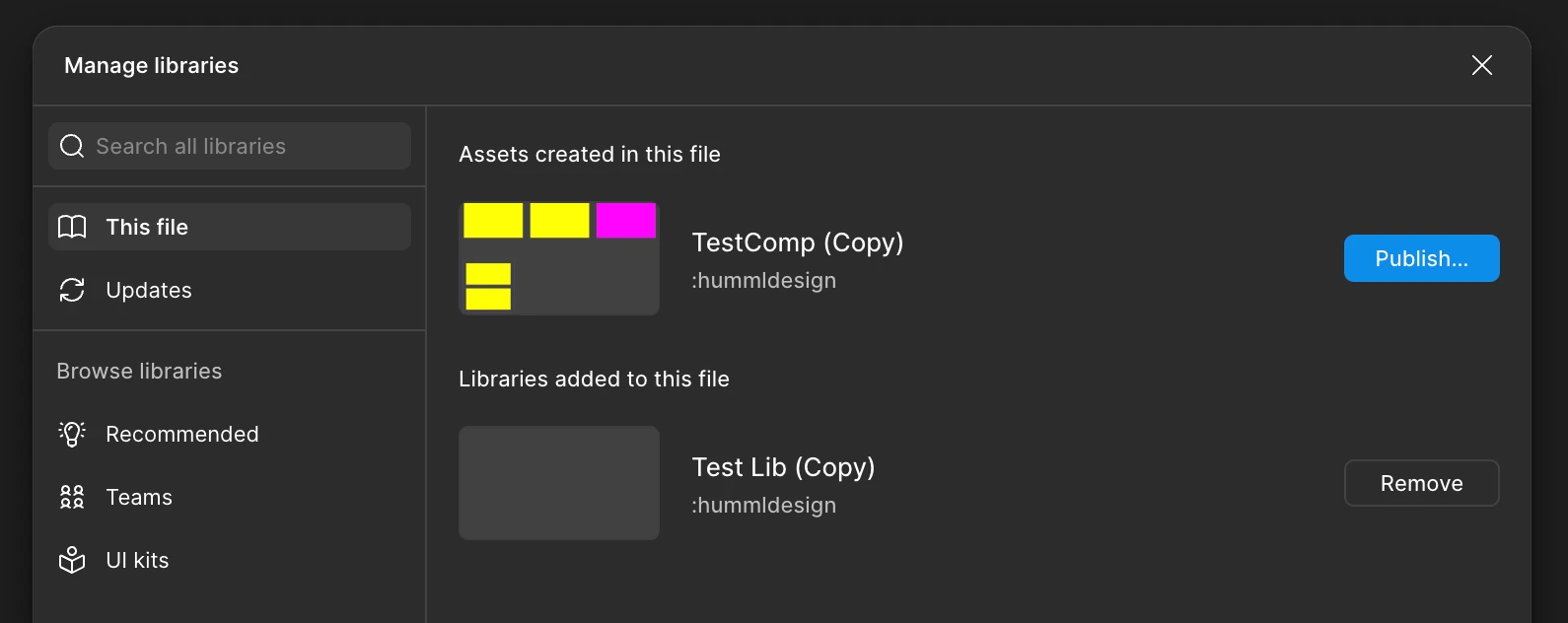
Library is correctly connected
When looking at the details of the layer it is very obvious that we have a broken mode reference to the original Test Lib, instead a correct swap to Test Lib (Copy).
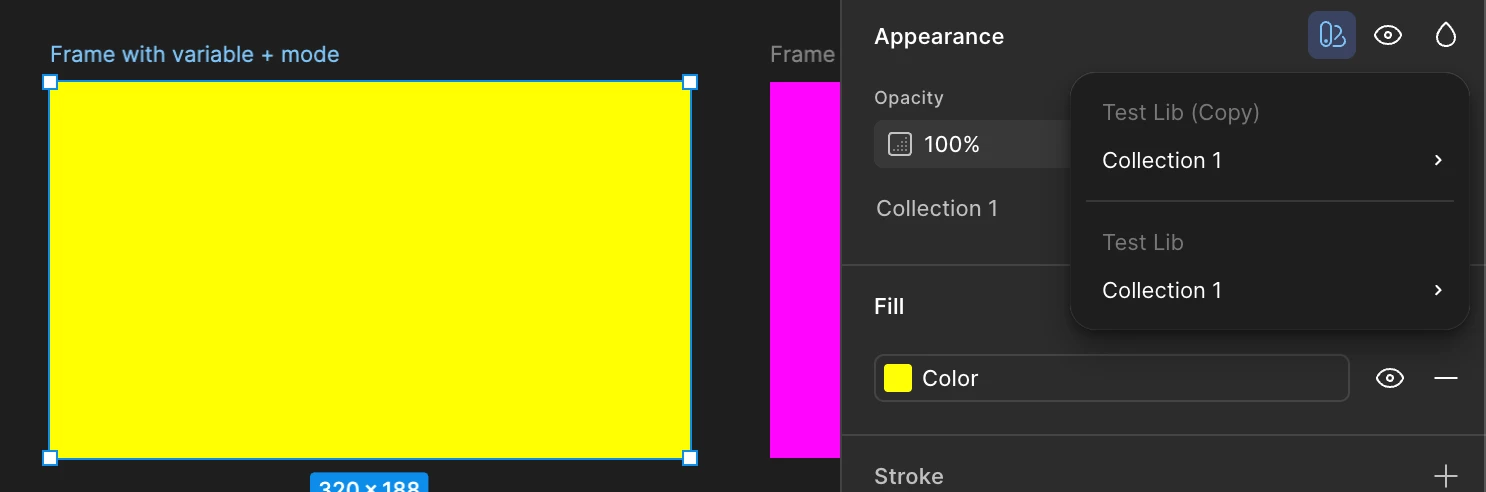
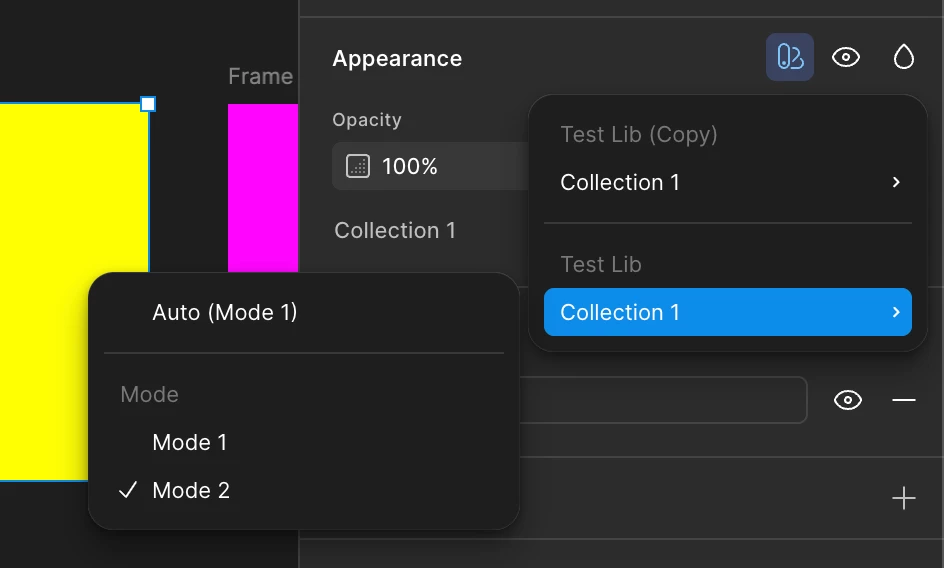
The wrong mode does not even work which also proves that something is wrong. What ever you choose, nothing changes.
Expected behavior
The mode for TestLib should not be visible here at all. It should be linked to the swapped library (Test Lib (Copy))
Workaround
The only way to solve this, is to go manually (!) to every layer using a mode, replace the mode with the correct one. Which is impossible in large files.
Please fix it!
I hope those are enough details to fix the bug, which is really crucial for using design systems in an enterprise environment. You guys create so many new tools, but pls don’t forget about your main product which is Figma.