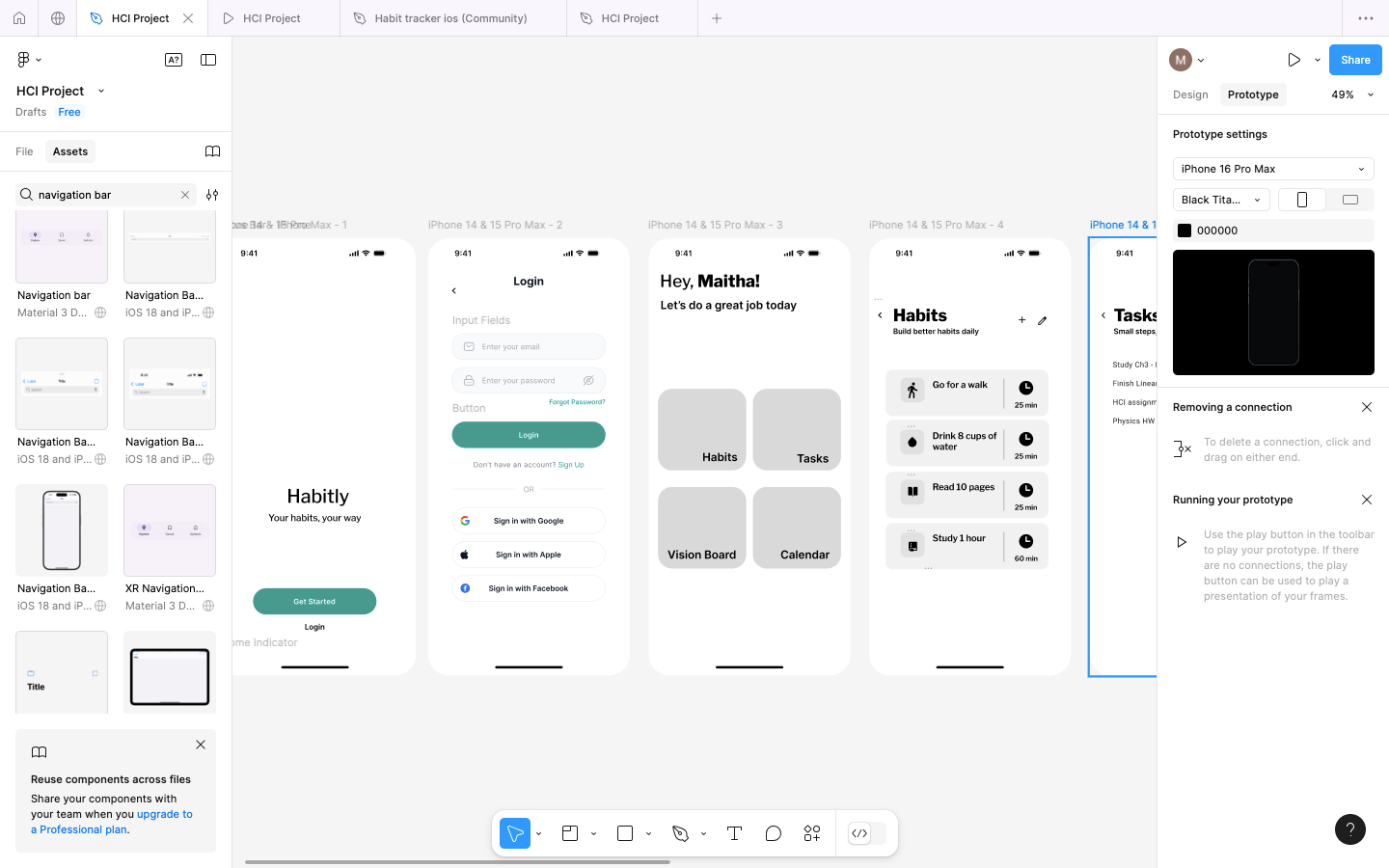
Hi @maitha, Thanks for getting in touch about this!
I understand that the objects are not appearing correctly on the screen during your presentations.
Just a reminder, designs need to be in a frame to preview or present.
Reviewing your first screenshot, the fourth page, titled [Habits], shows numerous objects within the page. Could you please verify that all of these objects are indeed nested within a parent frame? This can be confirmed via the layers panel in the left sidebar.
For further information, please consult the following resources:
If, after confirming the above, and it's still not working, please try these quick fixes:
Close any Figma tabs you’re not using.
If you’re using a browser, force-quit and open Figma in a new browser window.
If you're using the Desktop App, force-quit the Figma Desktop app and restart it.
If the issue persists after these steps, I recommend reaching out to our support team. In that case, please follow this instruction: Submit a bug report
You may also seek assistance from community experts by sharing the URL of your file here.