
Question

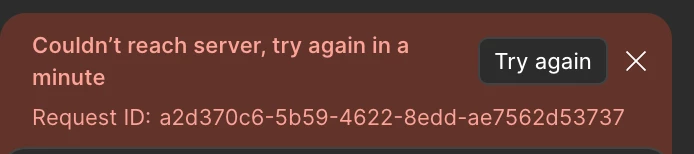
Already 24 hours coulden't reach server

  • April 16, 2026
  • 1 reply
  • 8 views

LeonQuantari

Hello Team, i have this error for already 24 hours and i can’t work in Figma!!

I restarted the app many times but without any luck. How can i solve this?


1 reply

Celyn_L
Figmate
  • Figmate
  • April 17, 2026

Hi ​@LeonQuantari, Celyn from Figma Community Support here. Thanks for flagging this and sharing the screenshot, it’s really helpful.

I can see you’re running into the “Couldn’t reach server” error - happy to help take a closer look with you.

As a first step, could you help confirm a few things:

  • Are you on a company network? If so, could you try switching to a personal network (like a hotspot) and see if the issue persists?
  • Are you using any VPNs or security tools (e.g., Zscaler)?
  • Does this happen across other Make files, or just this one?

Could you also try switching and prompting with other AI models in Figma Make and check if the issue still occurs across different models?


More info here: Select an AI model to use in Figma Make

In the meantime, I’ve gone ahead and created a support ticket (#1854608) for you so the team can assist you directly from there.

If none of these steps help, could you please reply to the ticket with:

  • A link to the file where this is happening
  • Share the file with support-share@figma.com and grant “Can View” access (this won’t impact your billing and will allow us to reproduce the issue)

Appreciate your help with these checks, we’ll keep working with you on this.
