Question
All editable controls in the right properties panel are unresponsive in Figma Desktop for macOS
I'm experiencing a major interaction issue in the Figma Desktop app on macOS.
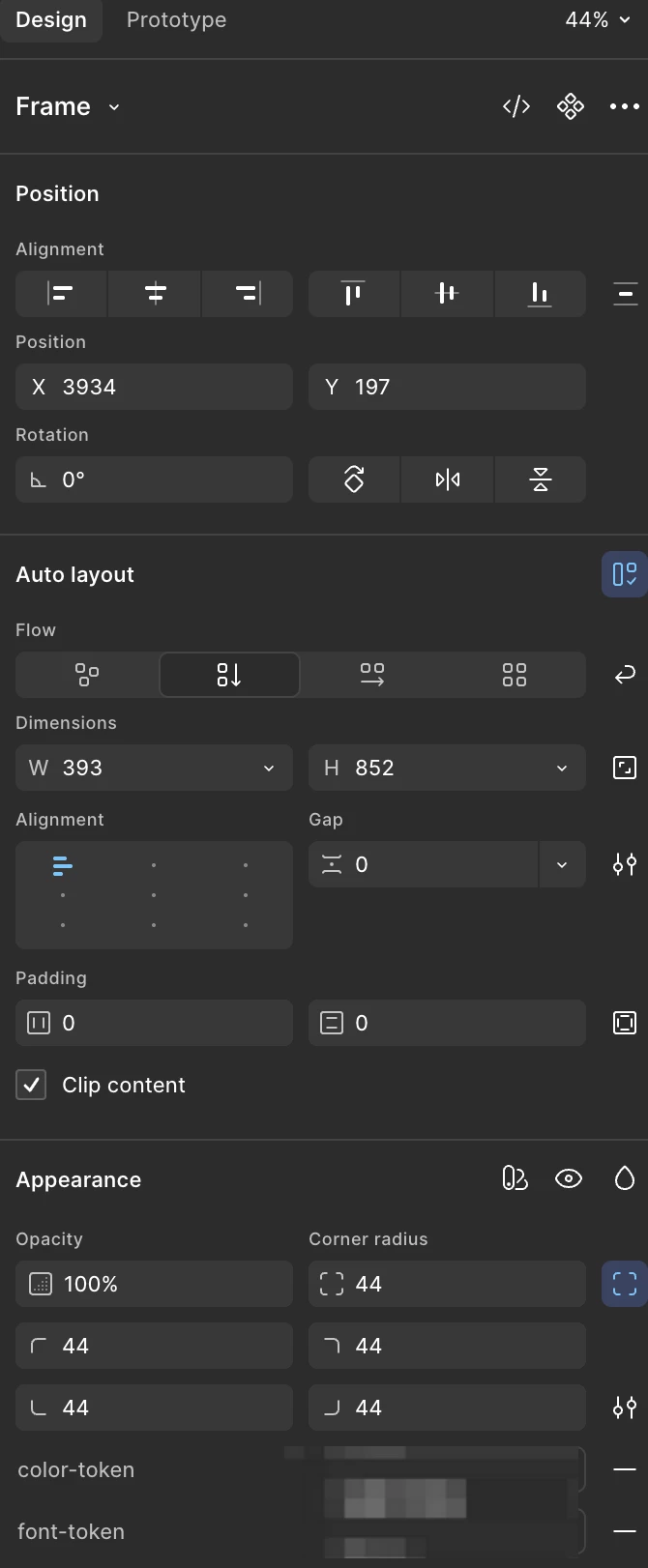
My account has full edit access, but all editable controls in the right properties panel are unresponsive.
This includes:
- Input fields cannot be clicked
- Fields do not receive focus
- Values cannot be entered or changed
- Dropdowns and other editable property controls are also unresponsive
- The issue is not limited to Auto layout, Gap, Padding, or Corner radius — the entire right-side properties panel cannot be edited
- The canvas and other parts of the interface appear to work normally
I tested the same account and the same Figma file in the web version, and the right properties panel works normally there.
So far, the issue only occurs in the Figma Desktop app on macOS.
I've attached a screenshot showing a few affected areas, but the issue applies to the entire right-side properties panel.
Could you please help investigate whether this is a known Desktop app issue and advise on a fix?
Environment:
- Platform: macOS
- Figma: Desktop app
- Web version: Works normally
- Desktop app: Entire right properties panel is unresponsive
- Account permission: Full edit access