

claie Aill
New Member
Nov 17, 2026 7:52 AM UTC
Solved

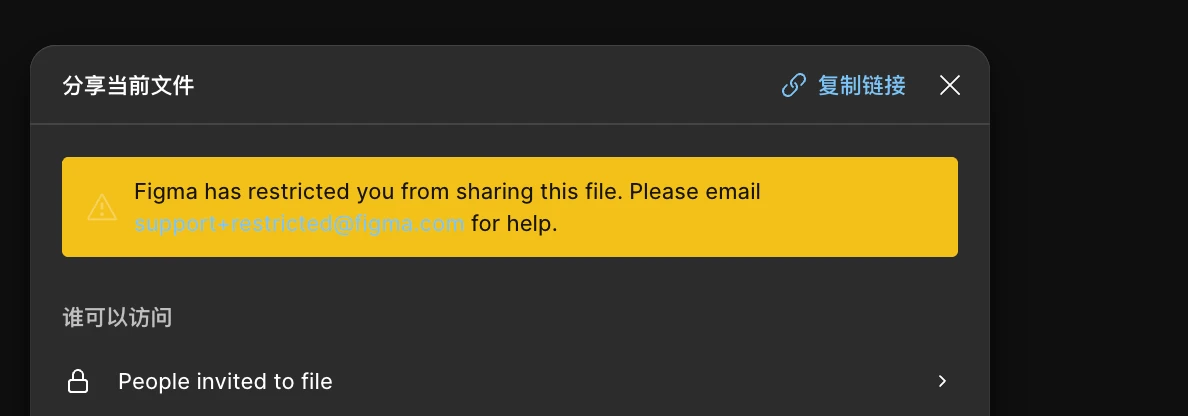
Account restricted from sharing files and Figma Agent unavailable in all files

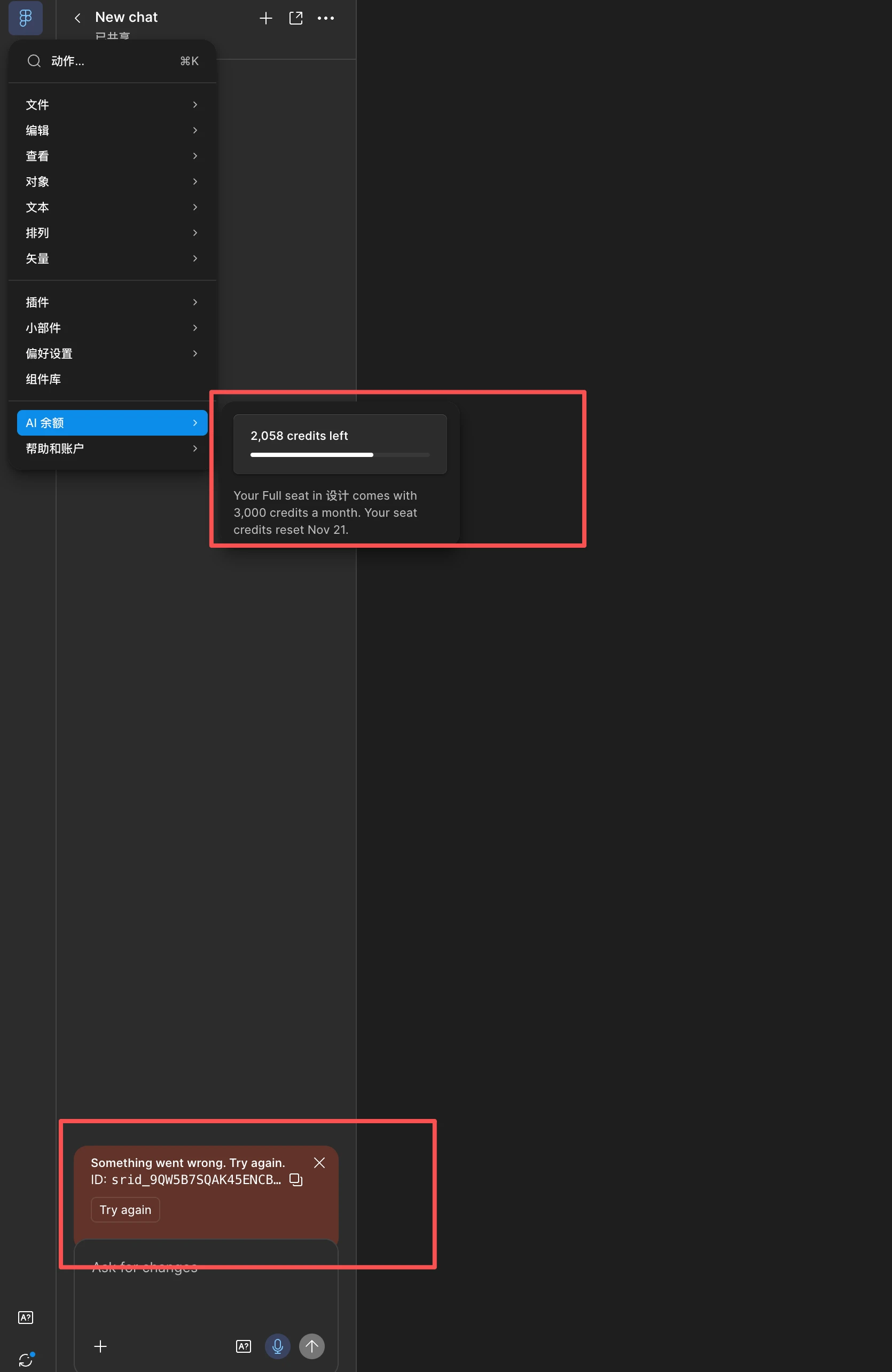
My AI balance shows 2,058 credits remaining, so the issue does not appear to be caused by insufficient AI credits.

Figma Agent is not working in any of my files, including team files and newly created Draft files that I own. The problem occurs in both the desktop app and web browser. Every prompt returns: “Something went wrong. Try again.” I have already restarted Figma, refreshed the browser, signed out and back in, and created new chats and Draft files, but the issue remains. Figma account email: 【claie_min@163.com】 Error ID: 【srid_9QW5B7SQAK45ENCB87BBAFJ4R】
 

Gayani_S
Gayani_SSolution
Community Support
Nov 17, 2026 4:15 PM UTC

Hey ​@claie Aill, thanks for reaching out and apologies for the delayed response! I can see you already have a ticket open with our customer support team (#2262082), so you’re in the right place.


The Troubleshoot AI tools in Figma article covers the “Something went wrong” message and suggests reloading the tab or restarting the desktop app, which you’ve already done. If it keeps happening, it also suggests selecting the information icon on the failed agent message to copy the debug details. It would help to add those to ticket #2262082 alongside the Error ID you’ve shared, and to note whether the sharing message shows on all your files or just some.


I can’t look into this on the forum. Someone from our customer support team should be in touch soon through your ticket to investigate. Thank you for your patience in the meantime! 

2 replies

claie Aill
New Member
Nov 17, 2026 8:07 AM UTC

Figma Agent is not working in any of my files, including team files and newly created Draft files that I own. The problem occurs in both the desktop app and web browser. Every prompt returns: “Something went wrong. Try again.” I have already restarted Figma, refreshed the browser, signed out and back in, and created new chats and Draft files, but the issue remains. Figma account email: 【claie_min@163.com】 Error ID: 【srid_9QW5B7SQAK45ENCB87BBAFJ4R】

Gayani_S
Figmate
Gayani_SSolution
Community Support
Nov 17, 2026 4:15 PM UTC

Hey ​@claie Aill, thanks for reaching out and apologies for the delayed response! I can see you already have a ticket open with our customer support team (#2262082), so you’re in the right place.


The Troubleshoot AI tools in Figma article covers the “Something went wrong” message and suggests reloading the tab or restarting the desktop app, which you’ve already done. If it keeps happening, it also suggests selecting the information icon on the failed agent message to copy the debug details. It would help to add those to ticket #2262082 alongside the Error ID you’ve shared, and to note whether the sharing message shows on all your files or just some.


I can’t look into this on the forum. Someone from our customer support team should be in touch soon through your ticket to investigate. Thank you for your patience in the meantime!